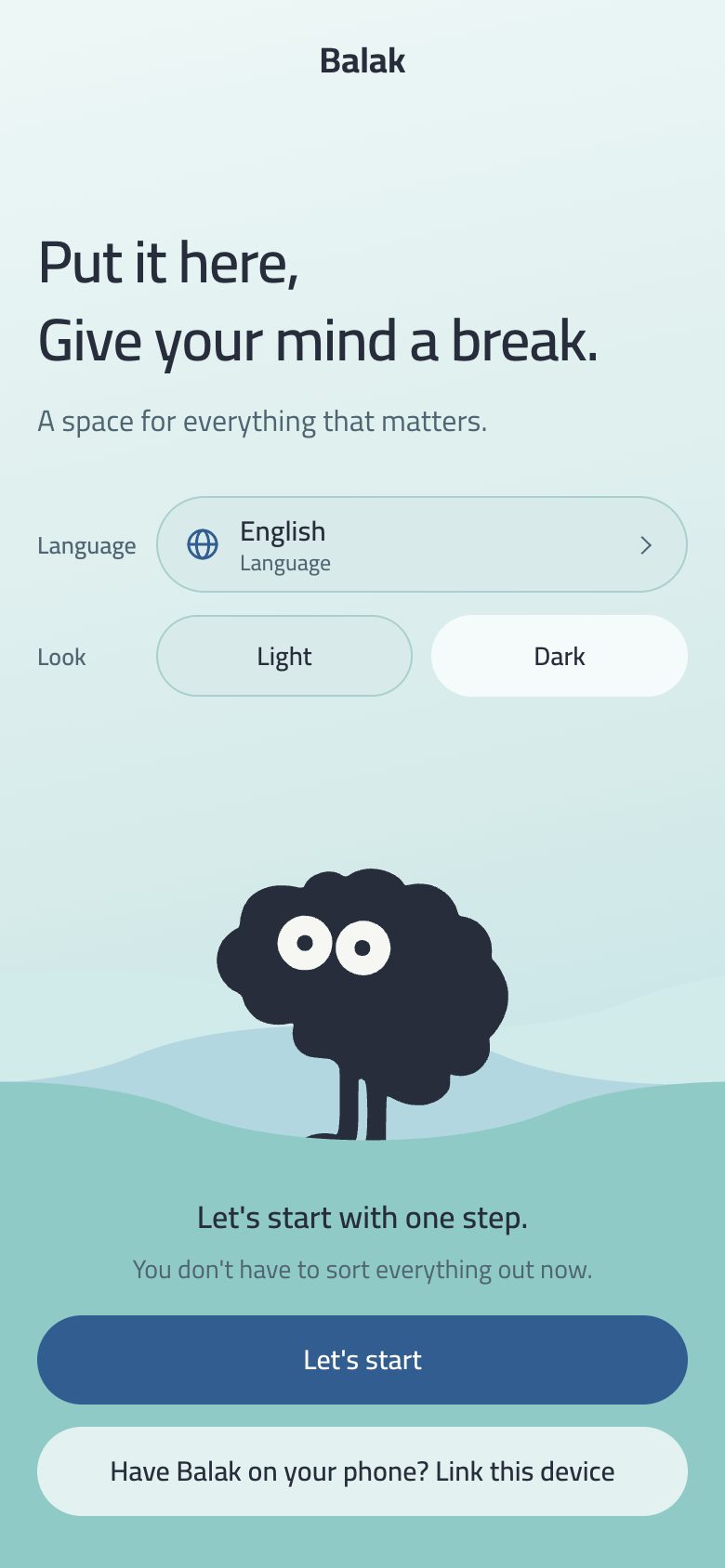
The first screen asks for your language and your appearance (light or dark), then “Let’s start”.
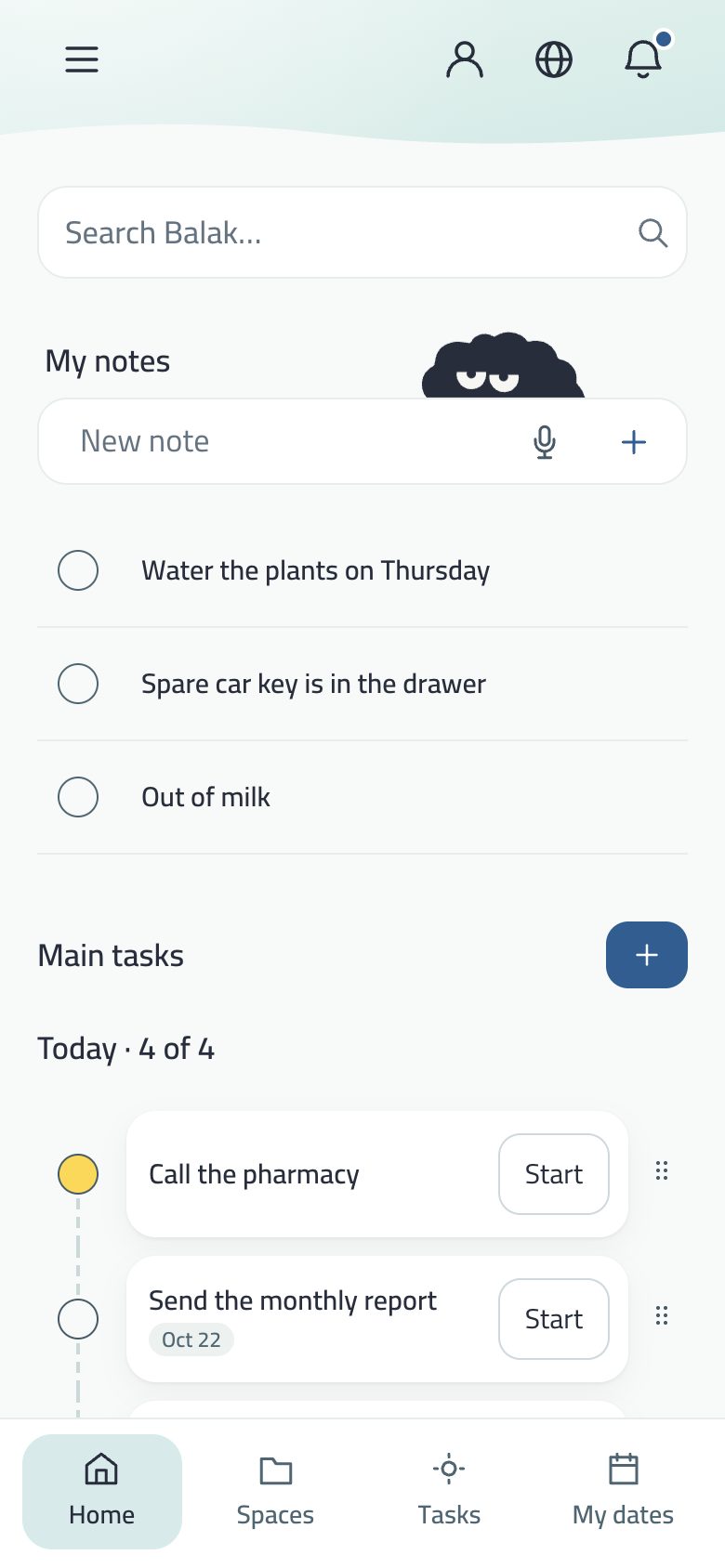
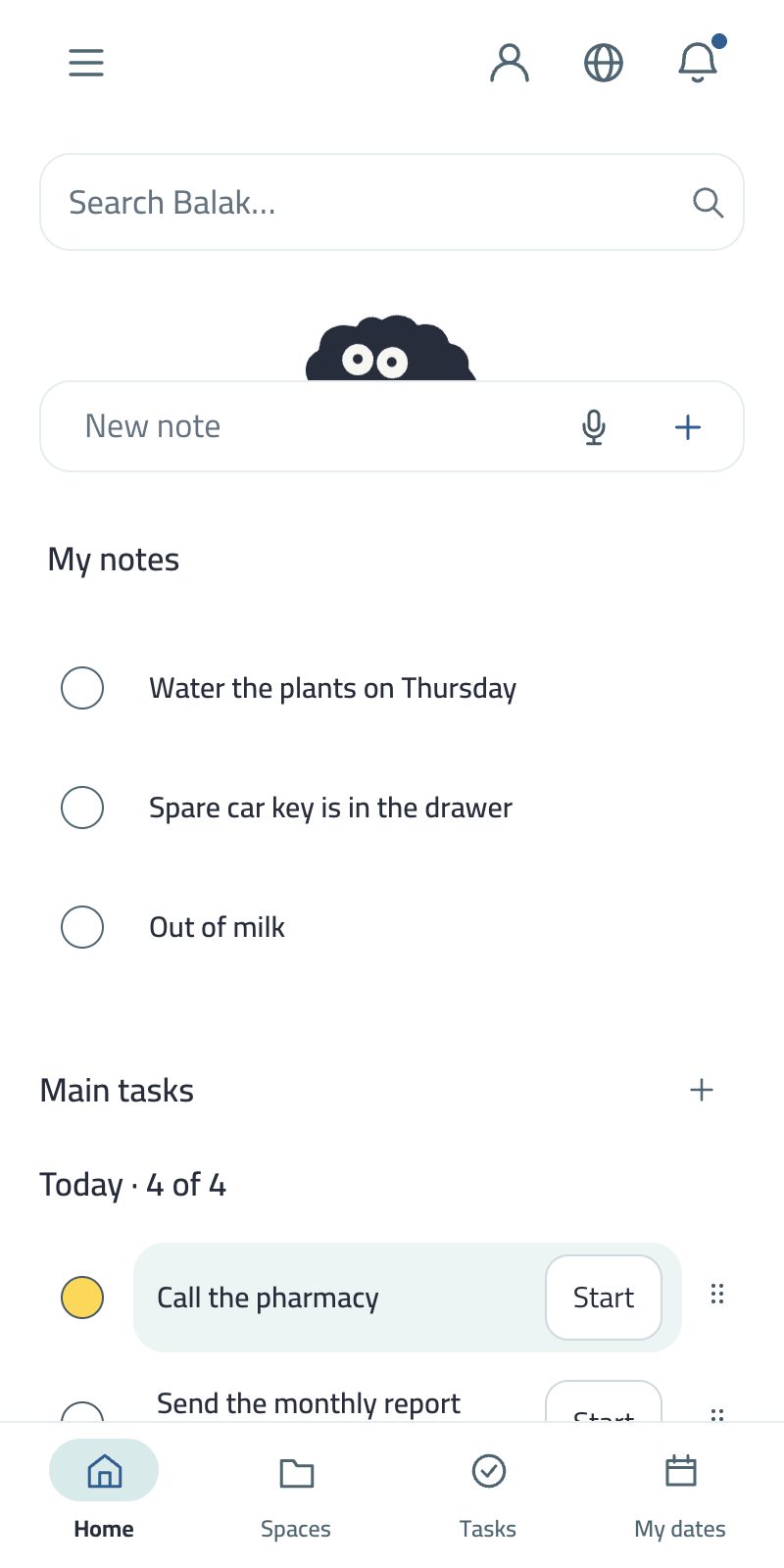
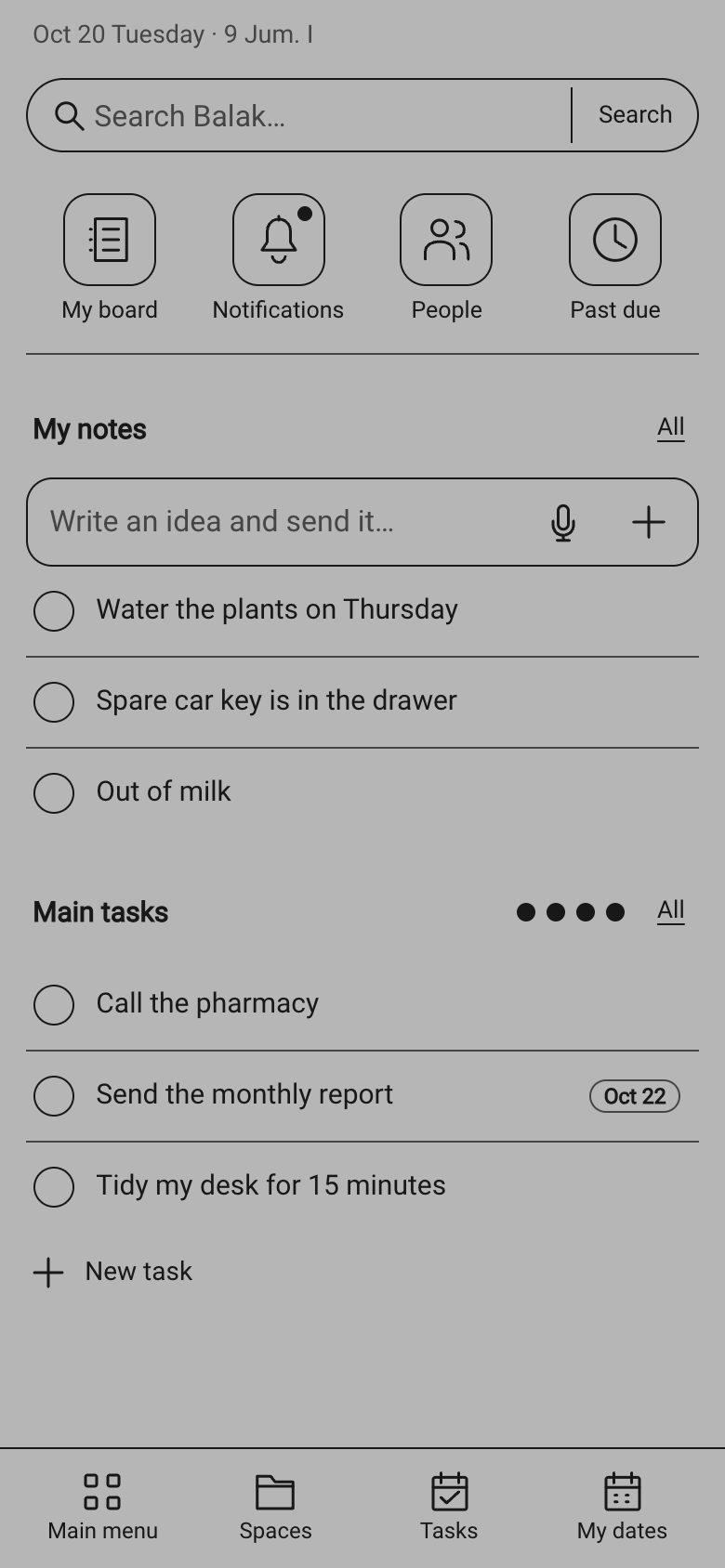
Write your first note in My notes at the top of Home, or your first task with + under Main tasks.
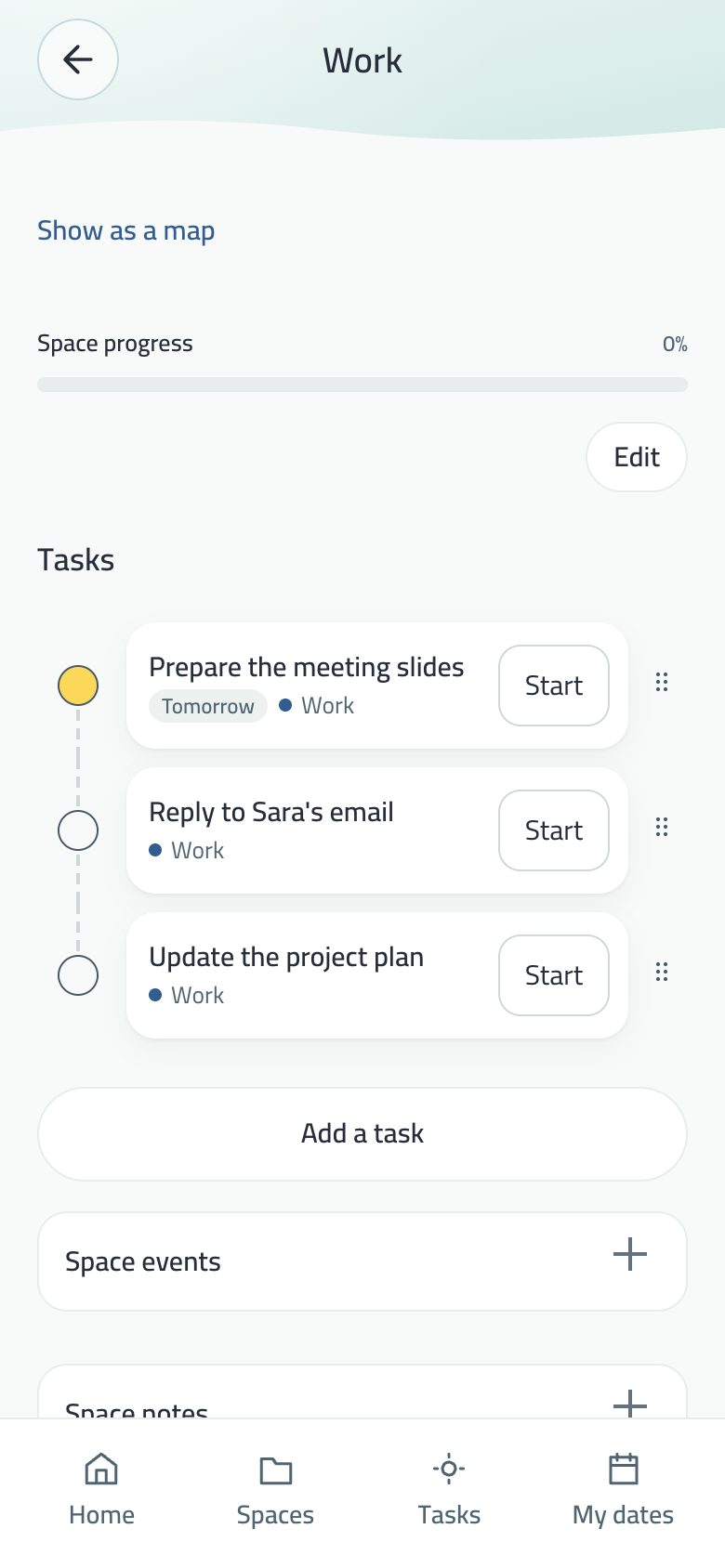
Tap Start next to a task to open a focus session.
No account needed. Everything is on your device; an account is made silently when you need it for sync, family or classes.
The system asks for no permission on first launch: Balak explains itself before each one, at its moment (your first reminder, first code scan, first tap on the mic).
The bottom bar
Home
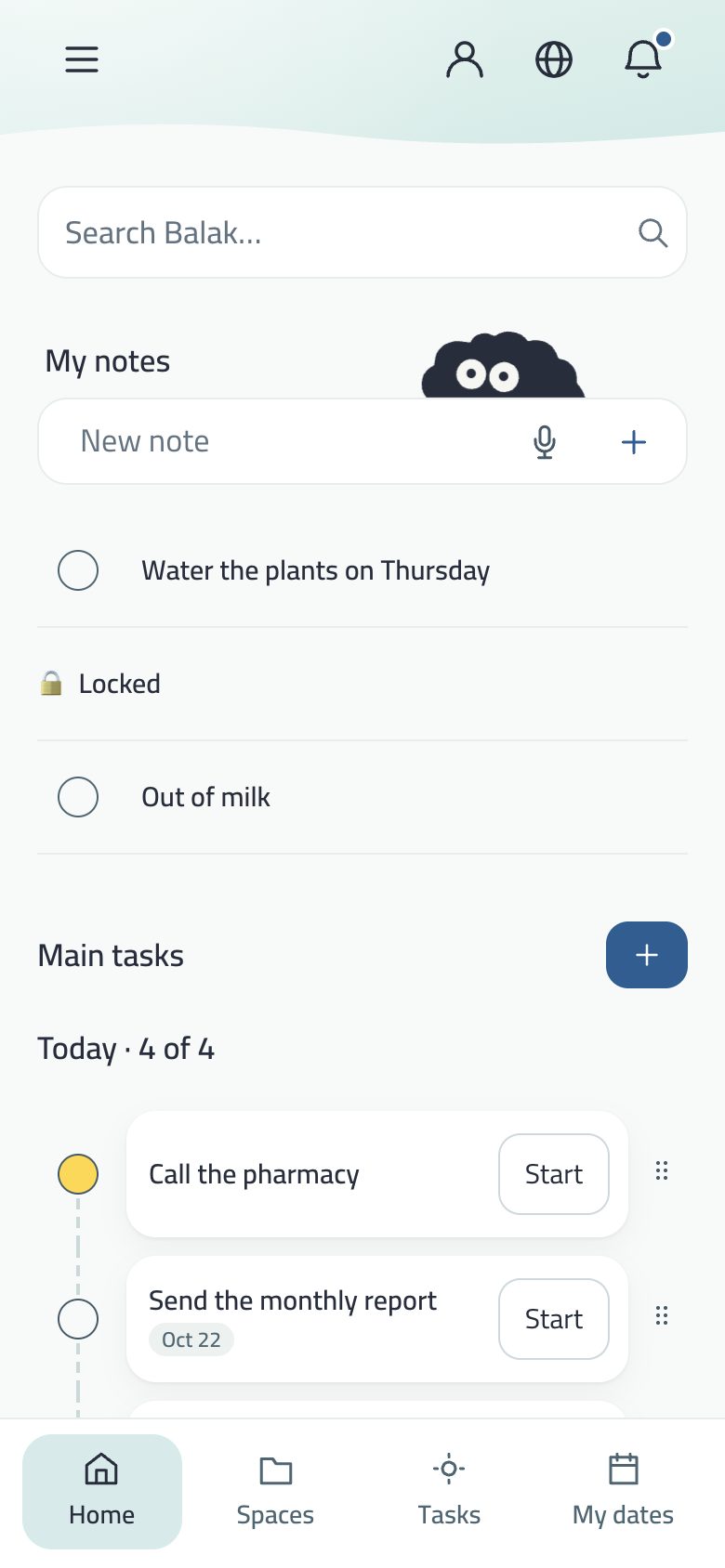
Search, My notes, today’s tasks, My spaces and the weekly review.
Custom tab
Spaces by default. Change it from Customize tab (the circle in the bar’s corner): People, My family, Work, My classes…
Tasks
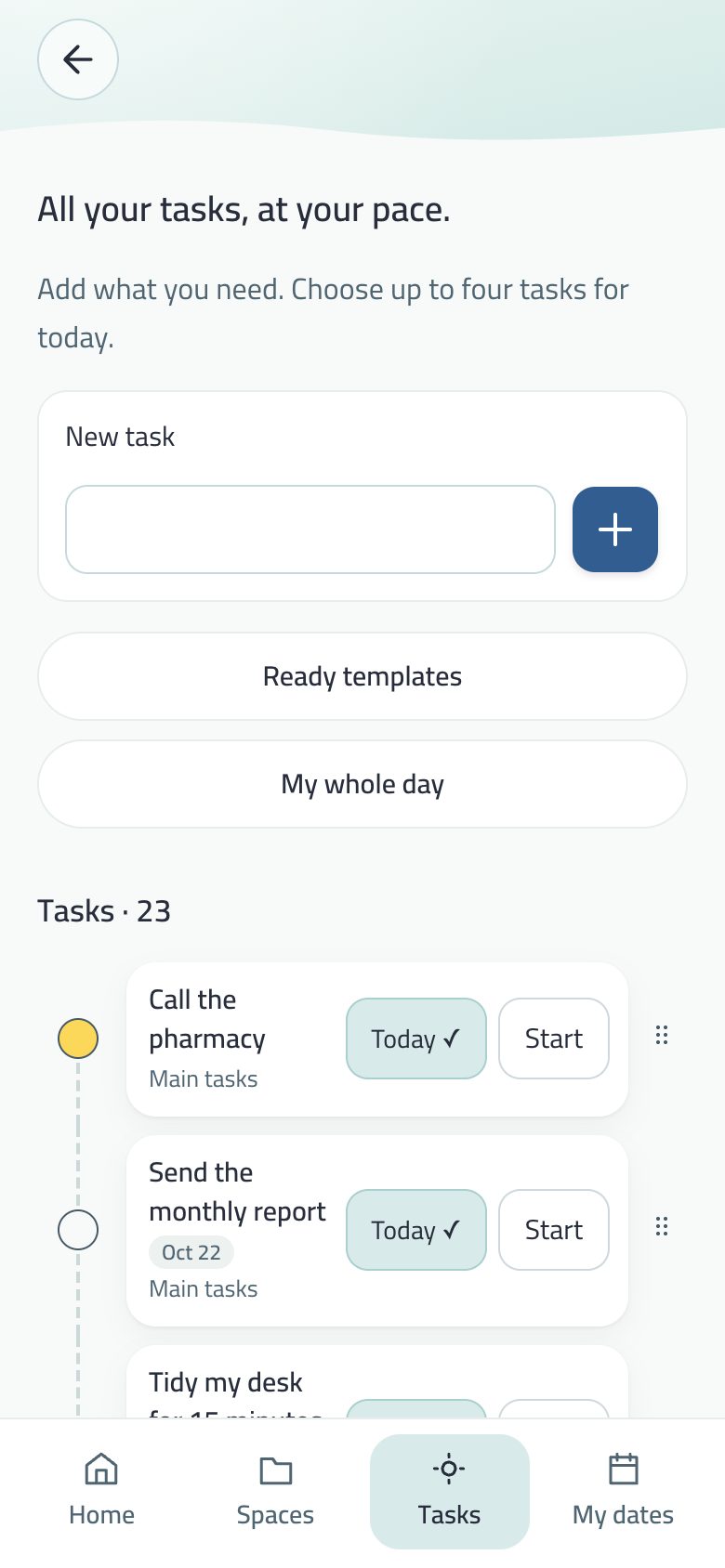
All your tasks, up to four for today, templates, and My whole day.
Appointments
Dates with time and repeat, a countdown for each, and the week strip.
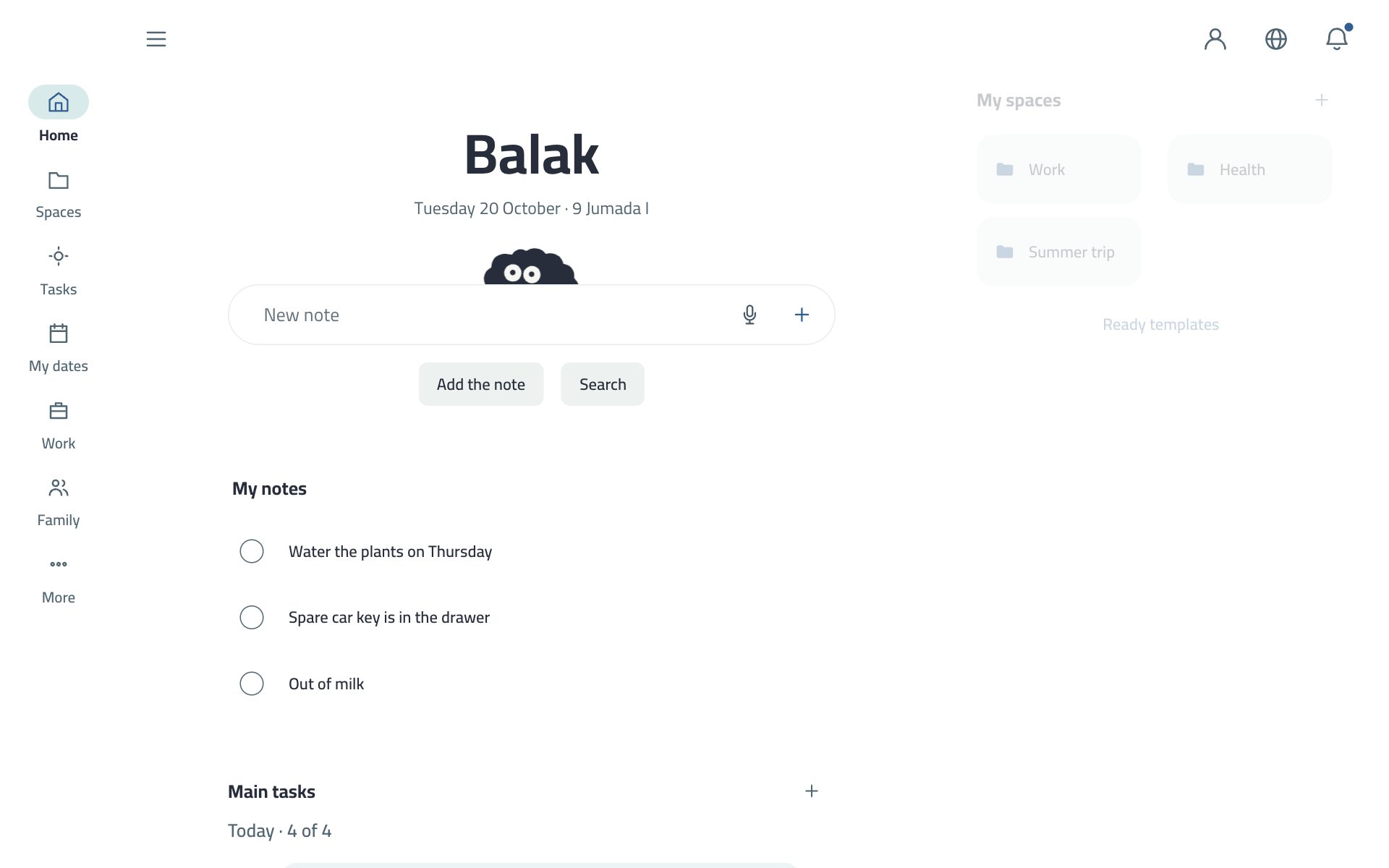
Today holds four tasks; fixed tasks (routines) take no seat. The globe in the Home header switches the language, and ≡ opens the menu. On a computer the bar becomes a sidebar and a side menu, and in E-ink its first button is Main menu.
The latest in Balak. This edition describes version 2.75.0. The first version for everyone in the stores was 2.72.0.
2.75.0
Prayer times in Appointments: optional. Calculated on your phone with the Umm al-Qura method, with a reminder five minutes before each prayer, in Balak’s tone or silent.
My card asks to be added: whoever scans it sends a request, and nobody is added before you accept. “Change my card’s code” stops old cards.
The card on an NFC sticker: write your card’s link onto a sticker, and any phone that touches it opens the card. You can lock the sticker so the link cannot be written again.
Clear your mind: sounds for the pieces and the river, a speaker button beside ∞ to turn them on or off, three lives for the plane in the river, and three quick words with the family.
Home: the calendar icon in the header opens Appointments on today, and the “You finished N this week” line opens your achievements.
Look and text size: the start screen offers Light, Dark and Auto, and text size defaults to “Auto, from the phone”.
The bell: a family section that comes right after the alerts.
Stop e-mails on every invitation sent by e-mail, and recovery codes now open in six boxes.
New Balak icon: a dark version and a tinted version on iOS 18 and later.
Android: dates and times in Balak’s words, the calendar opens with a tap, and the app is drawn edge to edge.
Schools · October 2026
School activities and trips: the school picks from verified providers’ offers, students vote, families agree and pay with mada, a card or Apple Pay, and Balak holds the money until the activity happens. With an activity history and star ratings.
Class invitations: invite classmates to a birthday or success party, approved by the school first.
2.74.0 · October 2026
Clear your mind: a calm game made of your tasks, in the menu. Pieces sorts tasks as they fall, River plays like River Raid, “∞” is for those who like a challenge, and With the family.
Balak on your watch: an Apple Watch app and a Wear OS app, with your next date, your day, your notes and Say it.
Six Android widgets, just like the iPhone: My day, My week and Focus are new, and the other three wear the iPhone look.
Order spaces by hand: press and hold until they wiggle, then drag one onto another. One order everywhere: pinned first, then newest.
A mic in New task: speech fills the name, and you press Add yourself.
Store rating with no question before it; English no longer translates what you wrote yourself; the fifteen other languages have every word again.
2.73.2 · 18 October 2026
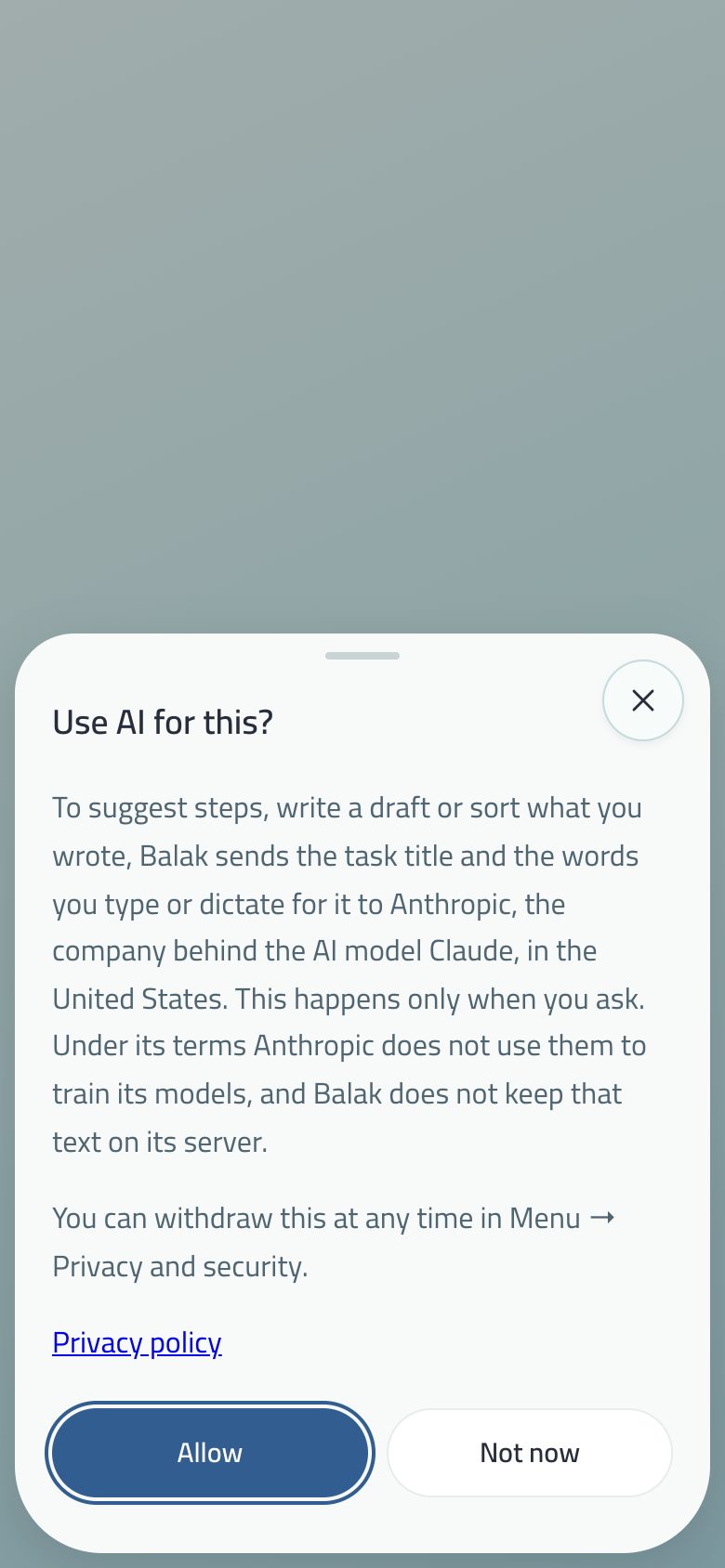
One question before any AI: Balak names what is sent and to whom (Anthropic, the maker of Claude), and nothing leaves before Allow. Withdraw it in Privacy and security.
2.73.1 · 15 October 2026
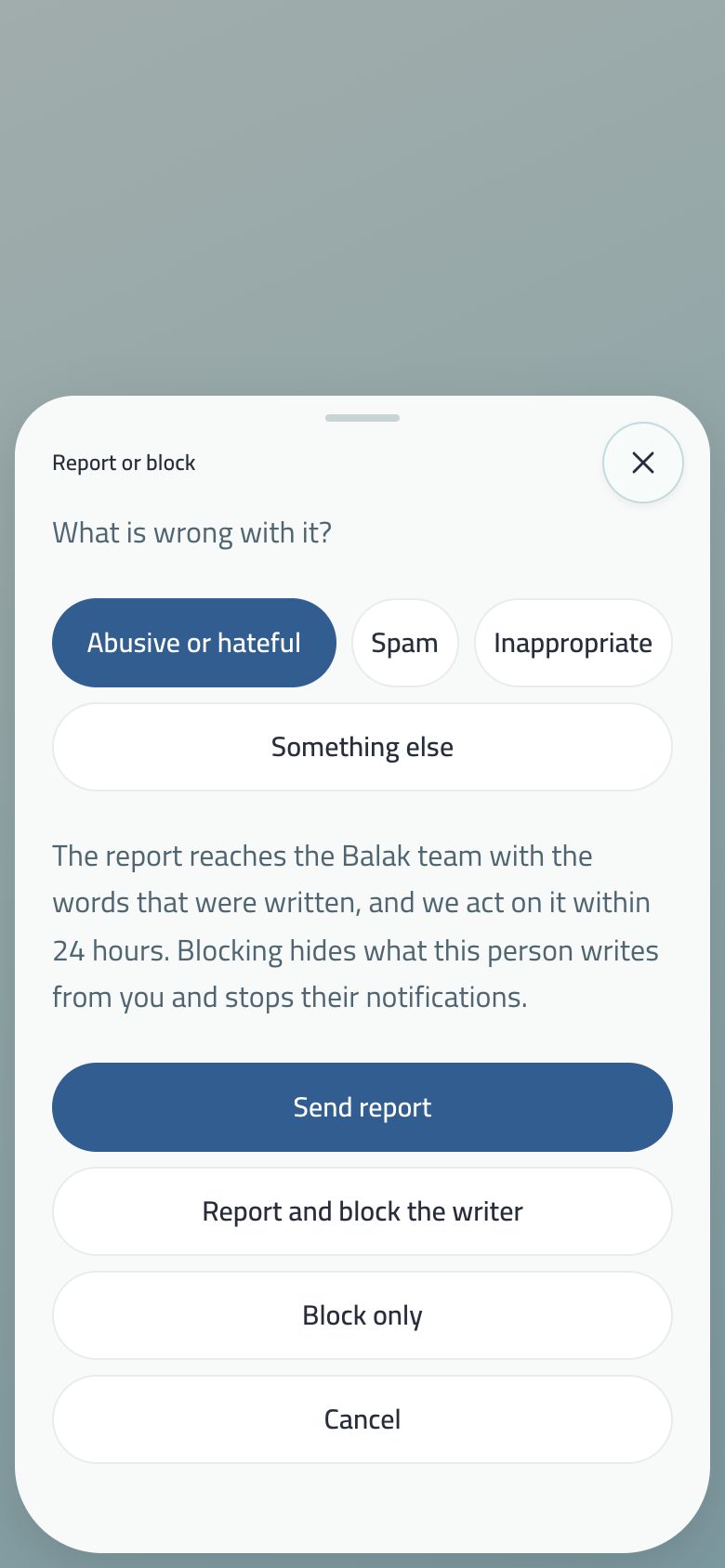
Report and block on what others write in a class, the family and shared spaces, and a Blocked people list.
A new support page, and the phone app shows no paid plan.
2.73.0 · 15 October 2026
A clearer company page, and invitations from a company, a school or a document room arrive by e-mail with their status.
My family shows school notices and homework, and linking a child with a slip code.
The smart assistant assumes nothing about the health of whoever uses it.
2.72.0 · 14 October 2026 — the first version for everyone
Balak for business with companies and document rooms (watermark, zoom, questions, team tasks), and company meetings in Appointments.
Balak explains before the system asks any permission, and the first screen asks for your language and look.
Your assistant keeps the tasks of one space you pick.
Earlier
2.54.0 (the assistant), 2.53.0 (the fridge widget and system buttons), 2.52.0 (the family calendar, guardian and teacher chat), 2.50.0 (the bell), 2.48.0 (linking a device by QR), 2.47.0 (week starts on Sunday, Hijri calendar), 2.46.0 (step-by-step routine, your day line), 2.45.0 (Private, the E-ink identity), 2.44.0 (the achievement screen), 2.43.0 (My profile, ranks and badges).
One field: write a note or search. Search covers tasks, spaces, notes, dates and people, and each result opens its place. Your secret code typed in the same field opens Private; a wrong code stays an ordinary search. The mic beside it is for dictation.
When you write more than one thing, or something with a date or time (“meeting with the team tomorrow at 10, then send the report”), a Sort it button appears beside the mic. Saving with Enter or + keeps it one note as before.
Tasks left from your last day
A task you chose for a past day and didn’t finish doesn’t vanish silently: “Move to today” (what is left of the last seven days, as far as today’s seats allow) or “Start fresh”. The X on the sheet means Start fresh.
Your energy today?
One skippable question a day: low, medium, high, each button with its wave (a calm wave for medium, two jumping waves for high). Low suggests the shortest first, high the longest, and whatever is due today stays first. The same answer sets the pace of Clear your mind. No log and no charts; the answer ends with the day.
Main tasks
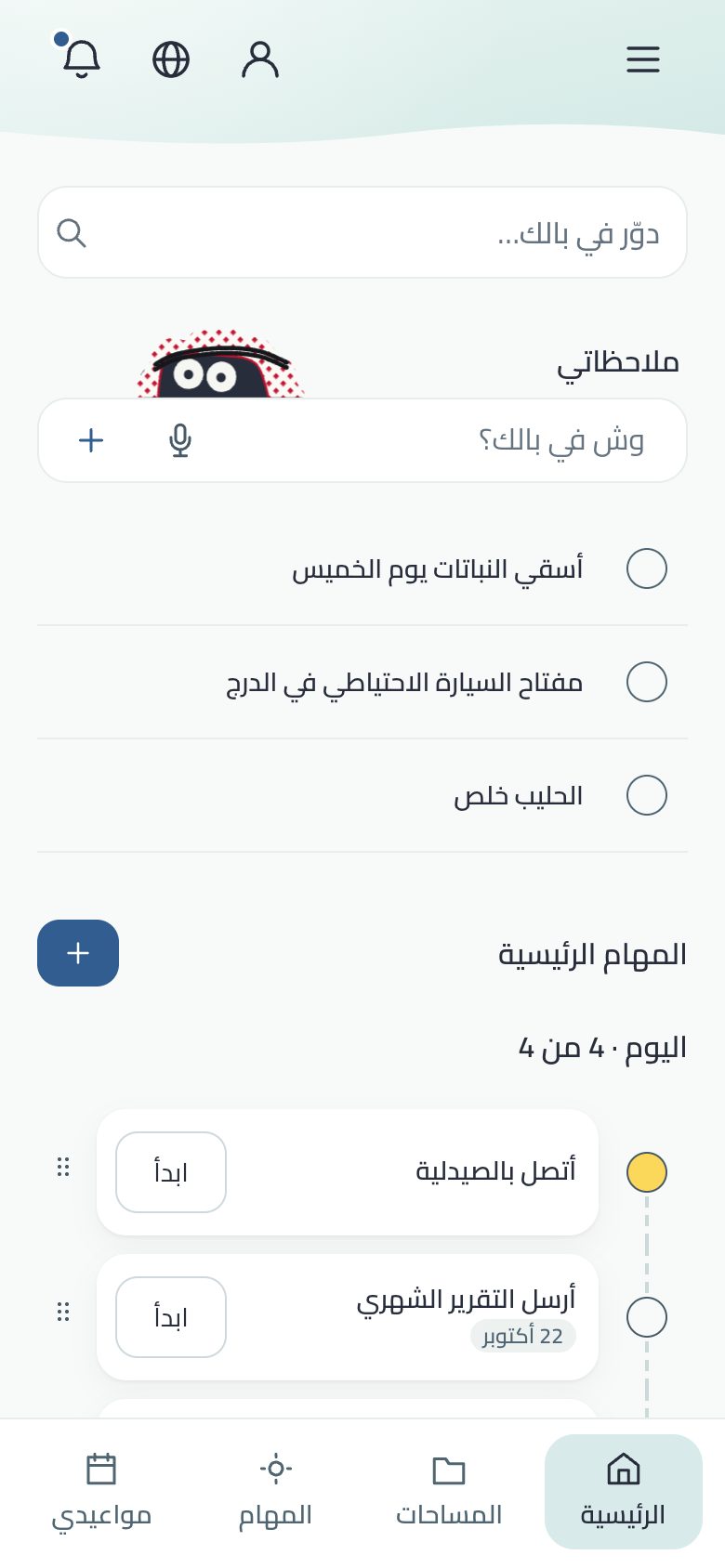
Today’s tasks, up to four, under a title that counts “Today · 3 of 4”; the number rolls when it changes.
Each line: a completion circle, the title, the due tag and size, a dot in its space’s colour, and Start for focus.
Completing throws small sparks and slides the task to the end; the last one of the day sets off a bigger celebration.
Drag to reorder; the first task drags like the others, with its steps.
Today’s work time
A quiet line under My notes says how long you focused today (“1 h 24 min”), with a thin bar split between work, project and personal; a tap shows the time per space. It shows nothing while today has no minute, and keeps the last fourteen days on this device only.
My spaces and Work spaces
Lower down: your spaces under My spaces with + and Ready templates, then Work spaces for your company’s spaces if you have one, then the weekly review. On a computer Home becomes calm, in two columns.
The character above My notes is alive: it breathes, blinks and looks toward your finger, and wears a shemagh with Saudiha. It becomes a still picture if you turn off Eye motion.
The calendar in the header, and the weekly achievement line
The place where the globe used to be in the header is now a calendar icon. It opens Appointments on today, with the week strip that shows each day’s dates and tasks.
“You finished N this week 🌿” is a calm line above the main tasks, and it opens “My achievements” in “My profile”. It does not appear if you have finished nothing this week, or if you have hidden progress in your profile.
What waits for you, in one place — with no number chasing you.
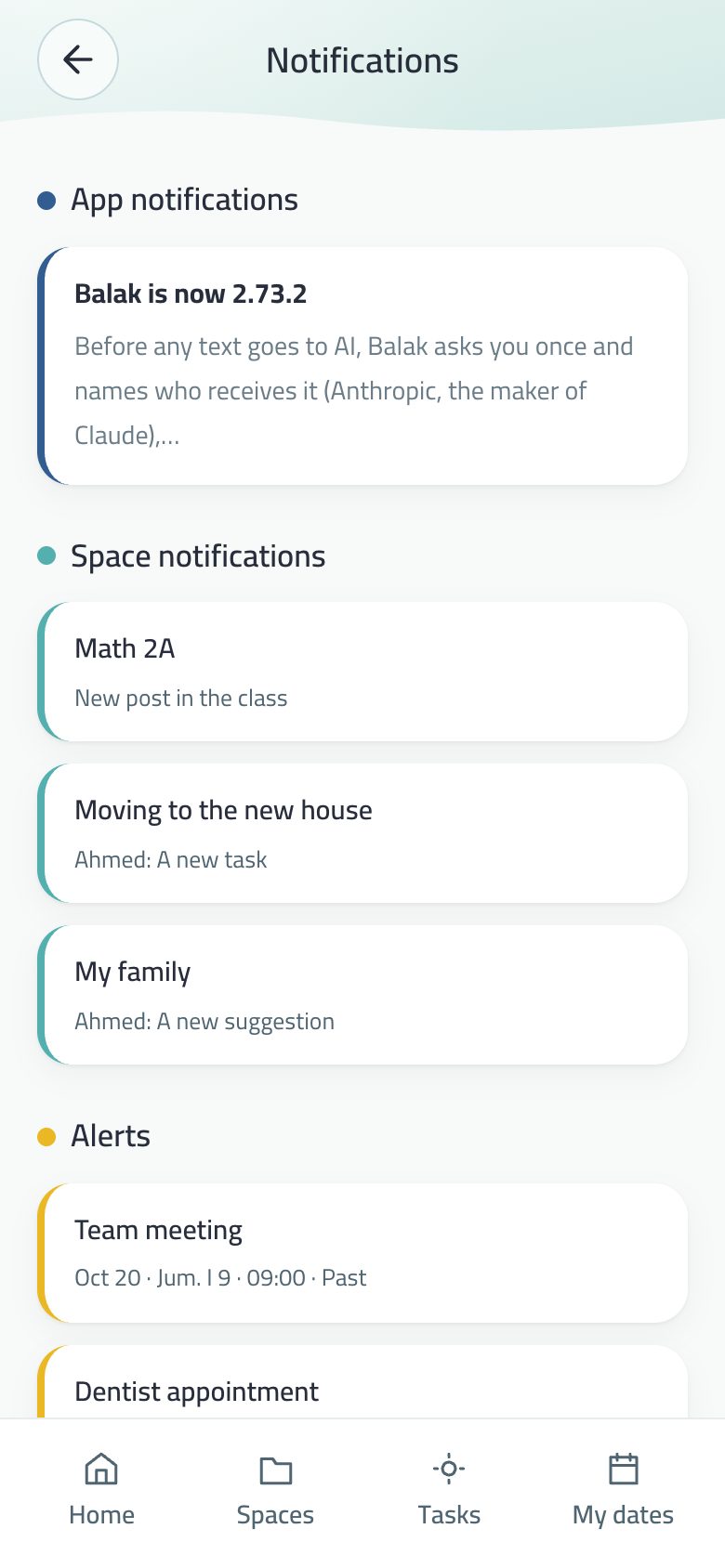
Notifications in three coloured sections.
The bell
An icon in the Home header (and a pinned icon under search in E-ink), with a dot when something waits, never a count.
Three sections, each with its colour on its cards’ edge: App notifications in blue, Space notifications in aqua, and Alerts in yellow (dates and tasks whose day came or passed).
And what concerns you: From Balak (maintenance or a new store version, only for those who haven’t updated), School, and Company for a company member.
A tap anywhere on a row opens the screen that owns it, and the dot goes out when you open the list.
Anything private is never named there.
What reaches you from others
A class post, a new task in a shared space, a note on the family fridge, a new device linked to your account, and company news (a task assigned to you, a meeting, a request, a circular, a document).
The bell remembers them: they stay in Notifications even if you swipe the alert off the lock screen, and become read on all your devices when you open the bell.
A kind you switch off in Notification permission (classes, family, projects, devices, company) leaves the bell too.
A class acceptance and a new device arrive without sound, and nothing reaches you from someone you blocked.
When you join a class on iPhone and your device was never asked about notifications, class news goes to Notification Center with no sound and no prompt. The first one carries Keep and Turn off, and Notification permission offers Let them alert me. This never happens on a child’s device.
Why isn’t permission asked at launch? It is asked at its moment — your first reminder — and Balak explains what it wants and why first. When the system allows it, Balak’s Notification permission turns on with it, and only you turn it off.
The family section
The family now has its own section in the bell: “On my way”, requests to join, and what future home features add. It used to appear under “Space notices”.
The order is now: alerts, then family, then spaces, then app notices last.
Idea = task = subtask: one thing, and the difference is where it lives.
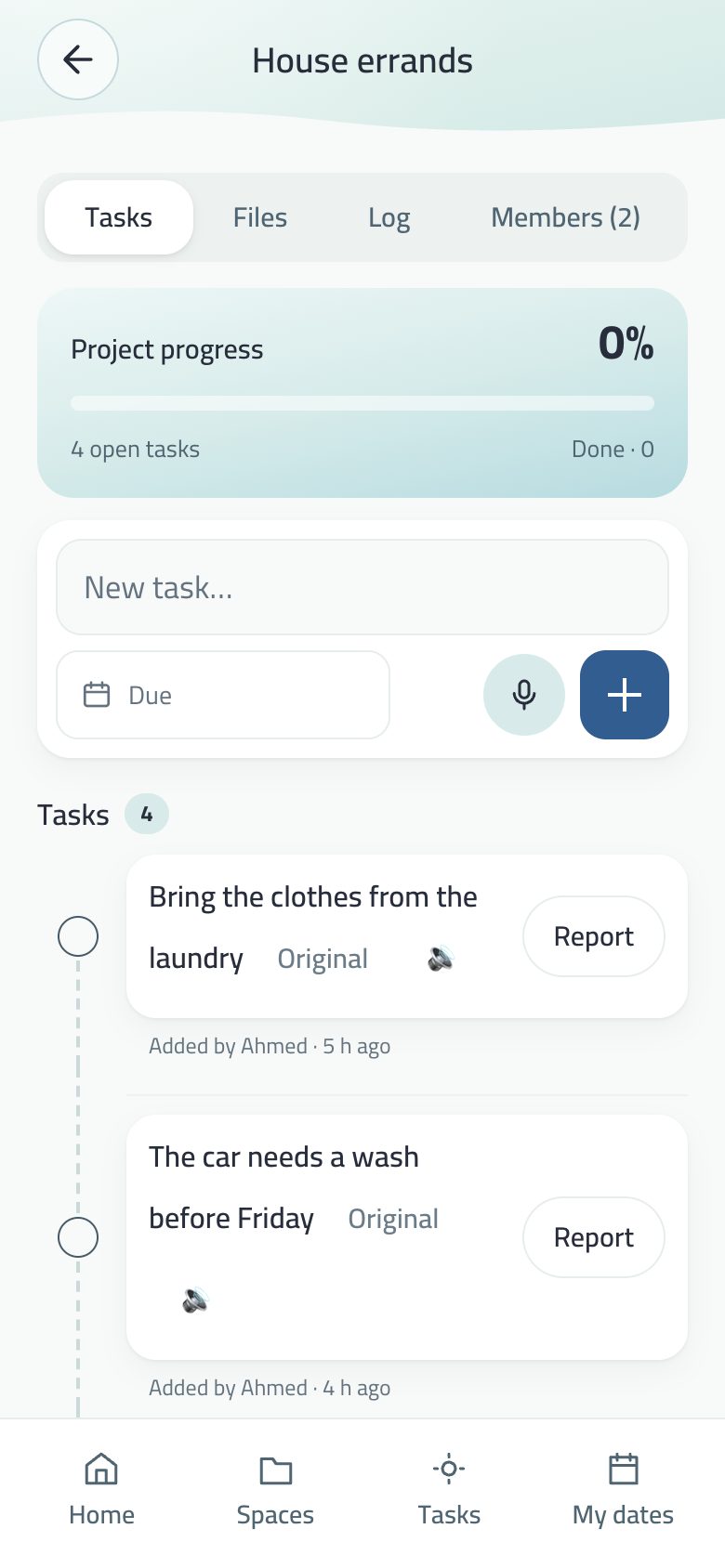
The Tasks tab: New task with the mic, templates, and the list.
The Tasks tab
A New task field with +, and a mic beside the name where the device turns speech into text: speech fills the name, and you press Add yourself, so you can fix a misheard word.
A new task shows first in the list.
Every task has “+ Today” to give it a seat today, up to four.
Filter by space type: when your spaces span two types or more, “All · Work · Project · Personal” appear at the top with open-task counts; the choice stays on this device.
Reorder by dragging, or by keyboard (Space, then the arrows).
The due tag on the line
Every task with a due date carries a small tag: Today, Tomorrow, or the short date in your first calendar, and Past due when it has passed and the task is open. Always a neutral colour, never a day count. Done, locked and undated tasks carry none.
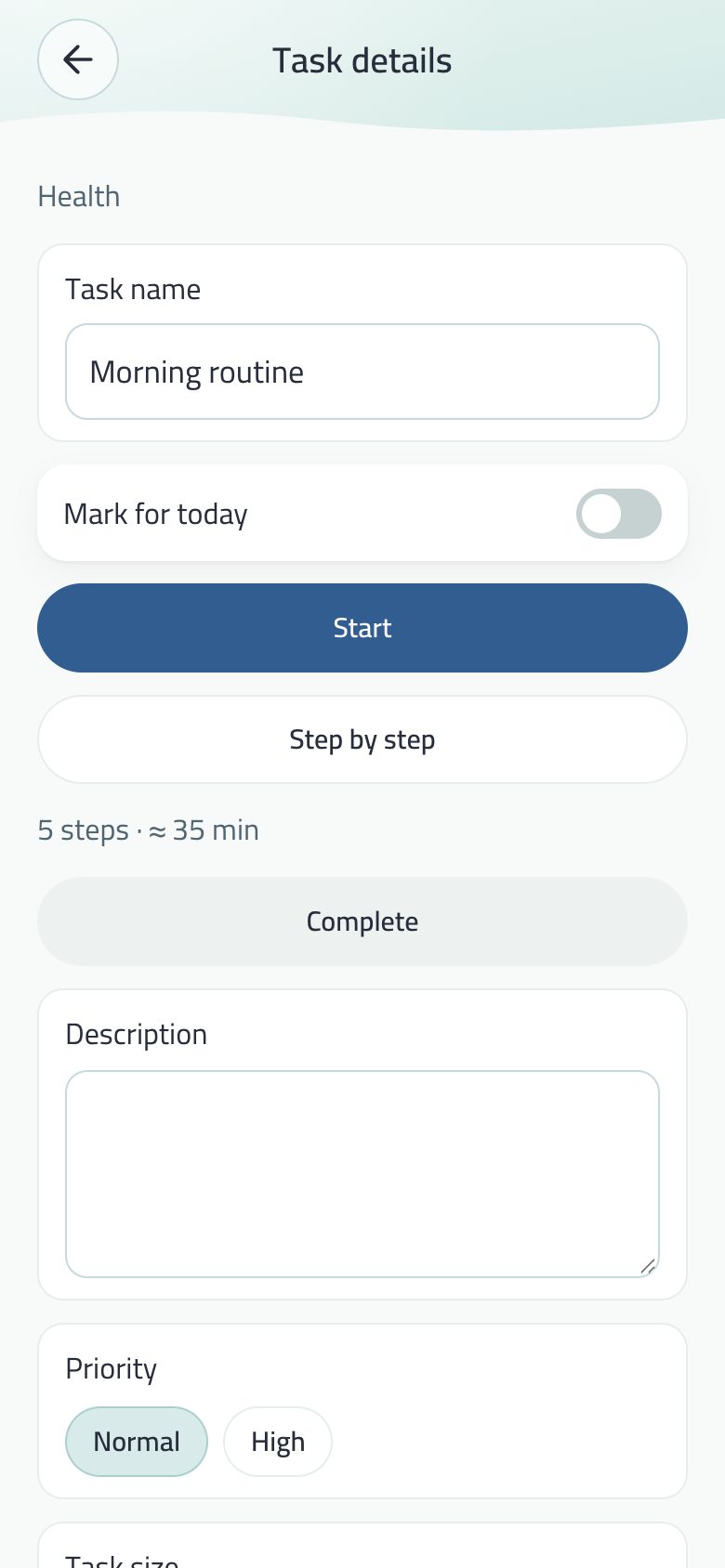
Task details
Field
What it does
Title
Editable in place.
Important
Raises the priority.
Suitable days
A strip of the next fourteen days starting with Today; tap the days that suit the task. The tag says the next chosen day, and becomes Past due only after the last one. You can say it too: “clean the car Sunday and Monday”. Days replace a due date.
Due
A due date with alerts 3 days and 1 day before and on the day. Its alert writes the date in your language and calendar.
Size
Big or small (an hour or more is big). A big task carries a quiet tag, and its details offer Split it before Start.
Reminder
A date and time that ring with Balak’s tone, shown on your day line.
People
Link people to the task; Send sends it alone to the first person on it.
Move to
Move the task to another space.
Subtasks
“The smallest first step that ends in two minutes”. Completing a task doesn’t tick its steps.
First steps from a model running on your device in Chrome, in your language when it supports it. Where there is none, it takes you to the first-step field.
I can do it for you
For a task that names something to write (an e-mail, a post, a letter…): a ready draft. See the smart assistant.
Routine
Daily/weekly/monthly, shown in today without taking a seat.
Your files in your cloud
The task’s files, encrypted, in your own Google Drive. See files.
Tapping the circle completes the task (“Done”); Undo completion reverses the reward. Delete asks with what will happen (“Delete the task and its two subtasks?”), or press and hold the delete button until it fills. Undo stays after any delete.
Past due
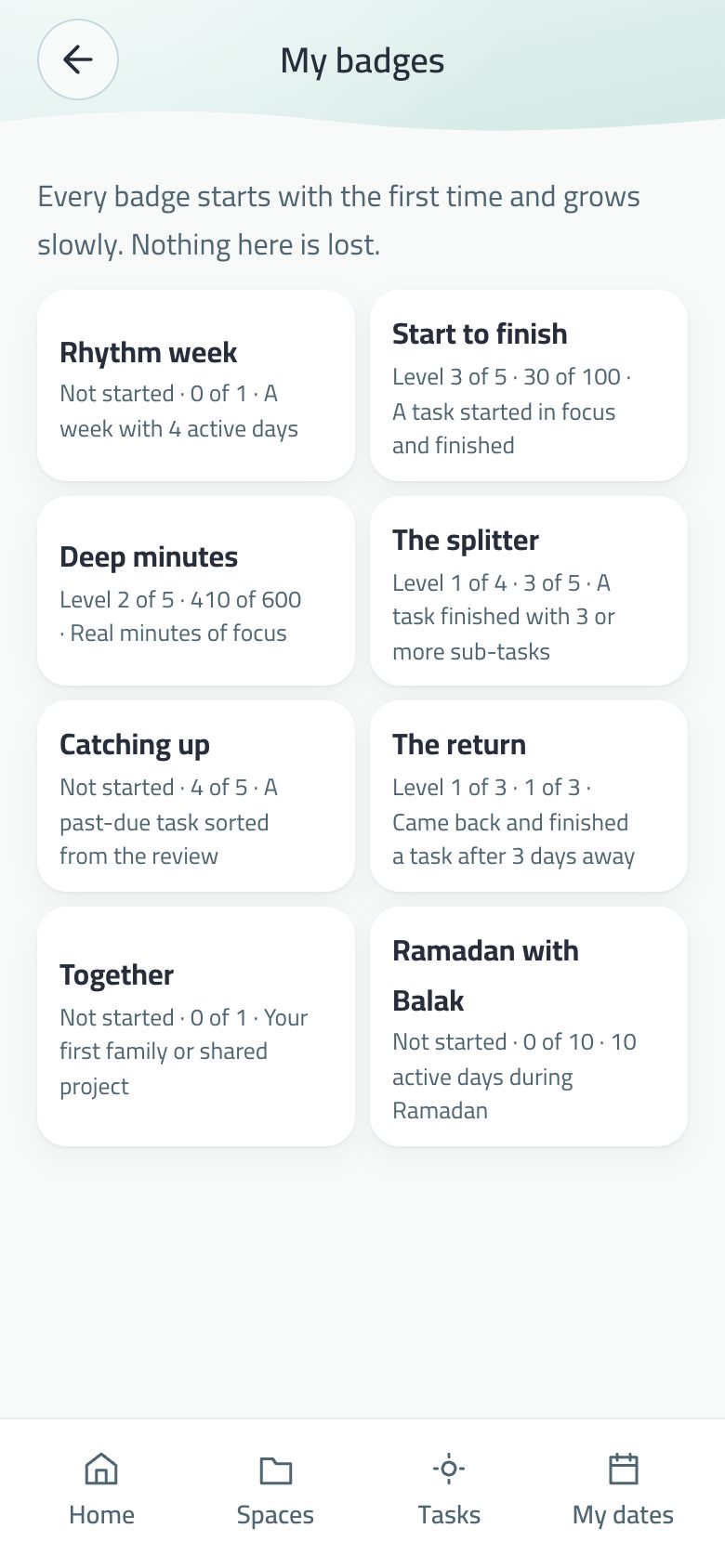
“Review past-due tasks” shows tasks whose date passed, each with: today, a new date, or archive. There is no word “overdue” in Balak, and each review counts toward the Catching up badge.
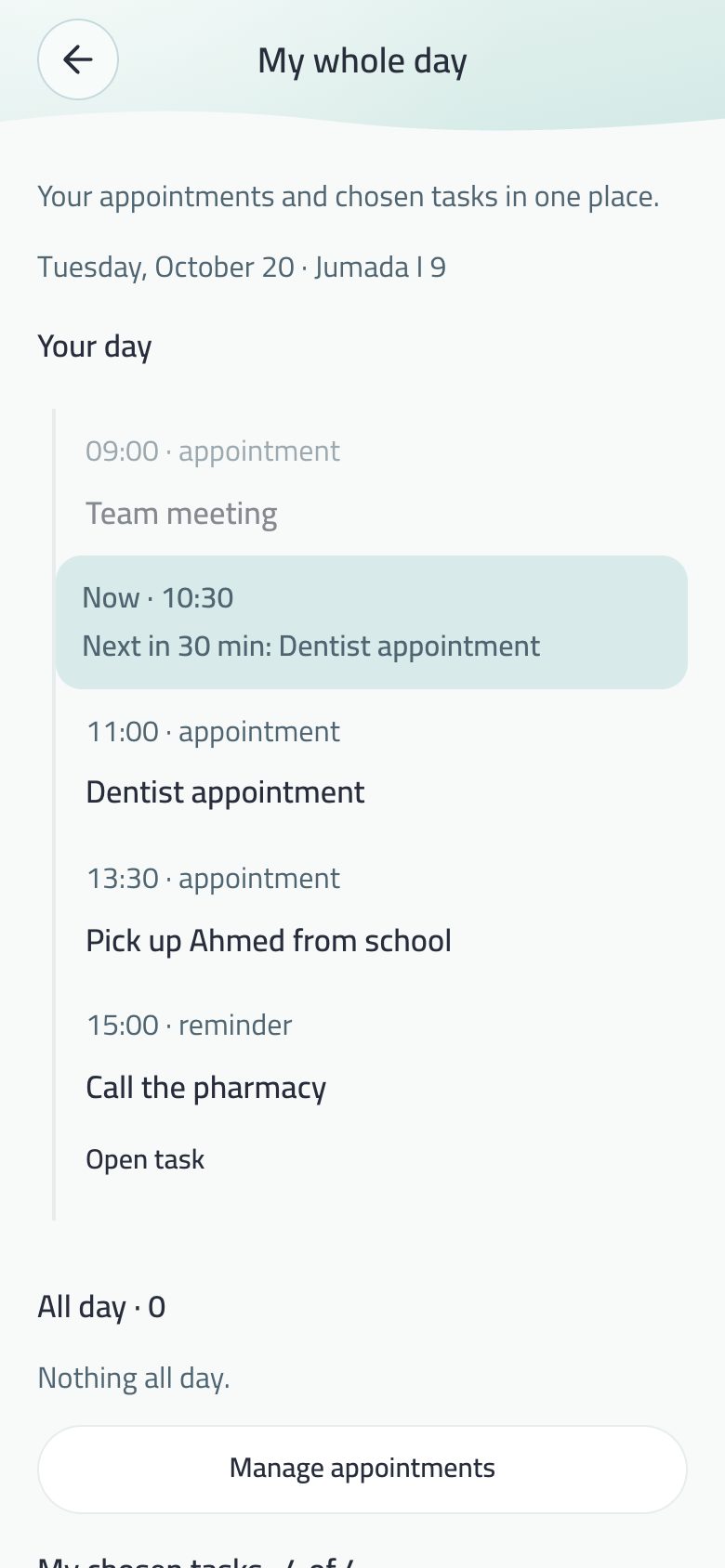
In My whole day: everything with a time today on one line, and a “now” line between what passed and what’s coming.
Your day line: dates and reminders by the hour, and the now line.
Open it: Tasks tab → My whole day.
On the line: today’s timed dates, company meetings and task reminders, by the hour.
A “Now · 10:30” line, with “Next in 30 min: Dentist appointment”. The line moves with time while the page is open, and the minutes to the next date count down with it.
During a focus session: “Focusing on “…” until 10:55”.
What passed is faded, the next one stands out, and tapping a task row opens it.
Below the line: all-day dates and the tasks you chose for today.
Why does it move? The line is shown to people who don’t feel time passing, and a frozen line tells them a time that is gone.
Balak sorts what you wrote and writes the draft for you — when you ask, and after you allow it.
“Use AI for this?”: one question before anything is sent.
Sort it
Write or dictate everything on your mind in the Home field: “meeting with the team tomorrow at 10, then send the report and buy a gift for mum”. A Sort it button appears beside the mic.
A sheet opens with a line per thing: its text, task or appointment (anything with a time or the word meeting becomes a timed appointment), its place (Main tasks, Appointments or any space), and its date and time.
Edit or remove what you like; nothing is saved before Add all.
Works in BV2 and E-ink; saving with Enter or + still makes one note.
I can do it for you
In the details of a task that names something to write — a post, a tweet, an e-mail, a letter, a message, a plan, a report, an agenda — an I can do it for you button appears.
Say or type the details, then “Draft it”, and a draft arrives with Copy and Draft it again.
It invents nothing: no name, number or date. What is missing stays in [ ], and a last line “I need from you:” says what to fill in.
The tone fits the place: formal for a company task, practical for a shared space, simple for a personal one, in the task’s language.
The draft is not saved on the task, and a company task’s draft stays on your device only.
One question before anything is sent
The first time you use Sort it, I can do it for you or translation, Balak asks “Use AI for this?” and says plainly what is sent and to whom: the task title and what you type or dictate for it, to Anthropic (the maker of Claude) in the United States, which does not use it to train its models.
Nothing leaves before Allow; Not now sends nothing.
Withdraw it any time in Menu → Privacy and security: one switch for suggestions, drafts and sorting, one for translation. Turn one off and Balak asks again before sending anything.
Nothing from a locked or hidden task is sent, and Balak does not keep the text it sends.
Why ask even when the feature is on? The text you write is yours. Sending it elsewhere is your decision, once and in plain words, not a line buried in a policy. And Balak describes only the work asked for, never the person using it.
Every big idea is a space. Its tasks, notes, dates and files live inside it.
The Work space with its tasks and dates.
Create: + beside My spaces on Home opens a sheet: the name and the folder colour. No icon field: an emoji typed at the start of the name becomes the space’s icon.
Space type in its settings, under the name: Personal (default), Work or Project. The type filters the Tasks page and splits today’s work time. A company space is always Work.
Inside: its tasks, notes, description, priority, date, reminder, people and pin.
Snooze a space until a date; it wakes you with a quiet line.
Lock or hide a whole space, with everything in it.
Copy, archive or delete with a warning, with a 5-day text archive before final deletion. Delete permanently now asks: “Delete the space and everything in it now, with no archive?”.
One order everywhere: pinned first, then newest — on Home, the Tasks page, search and the space picker.
Your own order: press and hold a space on Home until the spaces wiggle like iPhone icons, then drag one onto another to take its place. The wiggle stays so you can move more; Escape or a tap outside ends it. The order syncs to your devices.
Dragging a space onto the half circle opens the delete screen that counts what would be lost. No delete by gesture.
Your files in your cloud
A space page and task details have a “Your files in your cloud” section with a Google Drive row. Once your Google account is linked, files go to your own Drive under “Balak / space / task / month”.
Every file is encrypted on your device before it leaves, and saved with a .balak suffix that only Balak opens. Files of locked or hidden spaces show in Drive under coded names.
An image shows a thumbnail encrypted inside its own file; a PDF and others show their type and size.
Free for everyone, because the storage is your own. Balak keeps no files of yours.
A large upload resumes where it stopped if the connection drops or Drive answers with a passing error.
Shares and links
Shares: Instagram, TikTok, YouTube, X, Facebook, Snapchat and Pinterest links are kept with their thumbnail; other sites with a badge of their source.
Share a space by a balak.app link; a link in a note or task opens in the phone’s browser.
Quick notes you stick on the fridge: one line, no categories. Called My notes everywhere.
My notes: the quick notes and their options.
The field at the top of Home, with the character above it: write and press + or Enter.
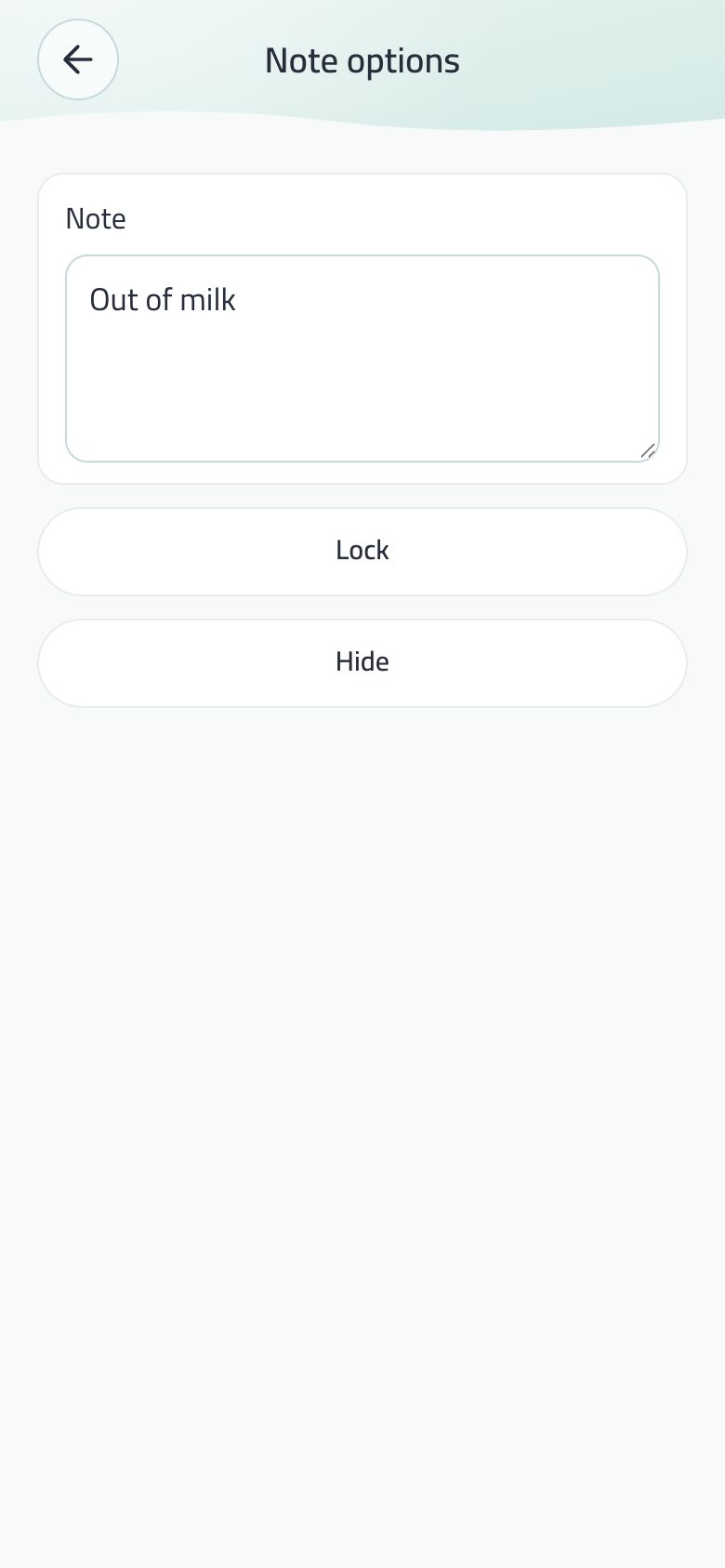
Each note has a done circle, lock and hide. A locked note shows blurred until you enter the code.
A link in a note opens, and search covers notes.
A note inside a space lives in that space.
In E-ink: a line for a new idea and the three newest ideas on the home itself.
When the device’s storage is full, the field keeps your text and says the note wasn’t saved.
Dictation
The mic dictates to your device’s own engine and doesn’t stop after the first sentence: only four seconds of silence end it. Its icon is white on blue while it listens.
Before the first tap Balak explains why it needs dictation, then asks the system.
Say it from a widget or Control Center opens the field with the mic ready in a ring, and listens only after your tap; the note is added when you stop.
Say it on your watch sends what you say to My notes on your phone.
Android: Arabic dictation writes nothing
If the mic button fills, you speak, and then “I heard nothing” appears with nothing written, Balak is hearing you, but your phone’s speech service doesn’t have Arabic added yet. Balak dictates to the Google speech service on your own phone, and many phones come with English only.
Open Settings → General management → Keyboard (Samsung). On other phones: System → Keyboards.
Choose Google Voice Typing.
Tap Languages, tick العربية (السعودية) or your country’s Arabic, then Save.
Go back to Balak and tap the mic again.
It needs the internet: most phones offer no offline Arabic pack for dictation, so Arabic is written while you are online. Can’t find the option? Search Settings for “Voice typing”.
To check whether the problem is the phone and not Balak, try the keyboard’s mic in Arabic in any other app. If it writes nothing either, the steps above are the fix.
Your dates with time and repeat, a countdown for each and the week strip — and your next one on the lock screen.
Appointments: the day strip and upcoming dates with their countdowns.
Adding
New appointment opens one sheet with no scrolling: name, day (today, tomorrow, a date, no date), time, repeat (none, daily, weekly, monthly, yearly) and people.
Or write it with its time in the Home field and Sort it.
The picker shows no past days for a new date.
The list
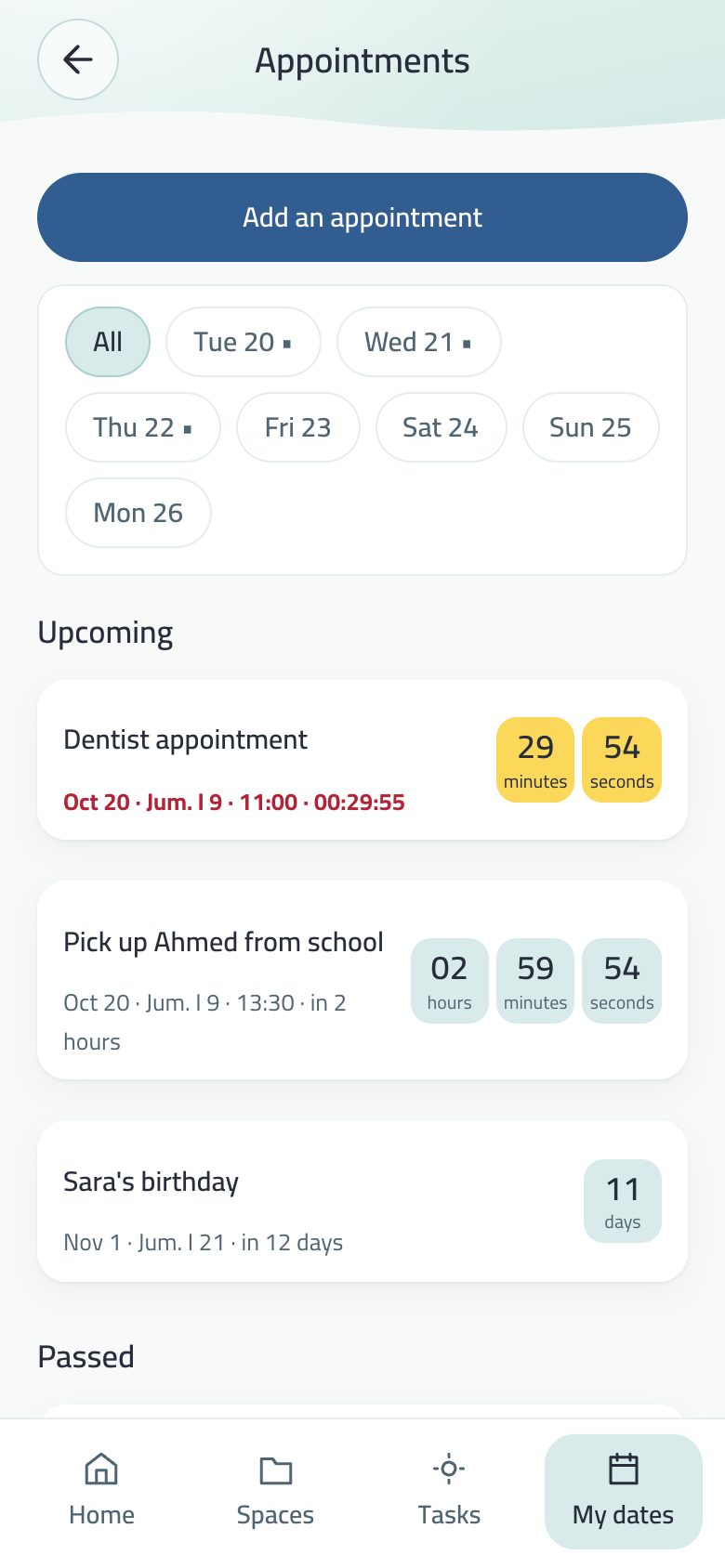
The week strip: seven days from your week start, today framed, the chosen day in blue, and a dot under a day with a date.
A countdown beside each date: days, hours and minutes; then hours, minutes and seconds on its day; and minutes and seconds in yellow in its last hour.
Alerts a day and an hour before, and at the moment itself five seconds of clock ticks, then Balak’s tone: “Time for your appointment: …”.
The alert text writes the date and time in your language and calendar: “17 October 2026 at 7:37 AM · 6 Jumada al-Ula 1448 AH”.
Import a .ics calendar file from Google, Outlook or Apple.
In the Dynamic Island and on the lock screen (iPhone)
Your nearest timed date moves to the Dynamic Island and the lock screen an hour before, even with the app closed.
Balak’s face in a circle, with a ring that fills during the last hour, and the name above the countdown.
The face changes as it nears: calm with half-closed eyes an hour before, eyes open half an hour before, a yellow circle in the last ten minutes, and a smile when it starts.
The time is written as the app writes it, and a tap opens Appointments.
The date’s name reaches the Island with the app closed only if your account sync carries it already; otherwise it shows Appointments with the countdown.
Add to my calendar
In a date’s details: on iPhone Balak puts it in the device calendar with an alert 15 min, 30 min or an hour before. Before the system prompt a card says it asks to add only, and never reads your calendar.
On Android it adds it itself after the calendar permission, or opens the device calendar with the date filled in if you decline.
On the web and in Chrome: a Google Calendar link and a .ics file.
Afterwards the date says “Added to your calendar”. Changing it in Balak doesn’t change the calendar. The button doesn’t show for a date in a locked or hidden space.
Swiping a date
Like WhatsApp: a swipe (or a mouse drag) reveals Archive or Delete and holds it, doing nothing by itself.
Tapping the button acts, and delete has Undo. Archived dates wait in Archived until Restore.
People on a date, and company meetings
A date carries its people, and a person’s card shows their dates.
From a date’s sheet you put it on the family calendar or take it off. If the owner of a booked family date cancels it, it is removed from everyone who accepted it, with one line saying who cancelled what.
Company meetings you are invited to appear among your dates with title, time, place and company name, and alert you like any date. Open the meeting takes you there.
Prayer times and your team’s matches
A row of two buttons above Appointments adds prayer times and your team’s match. Both are optional. Prayer times, and your team’s matches.
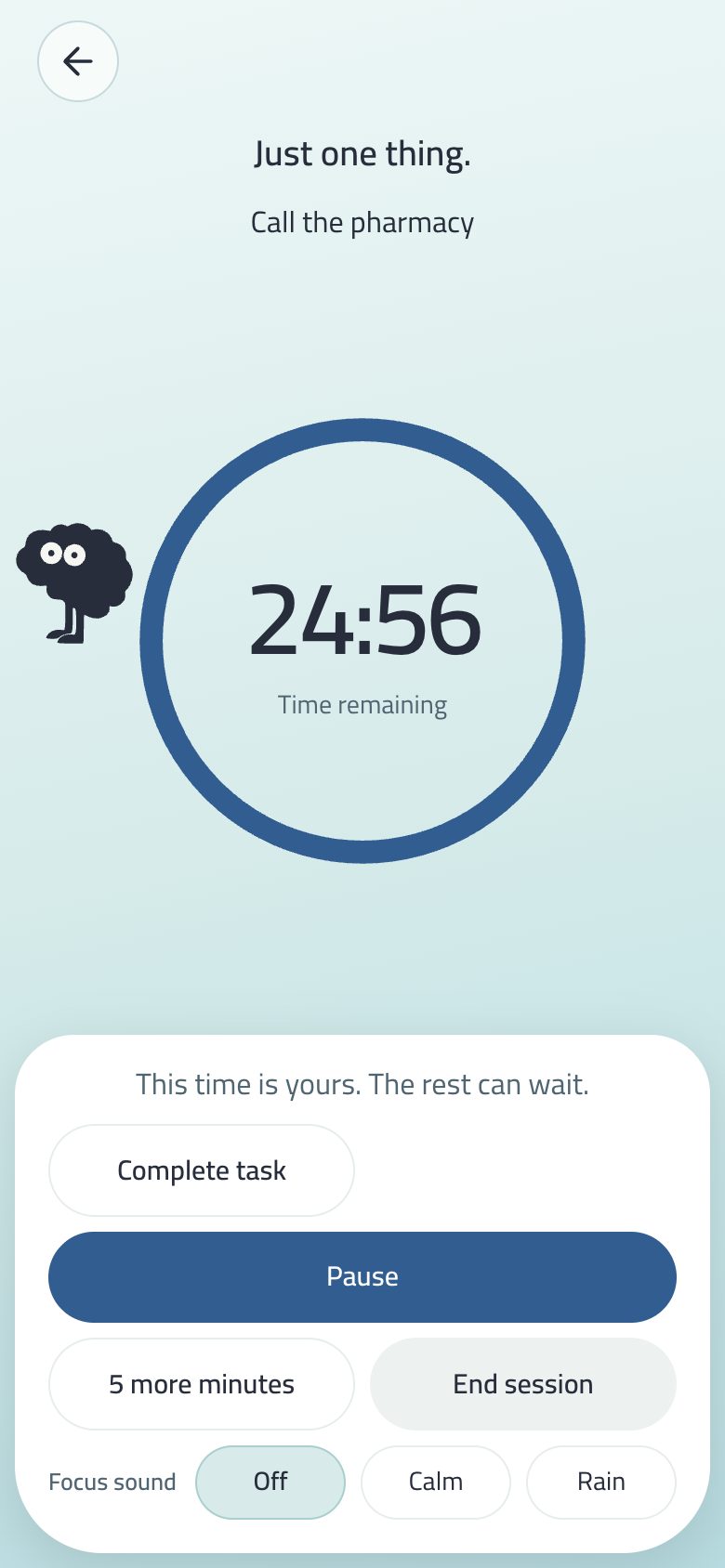
One thing now. A big ring, the character waiting, and a calm sound.
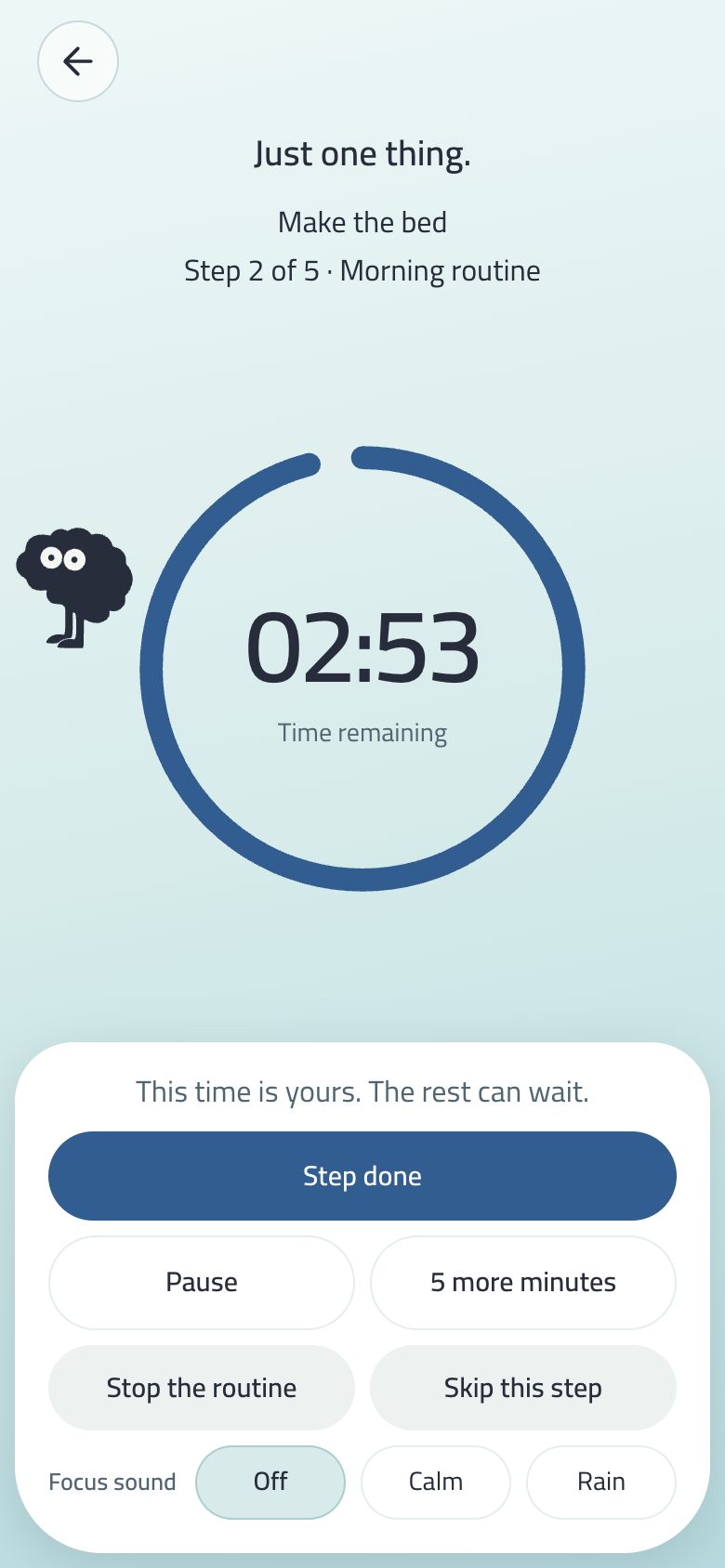
A focus session on one task with the ring and timer.
Start beside any task opens the focus screen. A task with steps starts step by step.
The screen fits the phone with no scrolling: the ring takes the remaining room, and the buttons sit in a floating sheet below, two per row.
5 more minutes, Pause then Resume, Complete task or End session.
Focus sound as three visible choices: none, calm, rain. Generated on your device, no files.
Actual minutes are recorded on the task and show in today’s work time.
10 focus minutes on a task give +5 points when it is completed, and the first focus of the day an extra candy.
The break: “Session paused” as a small badge, the time large and blinking like a stopped clock, and the circle breathing.
Alerts
“Two minutes left · get ready” before the end of any session of five minutes or more, in the system sound.
The end of the session rings with Balak’s tone on iPhone and Android, like task reminders and a date’s moment.
Read the step aloud: reads the task name at the start, never the name of a locked task.
The switches are in Menu → Reminders.
On the lock screen and in widgets
On iPhone the session shows on the lock screen and in the Dynamic Island: the task name, “Step 2 of 5” during a routine, and a timer the system counts itself. A locked or hidden task shows “Focus session” with no name. The Focus widget shows the next task or the running session, and so does Wear OS.
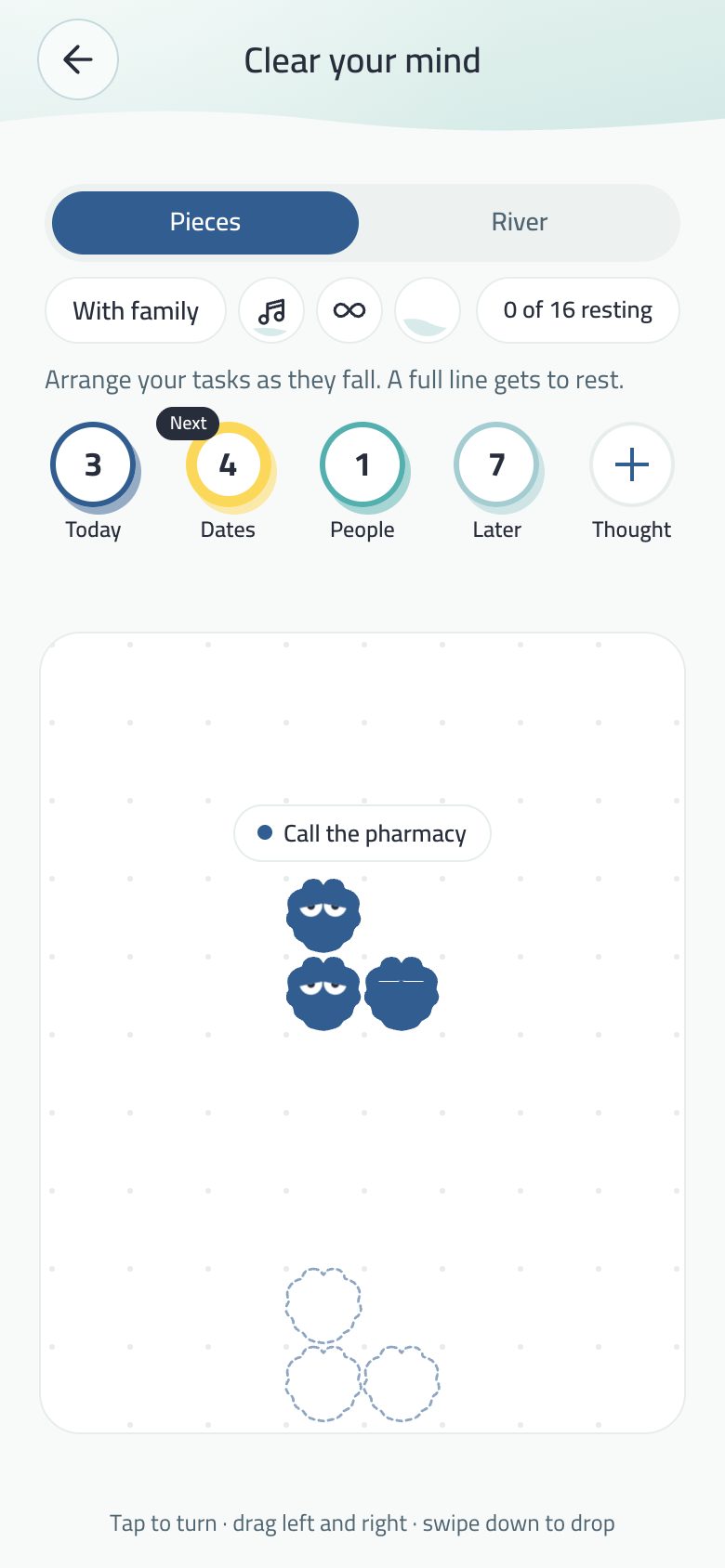
A calm game made of your tasks: you let them rest one by one, and a list that weighs on you becomes a few quiet minutes.
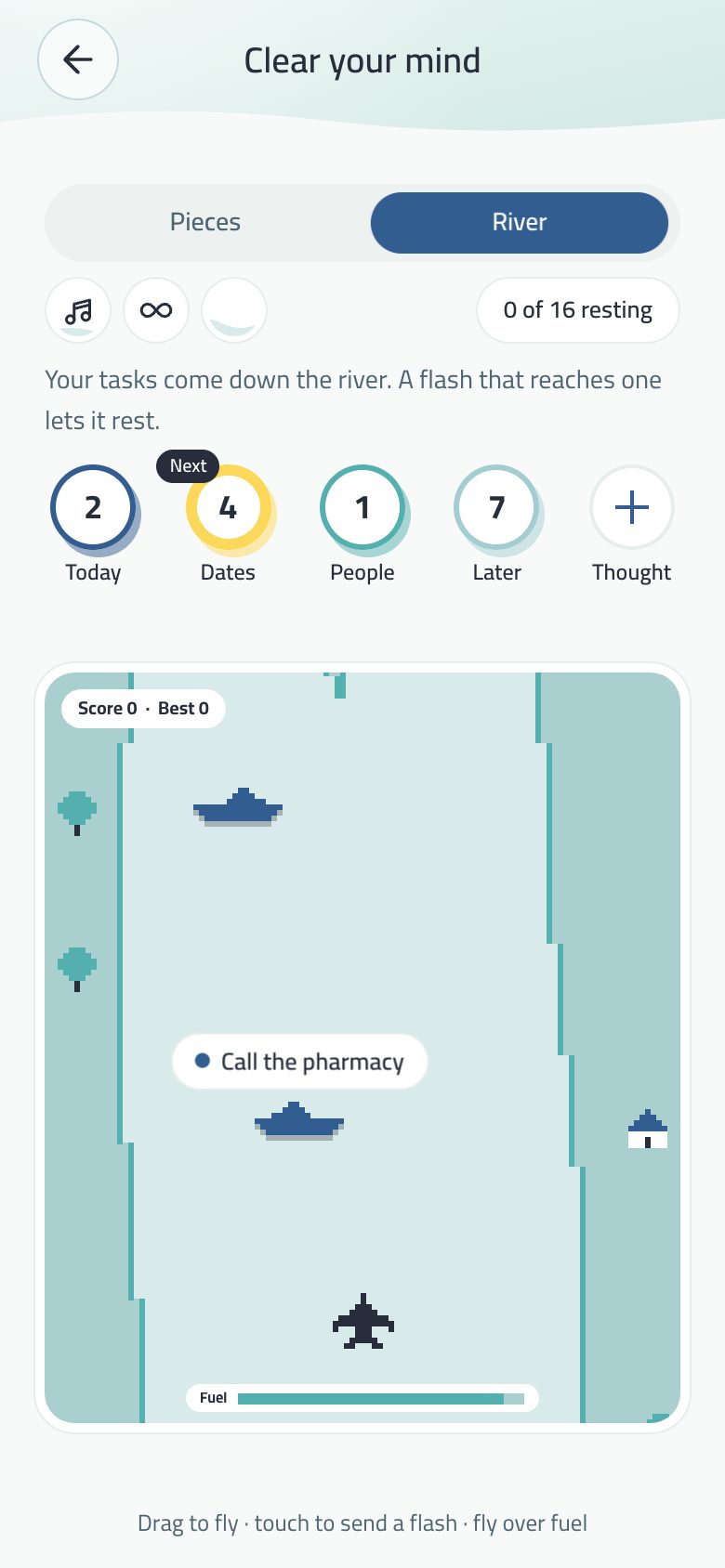
Pieces: each task is a piece of Balak’s character, falling with its name above.River: your tasks are boats on the river, and a flash lets them rest.
In the menu, just before About Balak. A choice at the top switches between two games.
Pieces
Each task falls from its kind’s circle (Today, Dates, People, Later) as a piece of Balak’s character. The longer its name, the bigger the piece, with the name above it.
A tap turns the piece, dragging left and right moves it, and dragging down drops it.
A full row smiles and flies away, and a task rests when all its pieces have flown.
No points and no losing: if the board fills, it takes a breath and the tasks go back to their circles.
River
Shaped like River Raid on the Atari 2600, in Balak’s colours: a small pixel plane over a river with banks, houses, trees and islands. Your tasks are boats and helicopters in their kind’s colour, the nearest one’s name above it.
Drag to fly left and right; raise your finger to speed up, lower it to slow down. A short touch sends a flash, and holding fires in a stream. A task the flash reaches rests and drifts up in pixels.
Stages each end at a bridge, and fuel runs down as you fly; striped Fuel tanks on the water fill it. When it runs out: “Out of fuel. Take a breath, then on we go.” — no crash, no loss.
Points as in the original (boat 30, helicopter 60, tank 80), and your best score is kept.
Sound, lives and the family’s words
Sounds: the pieces make a sound when they turn, drop and clear a row, and the river plays launch, fuel, alarm and crash sounds. The speaker button beside ∞ turns them on or off, and they start on each time you open Balak.
Lives: the plane in the river has three lives. It crashes on the bank, the boat, another plane or the bridge, or when the fuel runs out.
With the family: three words you tap on the phone, “HaHa”, “Sad” and “Yalla”, each with a face of Balak’s little character. They appear under the board and fade out above it, and they are not saved or sent to anyone.
Your energy, “∞” and the family
Your energy today sets the pieces’ speed and size and the river’s current and stage length. The first game of the day asks “Your energy today?” if Home hasn’t yet, and the answer is one for the whole app.
“∞” (Play without end) for those who like to go on until they lose: three lives on the river, tasks that keep coming, and a game that speeds up a little. A second tap brings back the calm game.
With family (in Pieces): choose who plays with you from My family or type a name; the turn lights up its owner, and each plays their own tasks.
Music is the notes button, and no sound plays before you press it. Its two waves move while it plays.
“+” writes a new idea, saved as a task and falling from Later.
The game reads and changes nothing. A task that rests in the game is not completed in the app, and nothing locked or hidden appears. Why? A fake completion in a game would lie to your task list, and Balak neither punishes nor compares people.
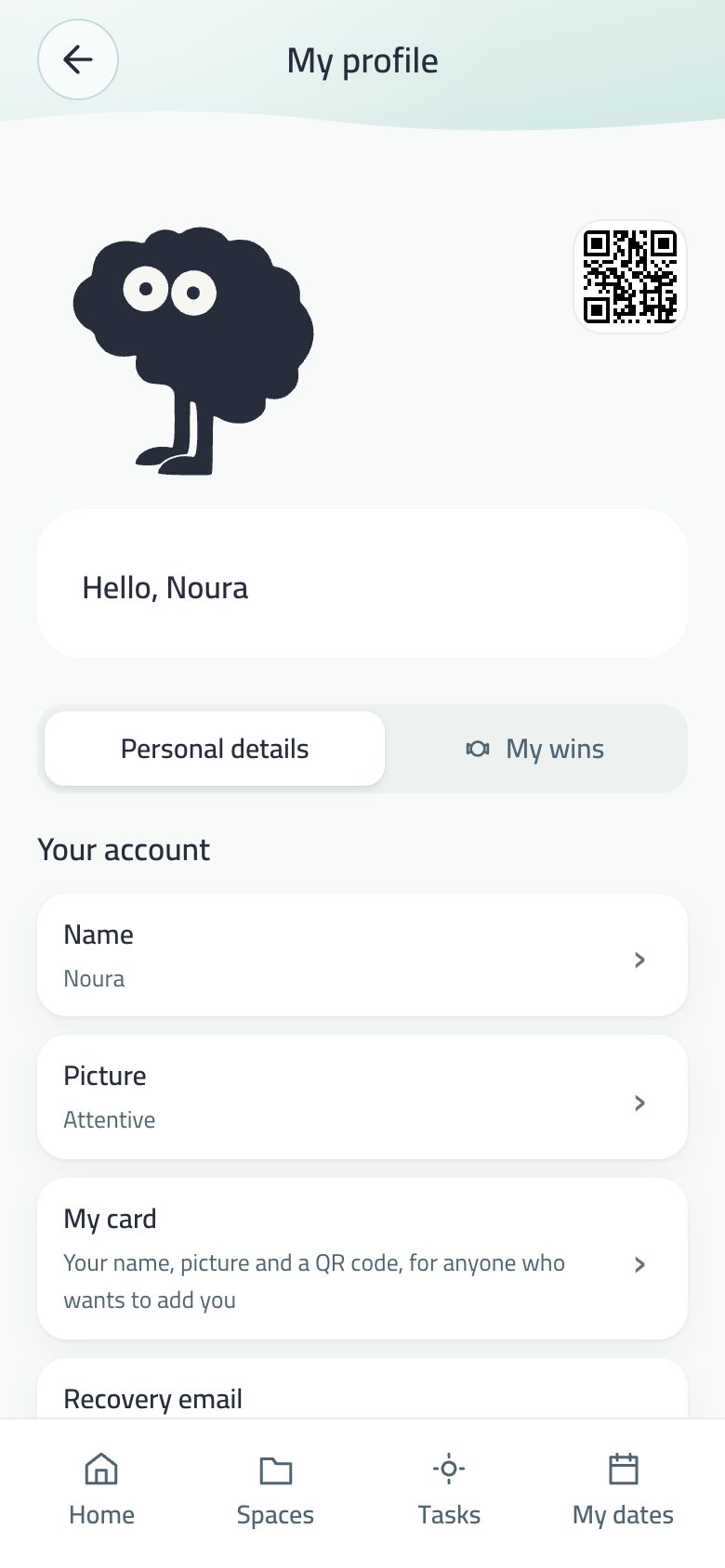
Your picture, rank, progress, records, rewards and account in one place.
My profile: the picture, the rank and progress.
The card
Your picture (the character or an expression from the brand guide), your name or “You”, your rank and start date. In Arabic the Saudiha switch comes first under it, then the progress bar to the next rank.
Your account
Row
What it does
Name
Up to 40 characters. Empty falls back to your name in projects.
Picture
24 pictures, six per row with no scrolling: 3 characters, 16 expressions, 5 original poses. Your family sees it.
My card
A picture with your name, character and a QR code. See Linked devices.
Recovery e-mail
To restore your account on a new device.
Delete my account
Shown when an account exists, with the Blocked people list under it.
Progress and records
Your rhythm now, candy balance, completed tasks, focus hours. And longest rhythm, best day, longest focus session, highest rank — none of them ever goes down.
Quiet
Celebration screens: the achievement screen, a new rank, rhythm milestones and the daily share card are off from the start; turn them on here if you want them. While off, a new rank is a small notice.
Show the rhythm: hides everything about the rhythm.
Show progress and candies: hides progress and candies for those who don’t want points. Earning doesn’t stop: turn it back on and you find what you earned meanwhile.
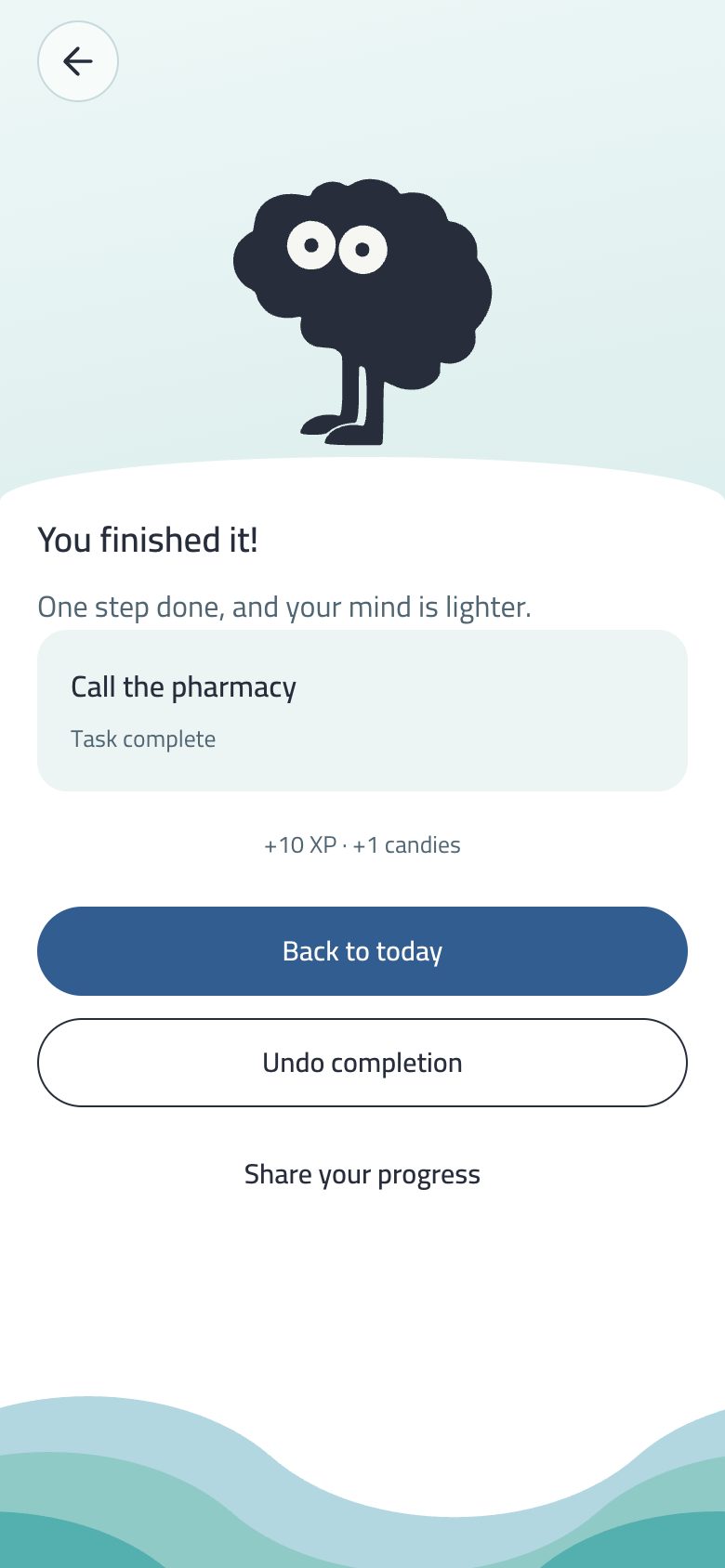
“Done it!”: the character on a white hill, your real task name, and what you earned. A choice you turn on.
The achievement screen: Done it! and the character on its hill.
Off by default. Turn it on in My profile → Celebration screens. While off, the small answer to completing is enough: the sparks and the task sliding away.
It follows Complete task in a focus session; the words and buttons sit on a white hill with three calm waves below.
Back to today.
Undo completion: cancels this completion only; the task returns to your list and the rewards are taken back.
Share your step: the count in a circle, the two buttons stacked, closed with X. The card is a 1080×1350 image in Balak’s font, carrying only the name and task shown on it, with a Show task name switch.
A new rank and rhythm milestones (7, 30, 100, 365) celebrate on the same screen, at most once a day.
Three separate values: points for progress, candies as a balance, and six ranks that never drop.
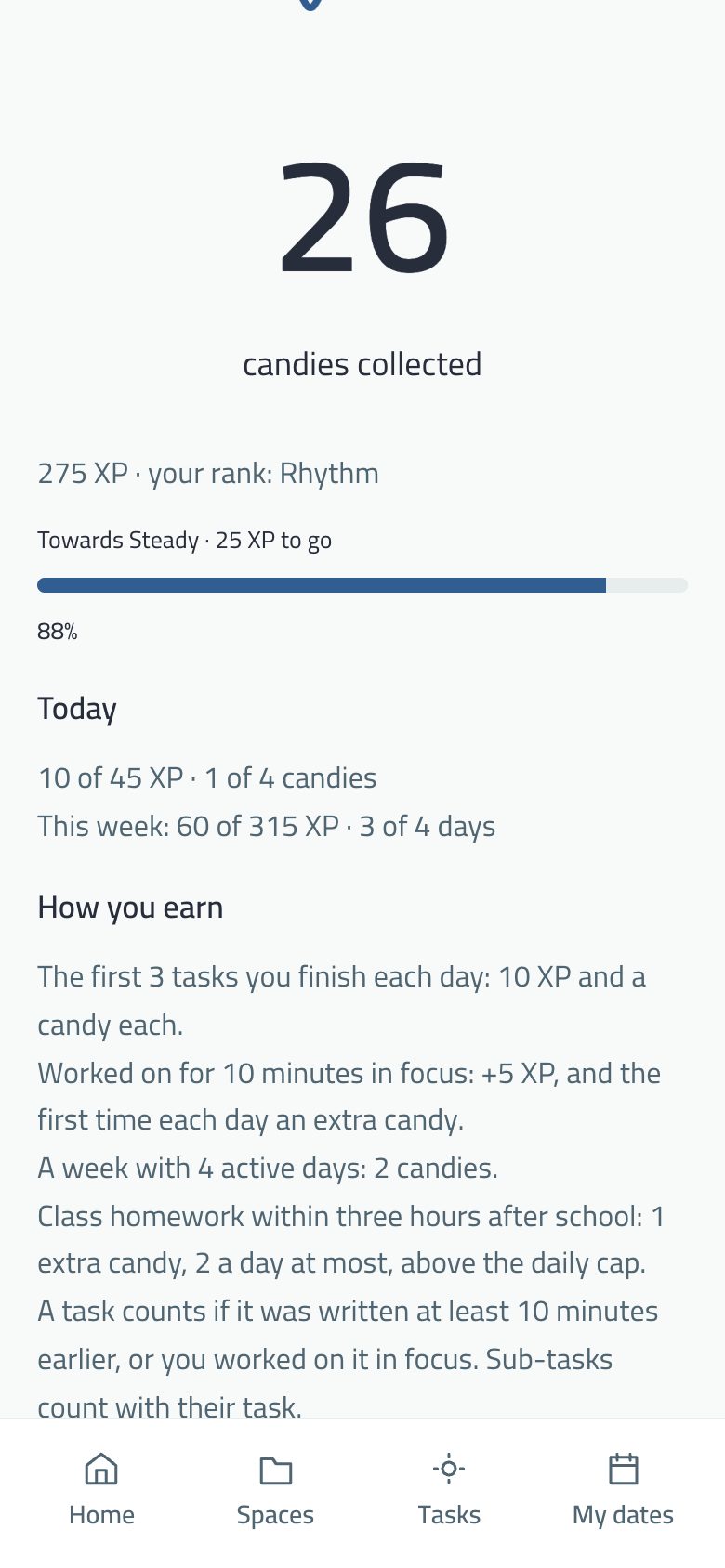
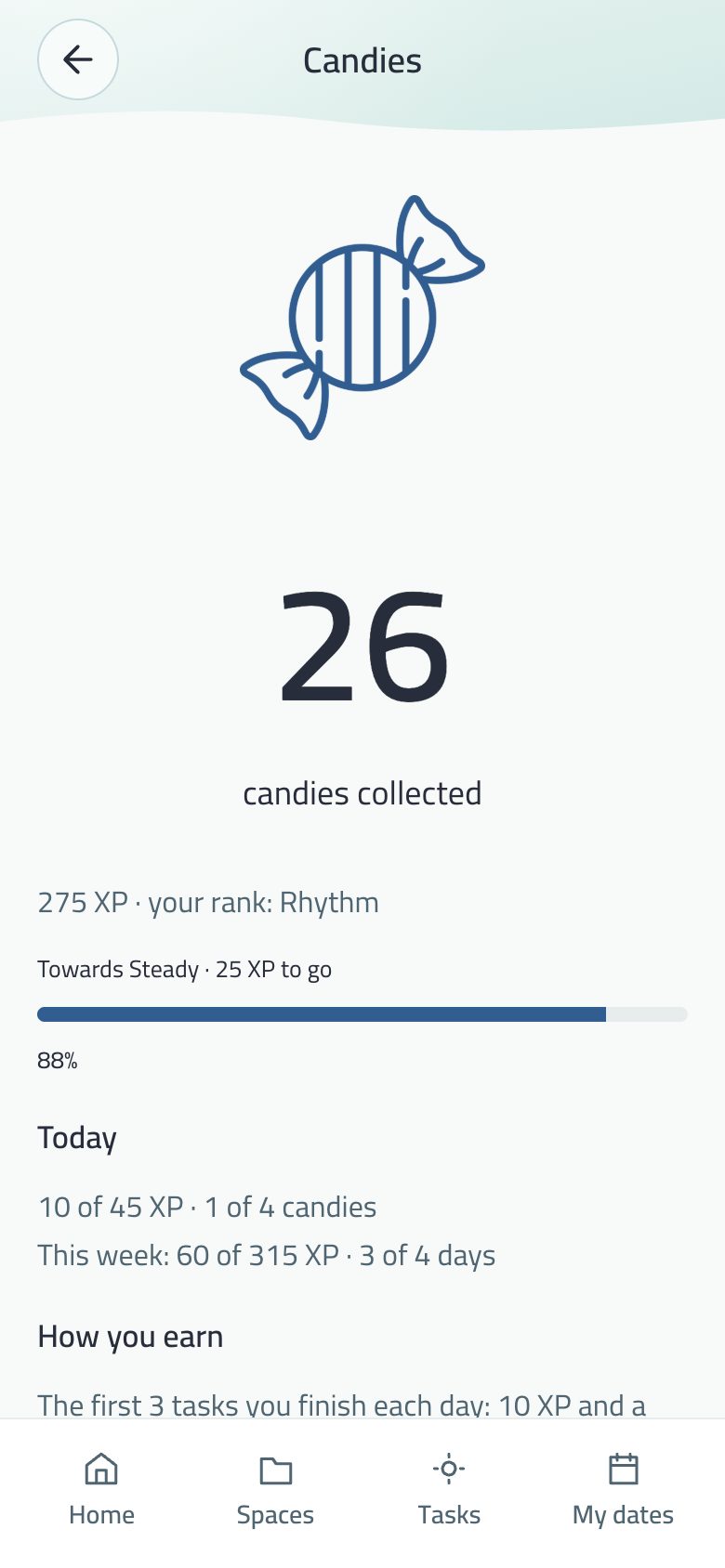
Candies: today’s and this week’s points, and how they’re earned.
How you earn
Event
Points
Candies
Condition
One of the first 3 tasks of the day
10
1
The task is 10+ minutes old, or had focus
+ 10 focus minutes on the task
+5
+1 first time in the day
Within the first 3
A week with 4 active days
0
2
Once a week
Caps
45 points and 4 candies a day, 315 points a week. Tasks stay completable after the cap, and one line a day says the cap is reached.
Class homework, early: homework from your class completed within three hours after the school day gives an extra candy above the daily cap, at most twice a day, taken back if you untick it.
What doesn’t count
A task written less than 10 minutes ago with no focus.
Lobes and two eyes. No mouth, no nose, no extra arms. The identity is fixed; the pose changes.
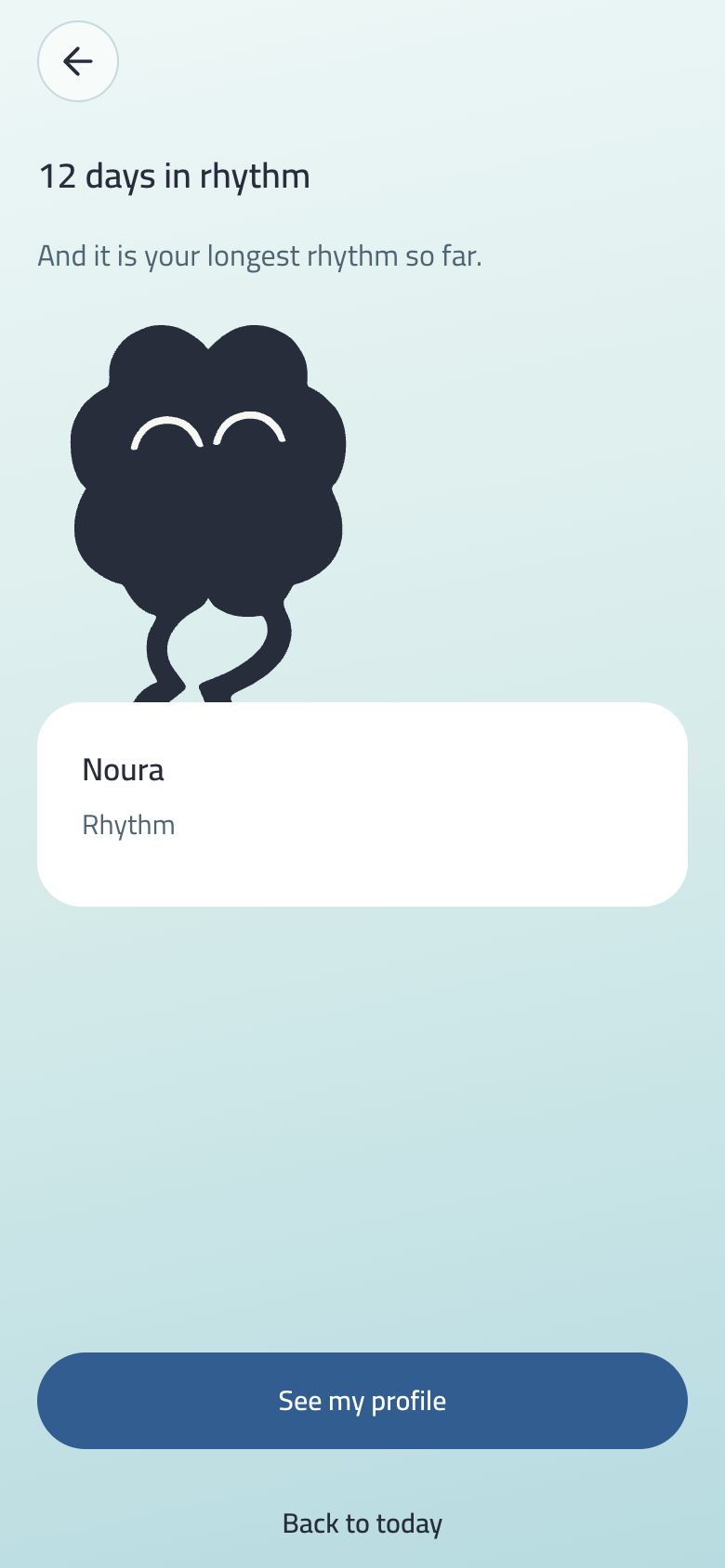
Balak’s character celebrating a 12-day rhythm.
Alive on Home
The character above My notes breathes, blinks at uneven moments and sometimes twice, looks around on its own now and then, and looks toward your finger when you touch the screen.
When you complete a task it closes its eyes in joy (“∩ ∩”) and gives a small hop.
Its mood follows the clock: wide awake in the morning, heavier lids in the evening, sleepy at night with slower breathing.
Its parts are drawn from the original character file, and the Saudiha shemagh moves with it.
The Eye motion switch (Theme and appearance) brings back a still picture. The look’s waves don’t follow it.
Where else it appears
The focus screen (waiting), the break, Done it! (joy), and Fresh start (on two hills).
Before each system permission: a character with its word, explaining what Balak wants and why.
The Dynamic Island and lock screen, its face changing as the date nears.
An Arabic-only switch that puts Balak’s short words into everyday Saudi dialect, and dresses the character in a red shemagh with an agal.
Saudiha on: dialect words on Home and the shemagh on the character (Arabic interface).
Where: first under your picture in My profile, and in My profile → Picture. It shows while the app language is Arabic, and is off by default.
What changes: the short words — buttons, states, text inside boxes, short alerts, the character’s lines and empty-state lines.
What stays in standard Arabic: long pages, privacy and terms, school, and the whole business section. Standard Arabic remains the base.
Turning it on confirms in a short message, in dialect.
Why a switch, not a language? The dialect is a layer over Arabic, not a language of its own: anything not written in it falls back to standard Arabic, so no word is ever missing.
A shared board for the home: suggestions, approvals and completions everyone sees — and school news for your children.
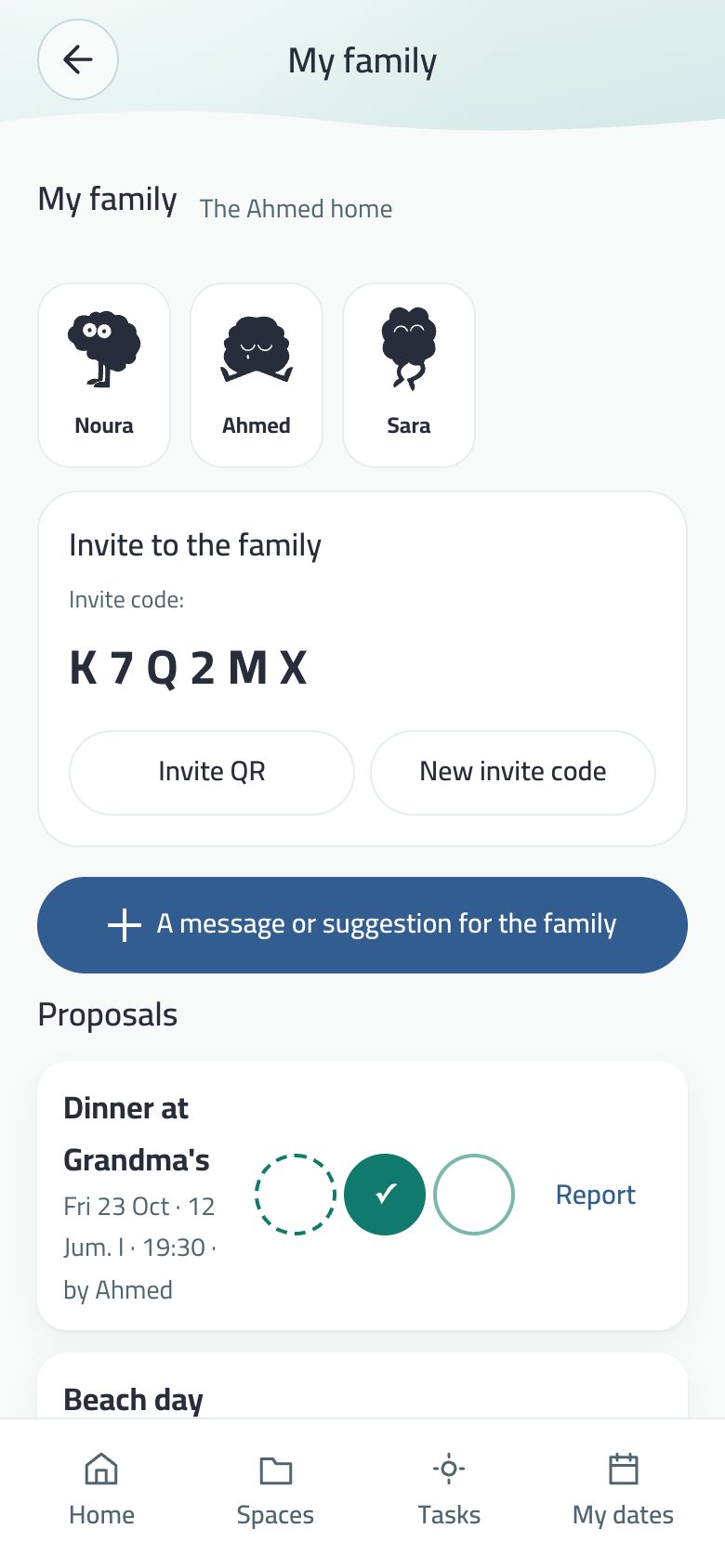
My family: members, the invite code and the family message.
Create a family with a code and a 4-digit PIN. A silent account is made automatically, no e-mail.
Join with the code and PIN, or scan the QR with no PIN. The Invite to the family card holds the code with QR and New code buttons.
Roles: adult and child. Guardianship: a profile per child, two guardians, controls and a log.
Message or suggestion for the family opens its sheet: a task or a date, approving it, and marking it done per member. One tap sends one suggestion.
Member faces: a chosen picture, or a drawn face in their colour.
Everything someone else wrote has a Report button.
Leave the family asks: “Leave the family? Tap again”.
“On my way”: tell home you are coming
A button at the top of My family: anyone in the family, adult or child, taps it and the rest of the family gets a notice and a line in the bell that they are on the way home.
On iPhone, Balak works out the trip time with Apple Maps to the home place saved on that phone, and sends only the number of minutes. On Android and the web, or before a home place is saved, the news goes without a time.
Under the button you see who is on the way and their arrival time. The time counts down by itself, and the line disappears half an hour after arrival.
“Undo the news” takes it back from the bell. No more than one notice every ten minutes reaches the family from the same person.
The family calendar
Your date reaches your family when you put it there: Add to the family calendar in the date’s sheet; take it off to make it yours alone.
A yearly occasion stays yearly. The birth year never leaves your device: the family sees day and month.
If its owner cancels a date, it is removed from everyone who accepted it, with a line saying who cancelled what.
School in My family
School notices: what your child’s school writes to parents, with “I’ve read it” once for those that ask for acknowledgement.
The class week on the child’s page: homework, tests and class work by subject, and a submission link named by its site.
Link a child with the slip code the school hands out: see Classes.
For a child with no device: Mark submitted or Mark done, shown as “by the guardian”.
A profile for each child inside My family, two guardians, and controls over what the child can use.
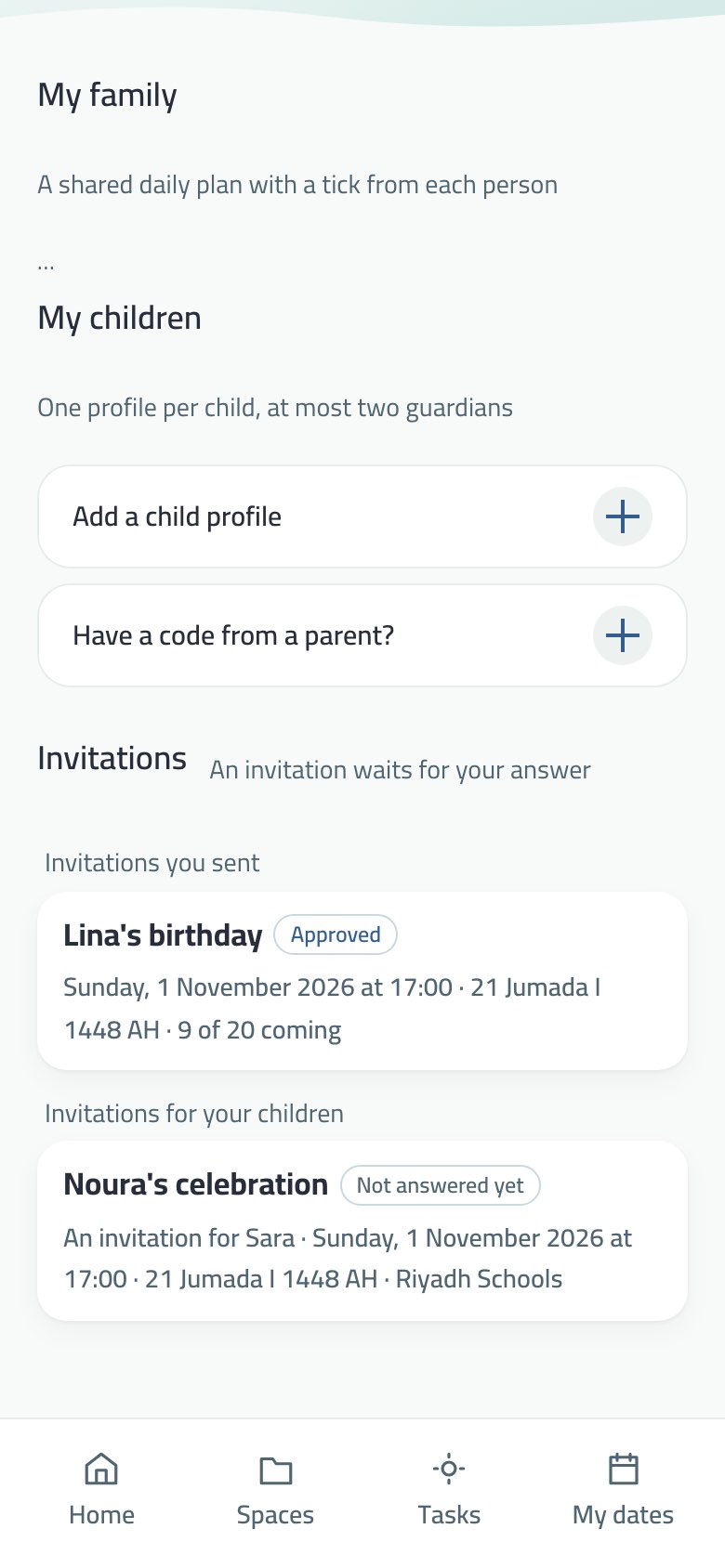
My children: a child profile managed by a guardian.
The guardian creates the profile from Add a child profile: first name and age group only, no birth date, no photo.
Guardian code: F followed by ten digits, typed on the child’s device to link it, from Menu → People and family → My family.
Two guardians per child (Invite the second guardian); removing one voids their codes. “Have a code from a parent?” is for someone invited as the second guardian.
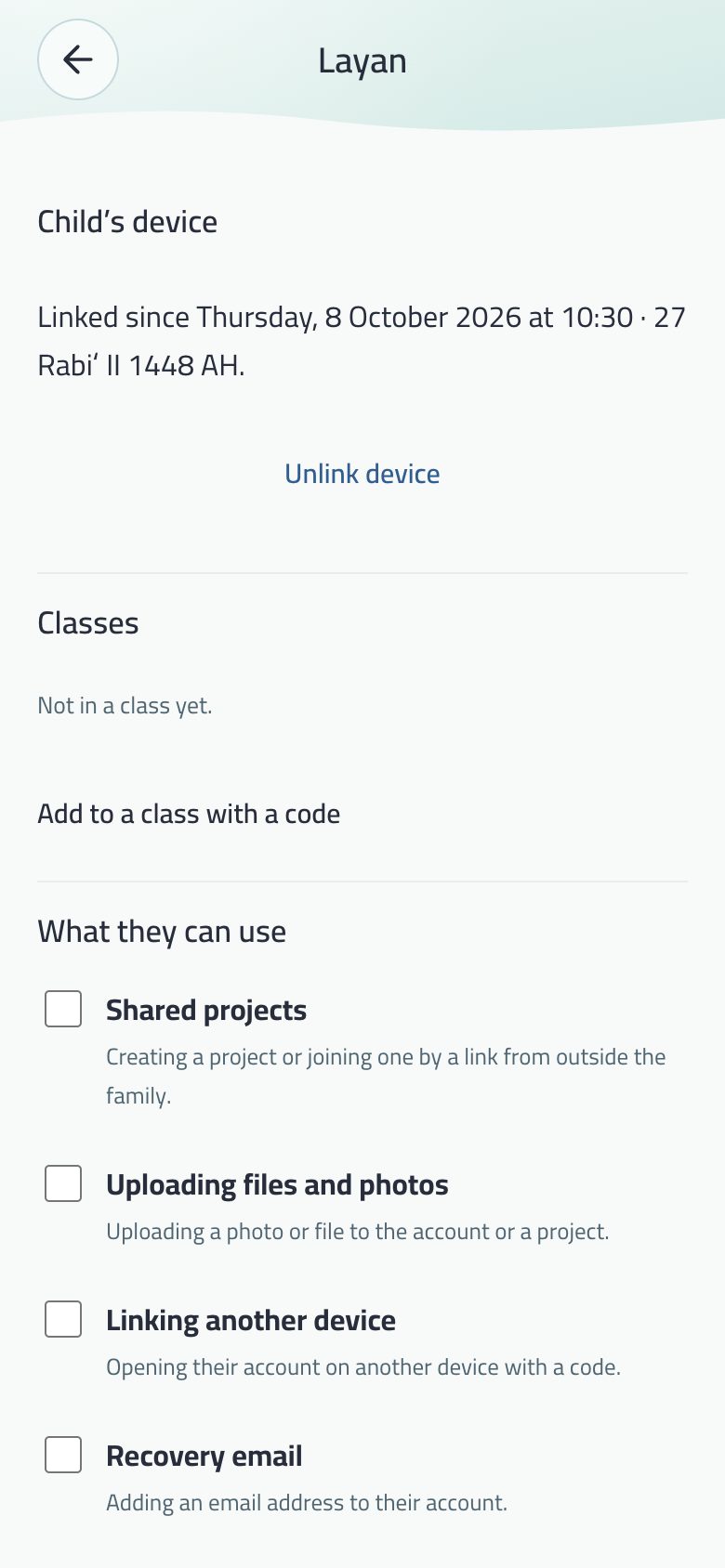
Controls: what the child may use (shared projects, files, linking another device, recovery e-mail, the vault, classes) and quiet hours. Enforced on the server, always.
The child’s page opens over My family and Back returns there; a notification about the child opens that page itself.
A second parent’s request through a school slip reaches the child’s page at the first parent, to accept or decline.
A log of every change, in words, seen by both guardians. An account under guardianship can’t be deleted from inside the app.
“Arrived”
Each child has a time for school, a time for home, days, and a grace period. If the news of arrival is late, both guardians get one calm notice. Details.
Know that your child reached school or home, without knowing where they are every moment.
How it works
The guardian sets, for each child, the time for school, the time for home, the days, and a grace period (15 minutes by default). “Not today” covers holidays.
If the news of arrival has not come in after the time and the grace period, each guardian gets one calm notice saying that it has not arrived yet.
There is no notice for each entry and exit, and the child’s name is not on the lock screen.
What the child’s phone watches
The child’s iPhone watches two places only, school and home, and reports “inside” or “outside” alone.
Its location never reaches Balak’s servers, no guardian sees where the child is now, and no route is saved.
Consent
Nothing starts before an explicit approval from the guardian and an acknowledgement from the child.
The approval is kept in the consent record and is never deleted. The same text is in the terms and privacy page on balak.app.
The arrival log is kept for thirty days under the child’s name, and only the two guardians can see it.
Classes link a teacher with students and their guardians, child privacy first. For the student the class becomes a space, and homework a task.
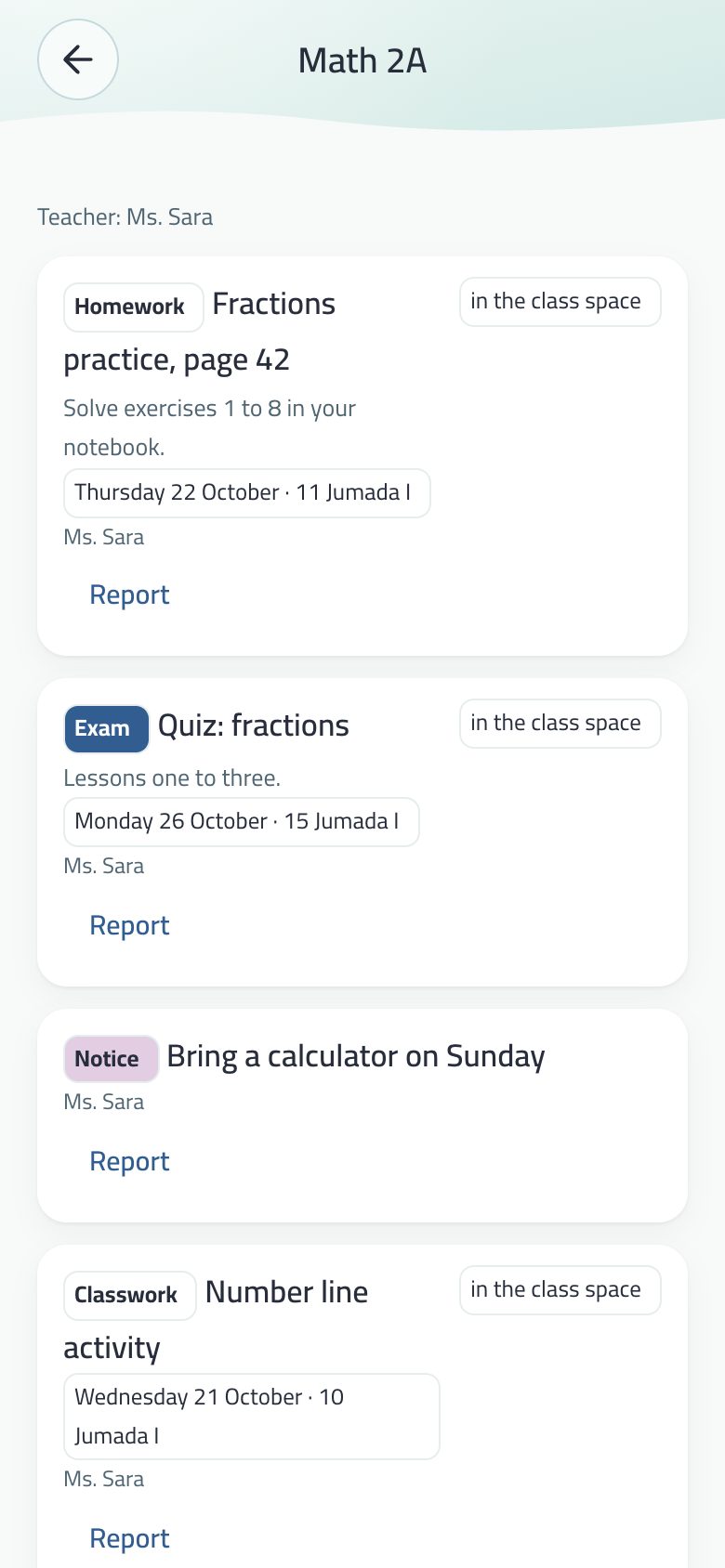
A class for the student: homework, a test, a notice and class work.
The teacher
My classes in Menu → People and family, shown only to a teacher in a school.
Class code: C plus ten digits, valid seven days; its balak.app/c/ link opens the app directly.
Posts homework, a test, class work (has a day, shown but not ticked) or a notice to the whole class, by subject. No private messages.
Homework may carry a submission link (Teams, Classroom or Madrasati): the student’s “Done” then means “submitted”, the teacher sees who submitted when, and “Didn’t reach me” reopens it.
The teacher sees no child’s name before the guardian approves, and then the first name only.
The student
Join a class: “I have a class code”, then Request to join. The request goes to the guardian first, then the teacher.
The class shows among their spaces, with homework and tests as dated tasks managed by the teacher; ticking one reaches the teacher.
Students don’t see classmates.
The school slip (parents)
The school hands each student a slip with an S code of ten digits and a QR. The parent types it in Join a class, scans it, or opens its link.
First comes what the slip opens: the school, the class and the name written on it. Typing the code alone links nothing.
The parent picks their child, or adds a new one with first name and age, agrees to the consent text, and the child is in their class.
The bell says what happened with the school’s name, never the child’s.
The guardian
“Your child asks to join. With your approval the teacher sees their first name only.”: approve or decline.
Sees the “child’s name’s homework” space with what the child did and when.
Add to a class by code in the child’s profile, even without a child device; and Remove from class.
Guardian and teacher chat
A room per child in their class, opened from the teacher’s class and from the child’s profile. The child is not in it.
Each message shows its time, and a failed send keeps what you wrote.
The notification names the class and which side wrote — no name, no message text.
Class news, quietly
On iPhone, class news reaches Notification Center from day one with no sound and no prompt, with Keep and Turn off. See the bell. A test is reminded the evening before.
The rules are always enforced on the server. Codes accept dashes, spaces and Arabic digits, and guessing is limited.
A school runs its structure, students, teachers and notices from a web dashboard, which teachers and parents use too.
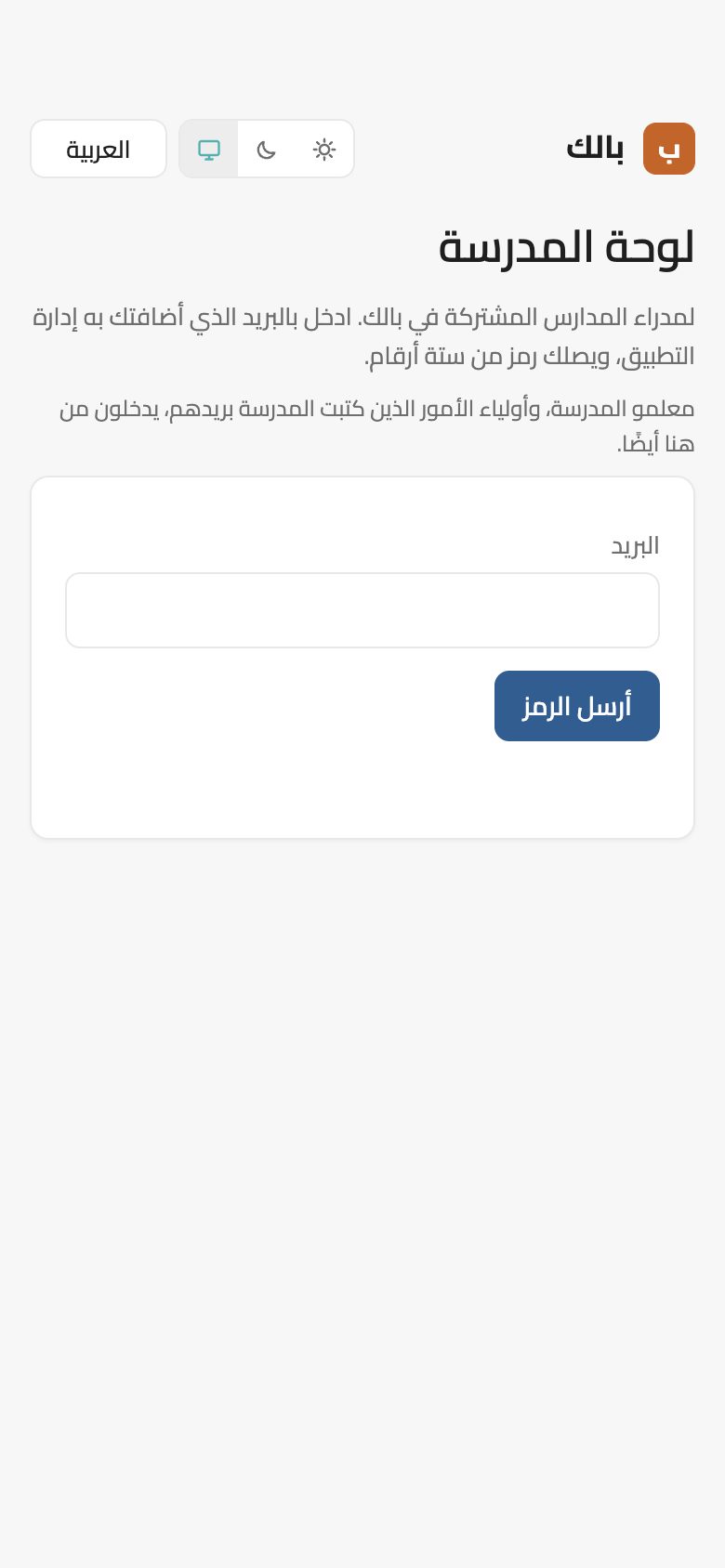
The school dashboard: sign in with a code sent by e-mail.
The dashboard
At dashboard.balak.app/schools (or balak.app/login → Schools). Sign in with a code sent by e-mail; school managers add a second step from an authenticator app. In Arabic, English and every Balak language, light and dark.
Running the school
Structure: divisions (boys, girls, mixed) → stages → grades KG to K12 → sections, in a foldable tree, built in one go by a four-step wizard. Each section becomes a class in the app.
Assignments: anyone at any point of the tree, with a free title, permissions, templates (full management, follow-up, student affairs, class head, IT) and an end date. Permission flows down to what is under that point only.
Students: added by hand or imported from a Noor, Excel or CSV file read in the browser only; the national ID is never stored. Move and archive, and nameless seats for schools that don’t upload names.
Slips: eight per A4 page, an S code and QR per student in Arabic and English, linking a parent to their child in the app.
Notices: to the whole school, a division, stage, grade or section, now or later, with “requires acknowledgement”, urgent alerts and approval from above. Phones aren’t buzzed 9 pm–7 am or on Friday and Saturday, except urgent ones.
Audit log: every change under the name of who made it, never edited or deleted.
Teachers and parents in the dashboard
Teachers: My classes with students by first name, Publish to several classes at once, the Week plan, and Homework and submissions.
Parents: My children, with each child’s teachers and subjects, the class week day by day with no red and no “overdue”, and linking a child by slip code.
Someone with several roles picks the face under the school name, and the server checks the role at every step.
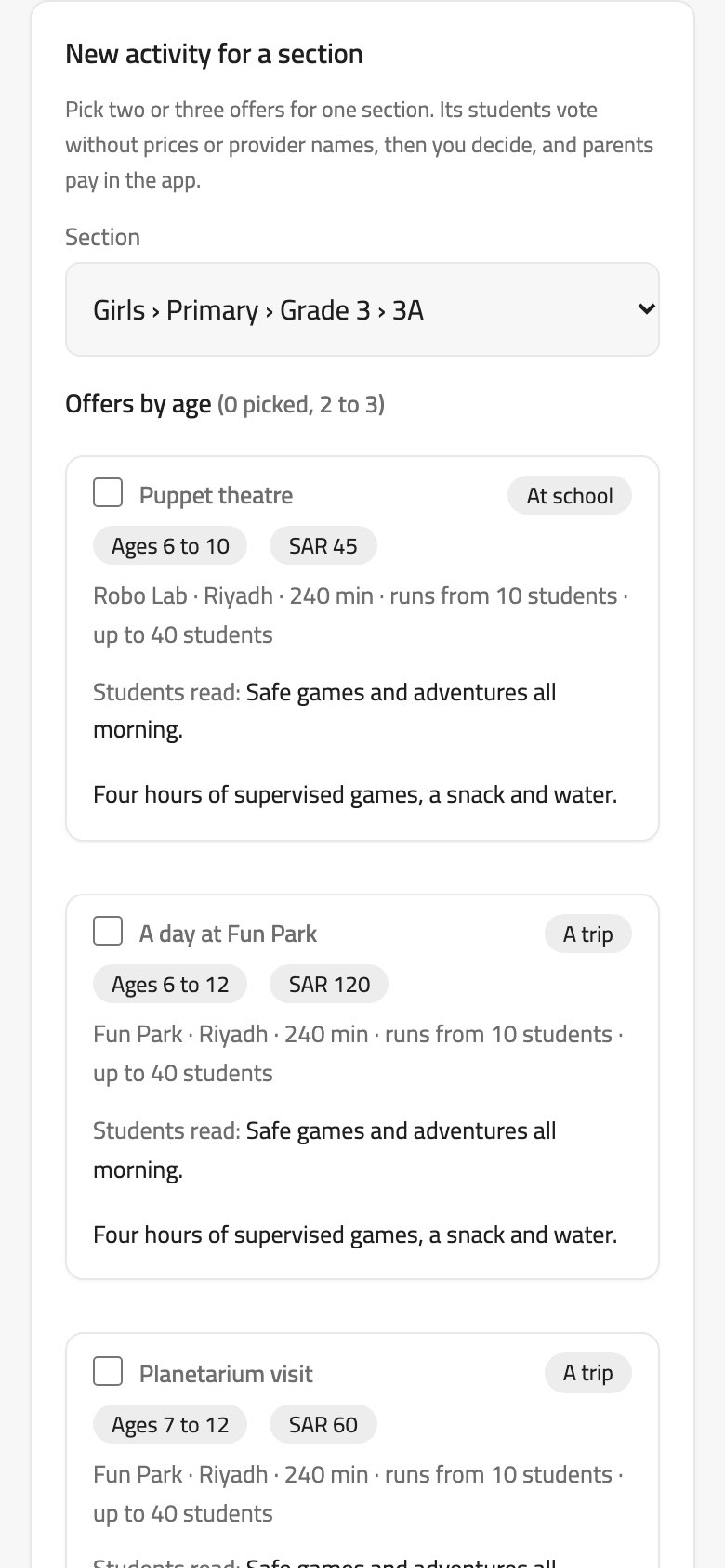
The school picks from offers by service providers that Balak has verified, the students vote, the principal decides, and the families agree and pay in the app. The money stays with Balak until the activity has happened.
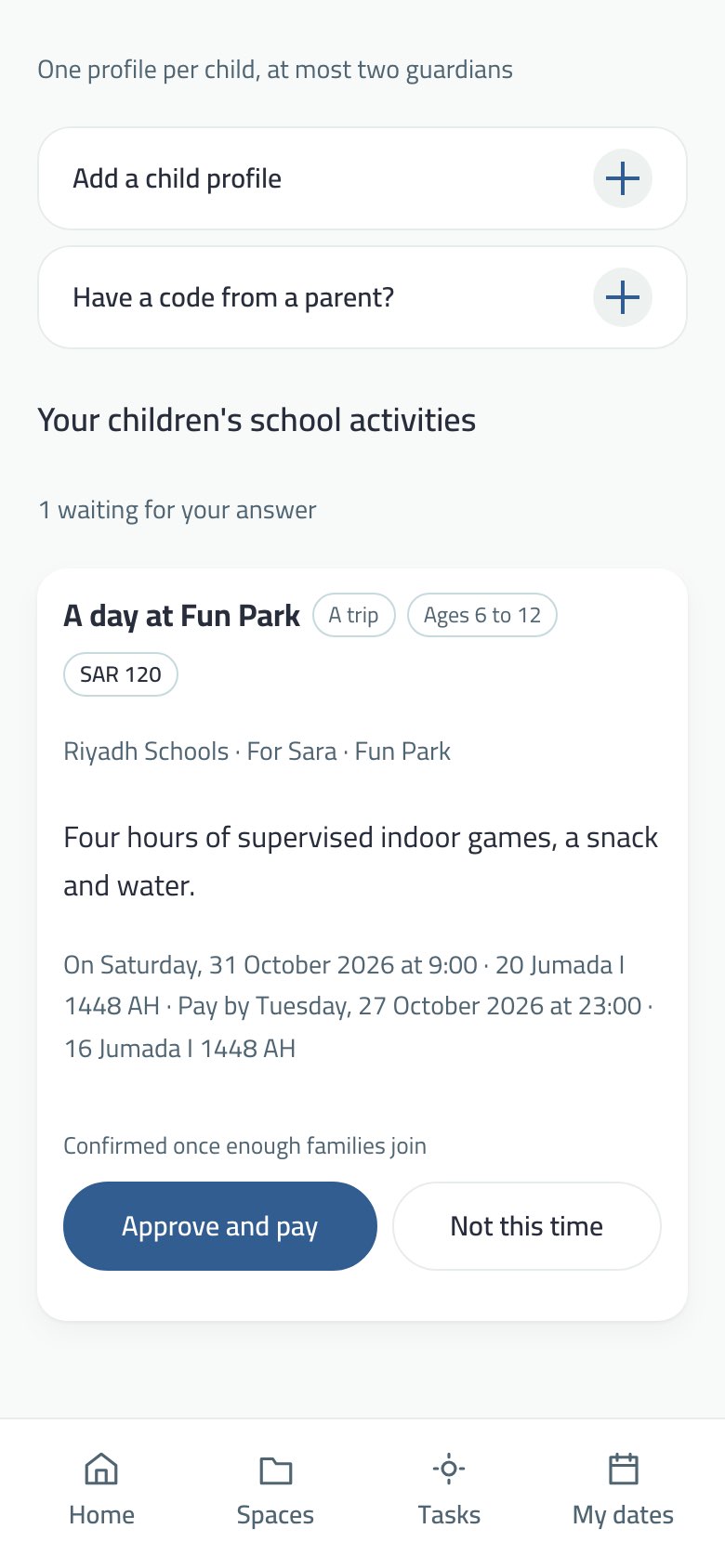
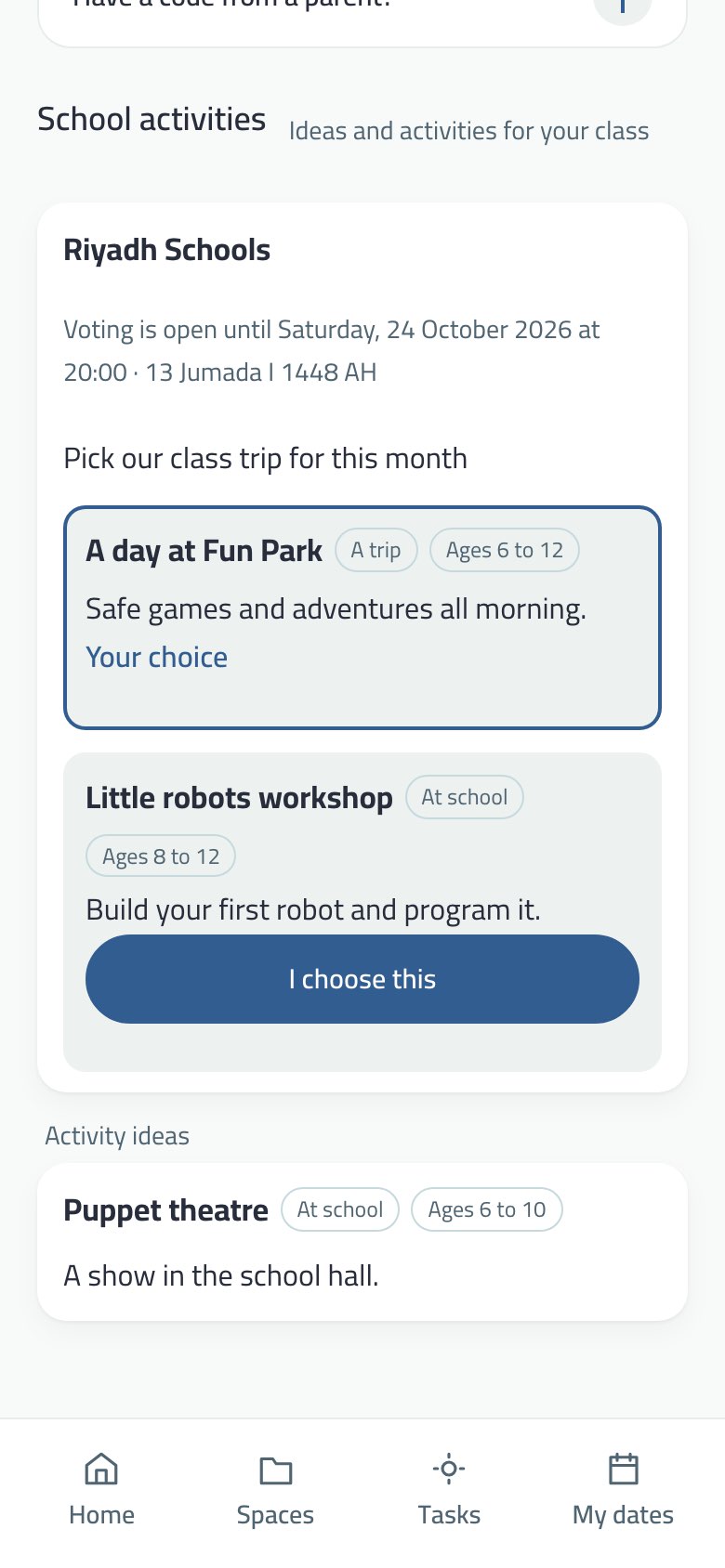
School activities in My family: an activity waiting for the guardian’s answer.A student votes: two offers, no prices and no provider names.
From start to finish
The school agreement: before the first round the principal reads the school agreement and signs it once, in the dashboard.
Offers: in the school dashboard → Activities, whoever may approve announcements sees the verified providers’ offers by age, and the providers’ market: their photos, past work, verified documents and the schools’ ratings.
A round for a section: pick two or three offers for one section, a voting time (one hour to 14 days) and a word for the students.
Students vote: in their app a student sees titles and descriptions only, no prices and no provider names, and picks one. They may also suggest an activity idea.
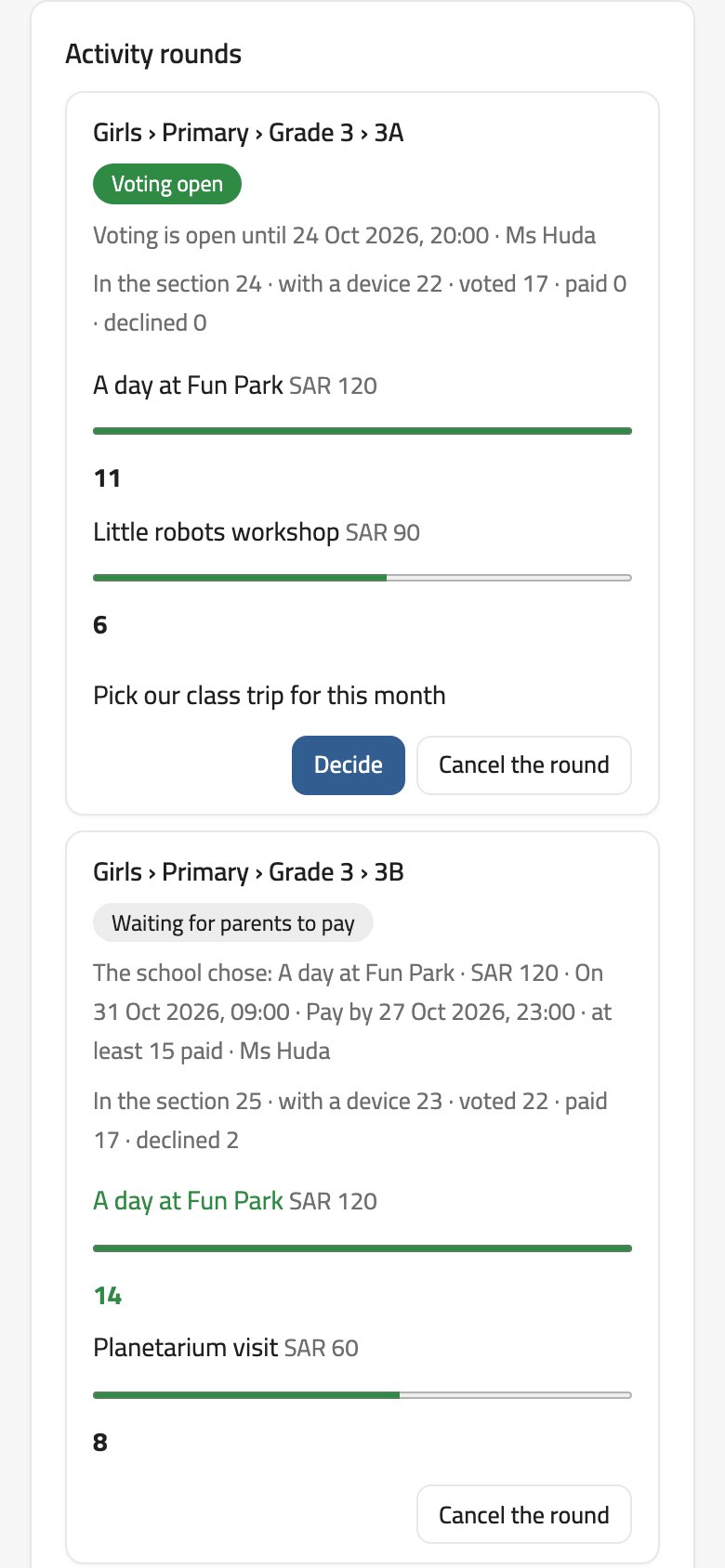
The principal decides: sees the votes, then sets the offer, the date, the last day to pay (at least a day away) and the fewest paid places that confirm it. The date is at least a day after the last day to pay, within 180 days, and lasts at most 14 days.
The order: the decision makes a frozen electronic order with the price, date, numbers and exactly what is delivered. The provider accepts it within 48 hours, or the round goes back to the school to pick another.
Families agree and pay: the guardian gets a request in My family → School activities: “Approve and pay” with mada, a card or Apple Pay, or “Not this time”.
Confirmation: on the last day to pay, if enough have paid, the activity is confirmed; otherwise it is cancelled and everyone who paid is refunded.
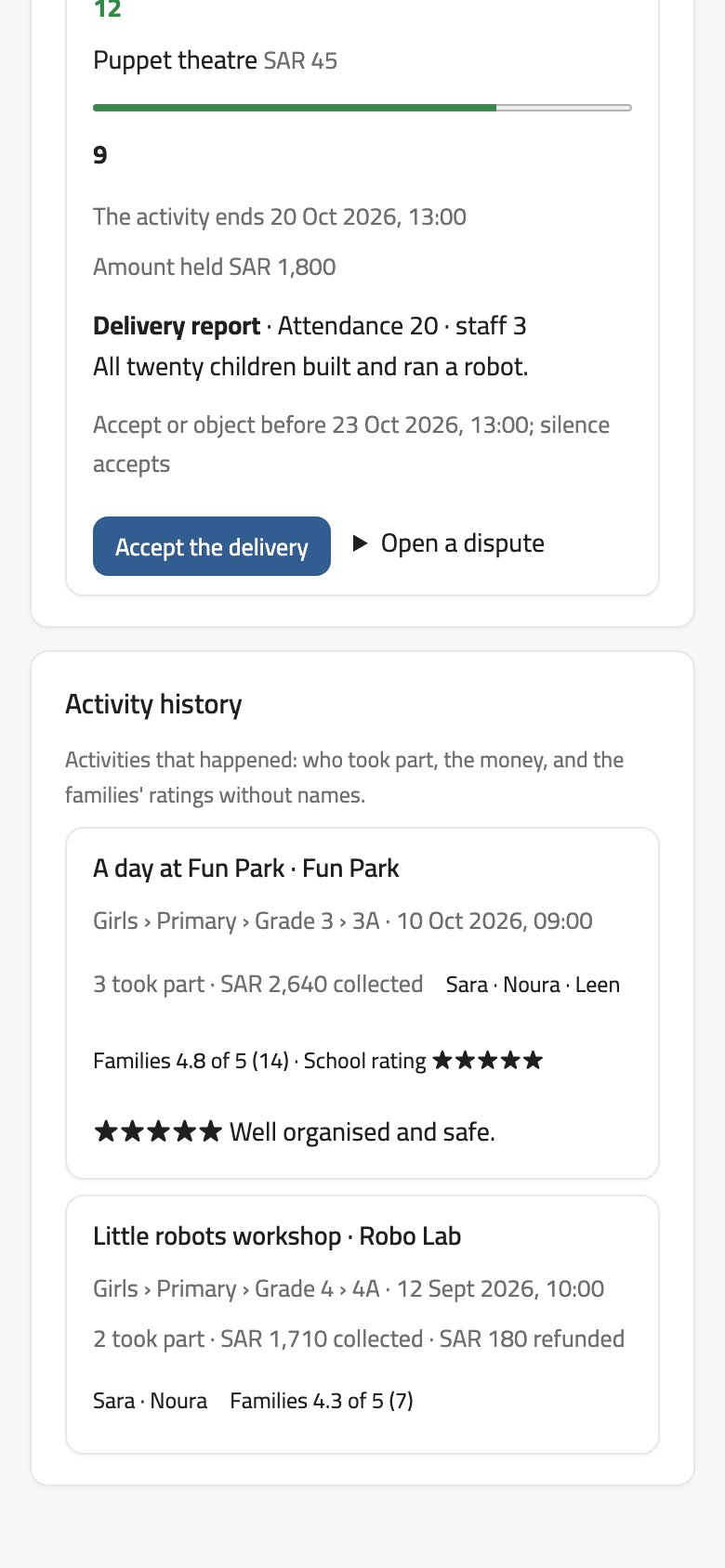
After the activity: the provider sends a delivery report, and the school has 48 hours to accept or object. Silence is acceptance.
School dashboard: a new activity for a section, offers by age.Activity rounds: voting, payment and the delivery report.
The money is held until the activity happens
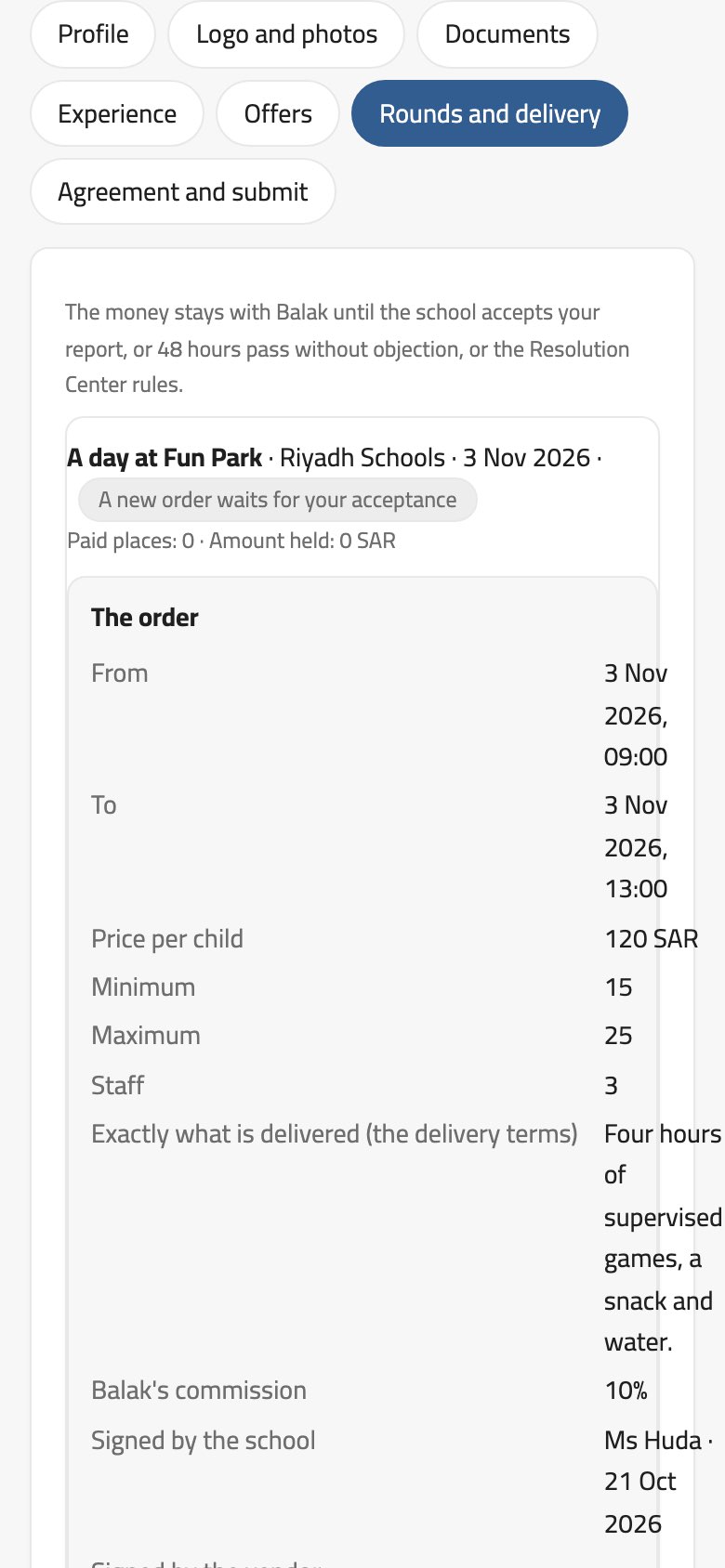
What families pay does not go to the provider directly. Balak holds it until the school accepts the report, 48 hours pass with no objection, or the Resolution Center rules.
Resolution Center: if the school or the provider objects (late, no show, quality, safety, less than the offer said), a dispute opens with messages between both sides, and Balak rules a refund from 0 to 100%.
The provider is paid after Balak’s commission. Refunds go out in a nightly run to the same payment method.
A student pays nothing and sees no price. Only the guardian agrees and pays.
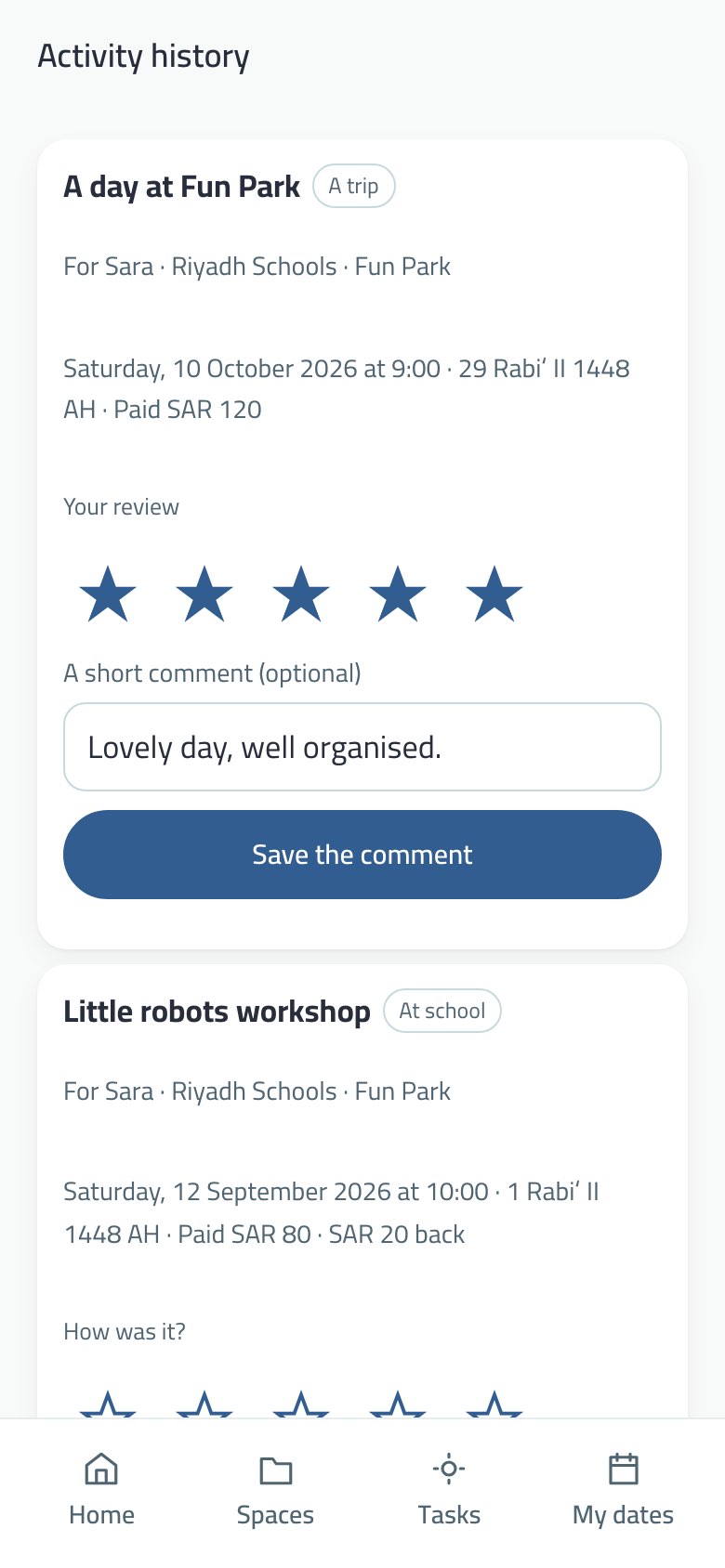
Activity history and ratings
Activity history for the guardian: date, amount and stars.The school’s history: who took part, the money, the families’ ratings.
For the guardian: Activity history in My family, for each activity their child joined: the date, what was paid and what came back. They rate it from one to five stars with an optional short comment.
For the school: the activity history in the dashboard: who took part by first name, what was collected and refunded, and the families’ average rating and comments without names. The school rates the provider once.
Ratings show in the providers’ market for other schools, and in the provider’s portal.
Who does what? The principal (or anyone appointed to approve announcements) sends rounds and decides. The student only votes. The guardian agrees and pays. Balak reviews providers, holds the money and rules on disputes. Providers have their own page: Service providers.
Businesses that run trips, workshops and shows for schools apply in their own portal, Balak reviews them the way apps are reviewed before a store, and then their offers show to schools.
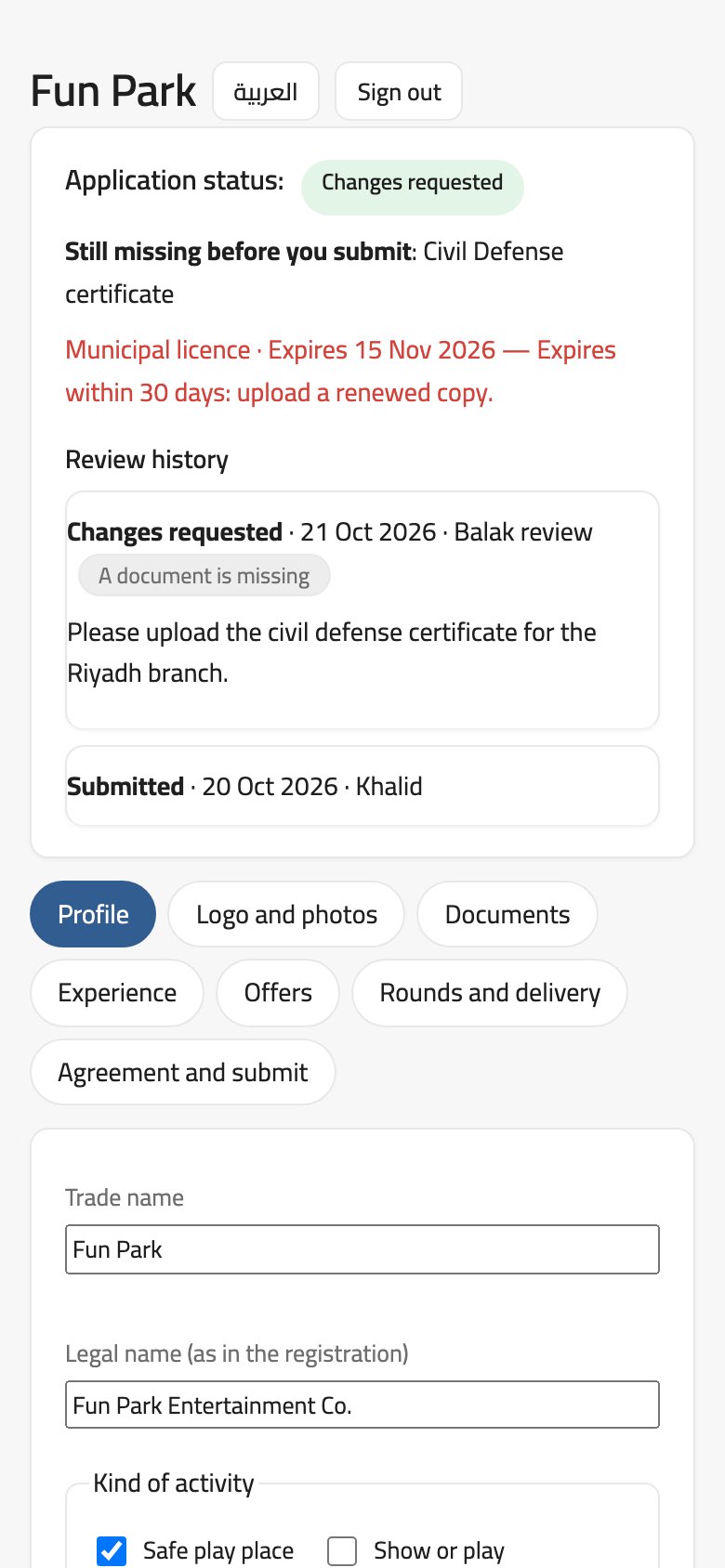
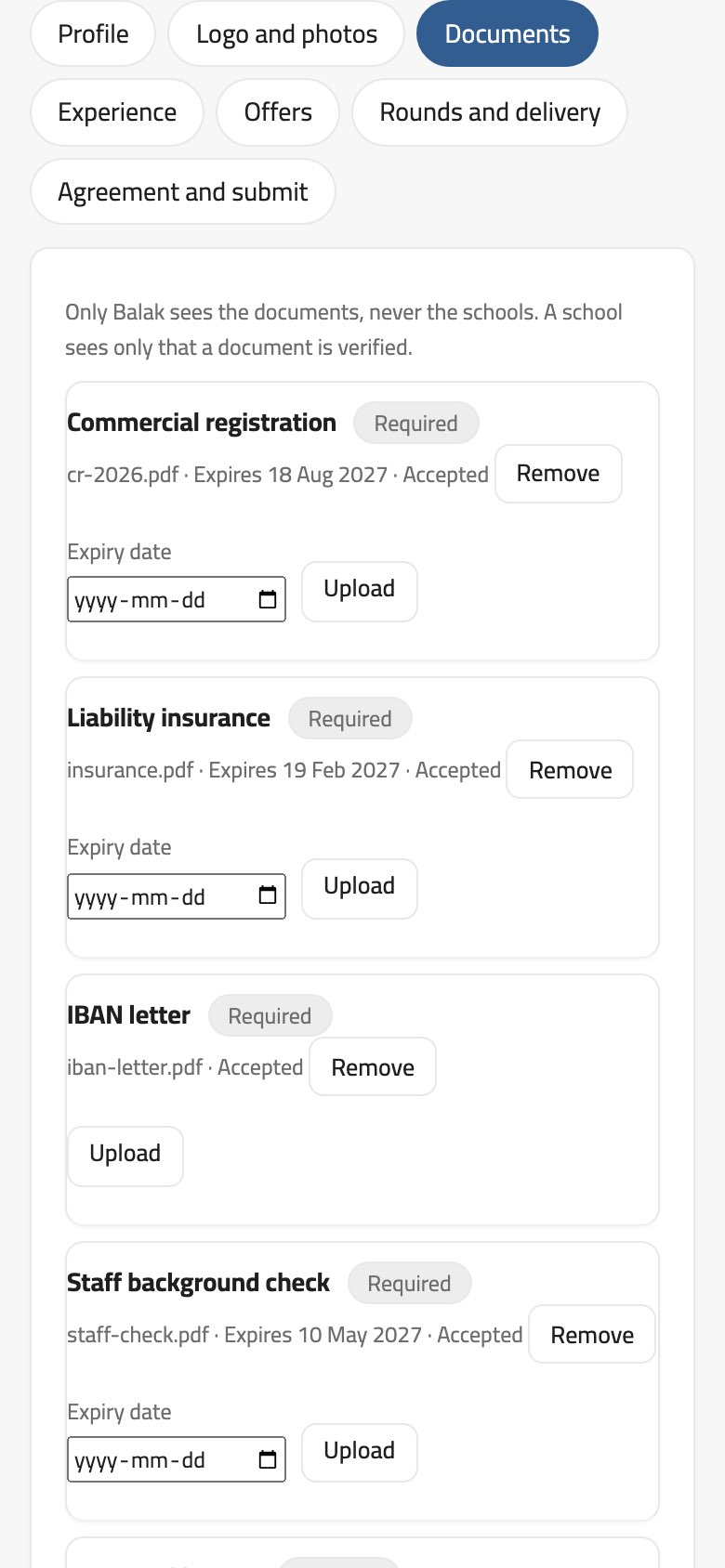
The provider portal: the application’s status and review history.Documents with their expiry dates, seen by Balak only.
Applying
At dashboard.balak.app/vendors: sign in with the business e-mail and a code sent to it, then two-step verification from an authenticator app on every sign-in.
Profile: trade and legal name, kind of activity (a safe place to play, a show, a workshop, a service), cities, commercial registration (starts with 7), VAT number if any, IBAN, a contact, an about text of at least 40 characters, and the website.
Logo and photos: a logo and at least two photos. No photo showing a child’s face.
Documents: commercial registration, liability insurance, IBAN letter, staff background check; for venues also the municipal licence and civil defense certificate. Each document has an expiry date. PDF or image, up to 10 MB (images up to 5).
Experience: schools and organisations you worked with, local or international, with a thank-you letter or contract. References are never shown to schools.
Agreement and submit: read the service provider agreement, accept it on behalf of the business, then send the application for review.
Review
Balak’s team reviews the application: approve, changes needed with written reasons (a missing or expired document, a licence that does not cover the activity, unclear photos…), or reject. Every step is in the review history.
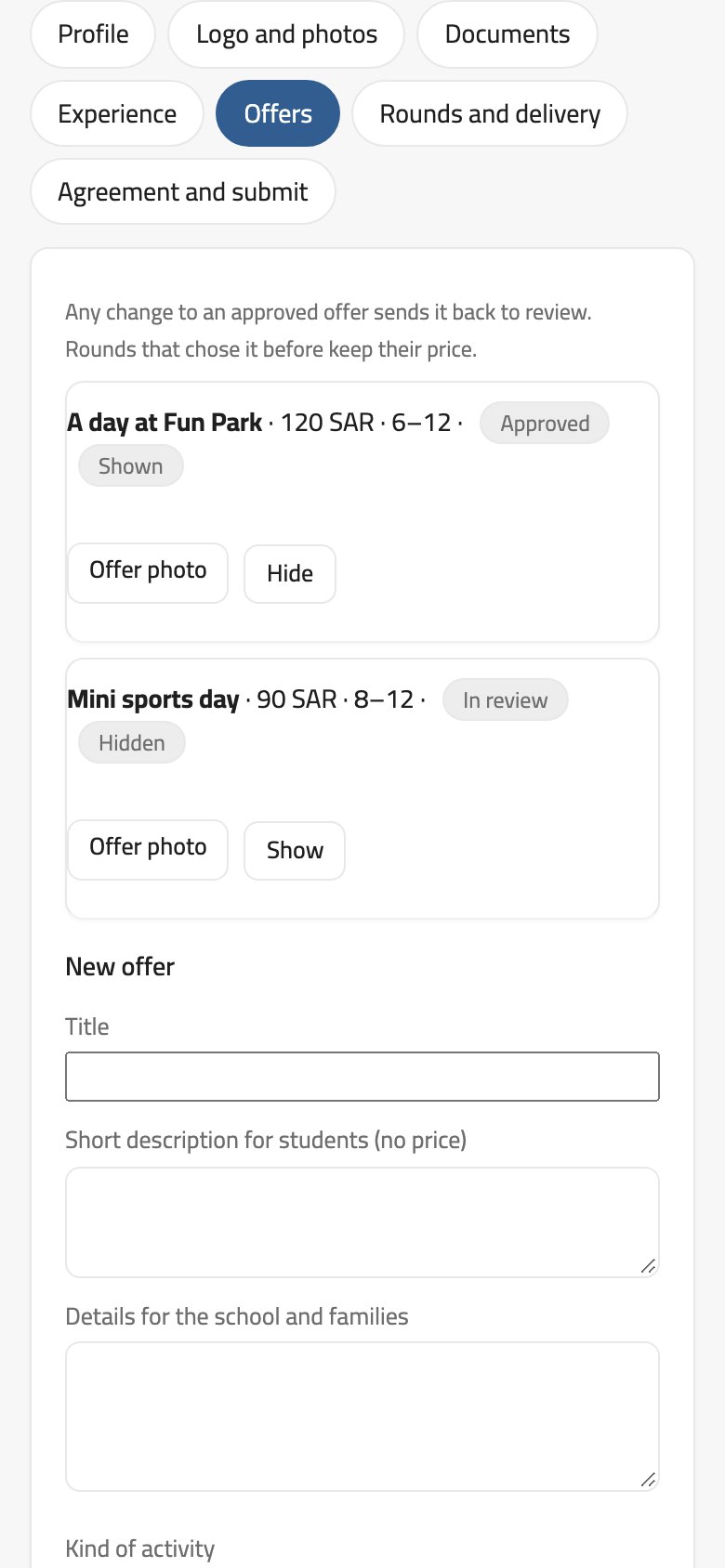
Once verified, the provider writes offers: title, a short description for students without a price, details for the school and families, ages, the price per child including VAT, the fewest and most children, and the length. Every offer is reviewed too before schools see it, and any change to an approved offer sends it back for review.
Only Balak sees the documents; a school only sees that a document is verified. A school never sees the IBAN, the registration number or the references.
Thirty days before a document expires the portal warns. If a required document expires, the provider is suspended until an updated copy is uploaded.
Offers: one approved and shown, another under review.Rounds and delivery: an order waiting to be accepted.
Rounds and delivery
When a school picks an offer, the provider gets the order: date, price, numbers, what is delivered, Balak’s commission and the school’s signature. Accept it as it stands within 48 hours, or decline with a reason.
After the date, send the delivery report: attendance, staff, what was delivered against the offer, and any notes.
See the amount held, then your payout after commission and the transfer date, and the families’ rating.
In a disagreement, open a dispute or answer one the school opened, with messages in the Resolution Center.
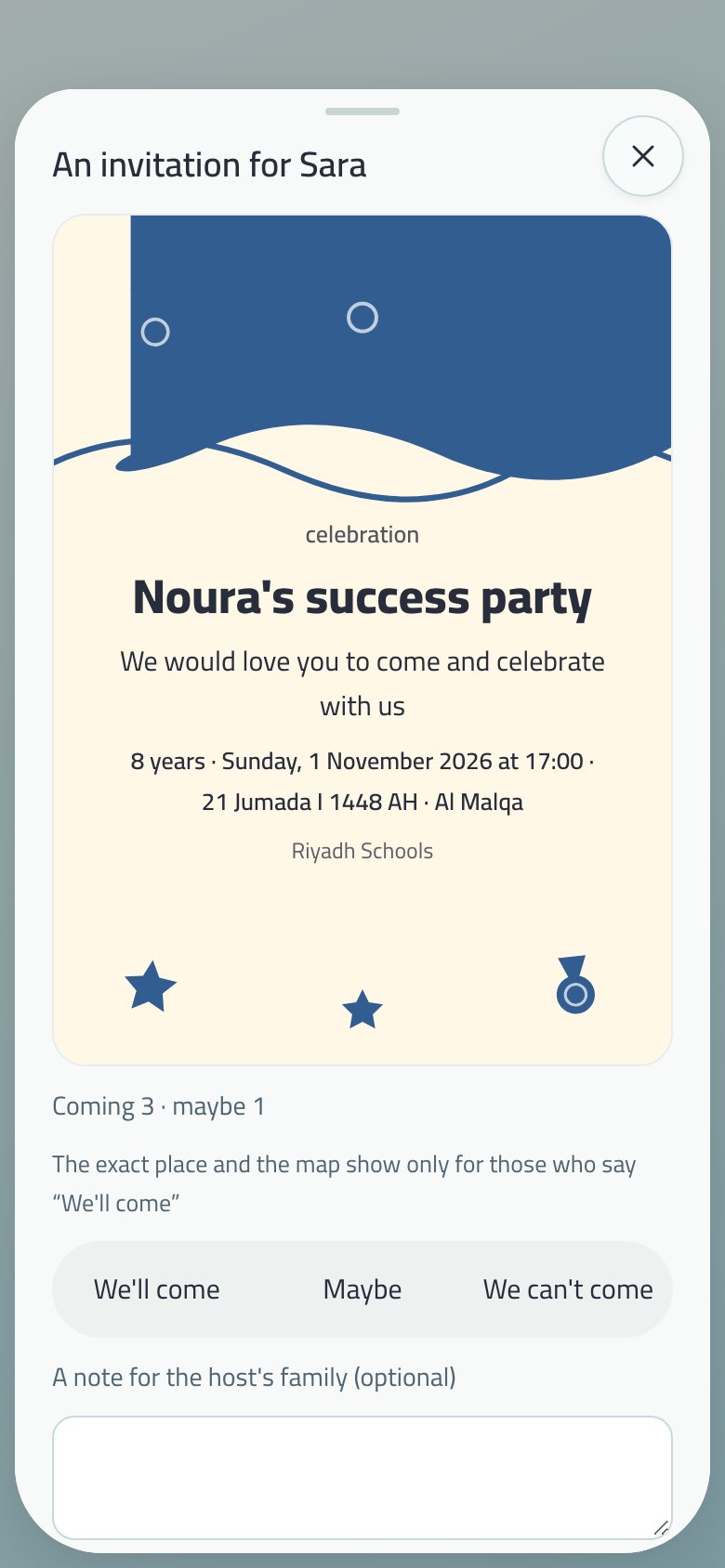
A guardian invites their child’s classmates to a birthday or a success party, and the school approves the invitation before it reaches anyone.
Invitations in My family: one you sent, one for your child.The invitation card: We’ll come, Maybe or We can’t come.
Sending an invitation
From the child’s page: the occasion, the date (at least 6 hours away, within 120 days, at most 12 hours long), the district, the exact place and a map link, and a note for the families.
Who is invited: the whole class or children you choose, as the school’s policy allows: invitations off, whole class only, or the guardian chooses (the default).
The card: “Design it for me” suggests up to three designs, or upload your own picture.
Children show by first name only, and the student never sees invitations: they go to the guardian.
The school approves
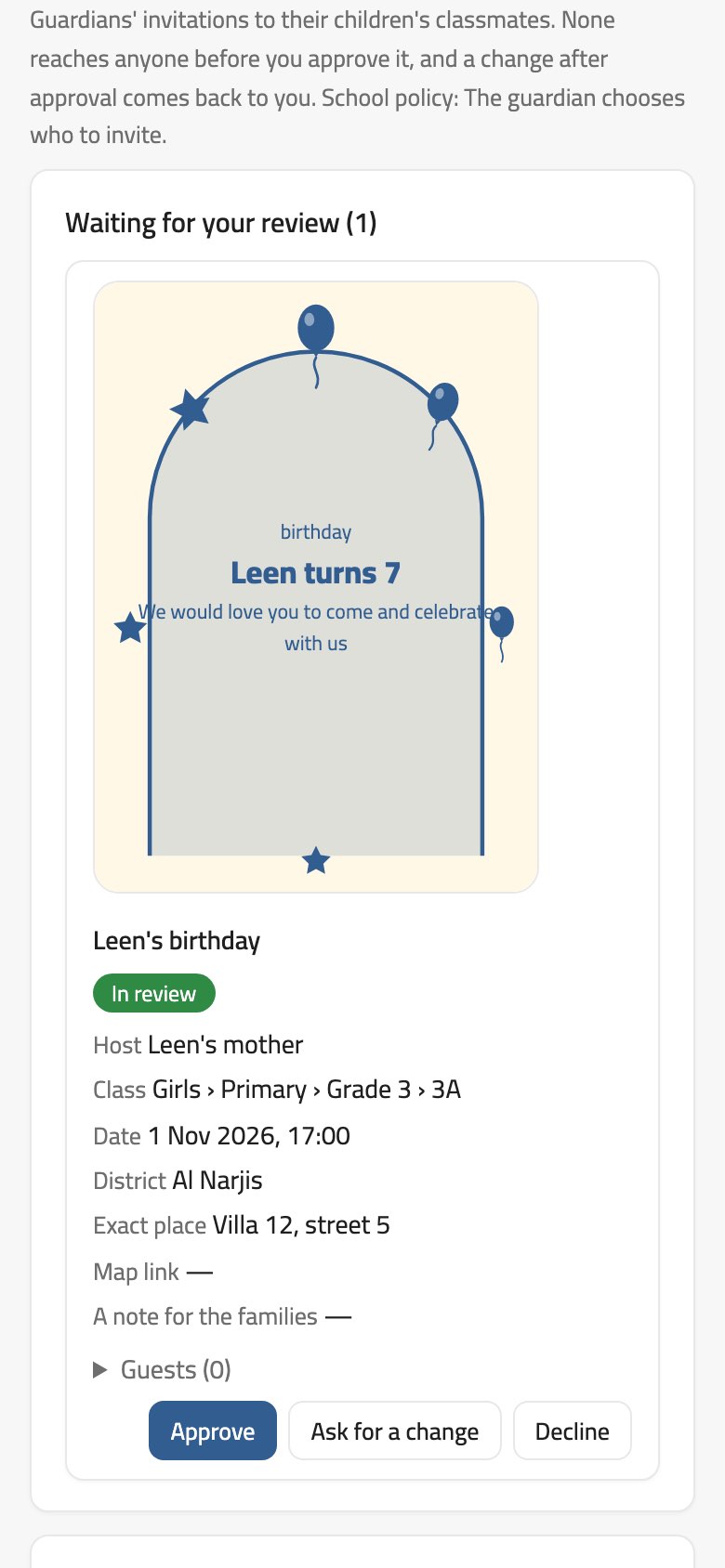
School dashboard: an invitation waiting for review.
In the school dashboard → Invitations waiting for your review, whoever may approve invitations can Approve, Ask for a change, or Decline with a written reason.
No invitation reaches anyone before it is approved, and any change after approval goes back to the school.
The school sets its policy on the same page.
Replying
The invited guardian replies: We’ll come with the number of adults, Maybe, or We can’t come, with an optional note for the host family.
The exact place and map show only to those who said We’ll come, and We’ll come adds the party to My dates.
The host sees the count: coming, maybe, not coming, and no answer yet.
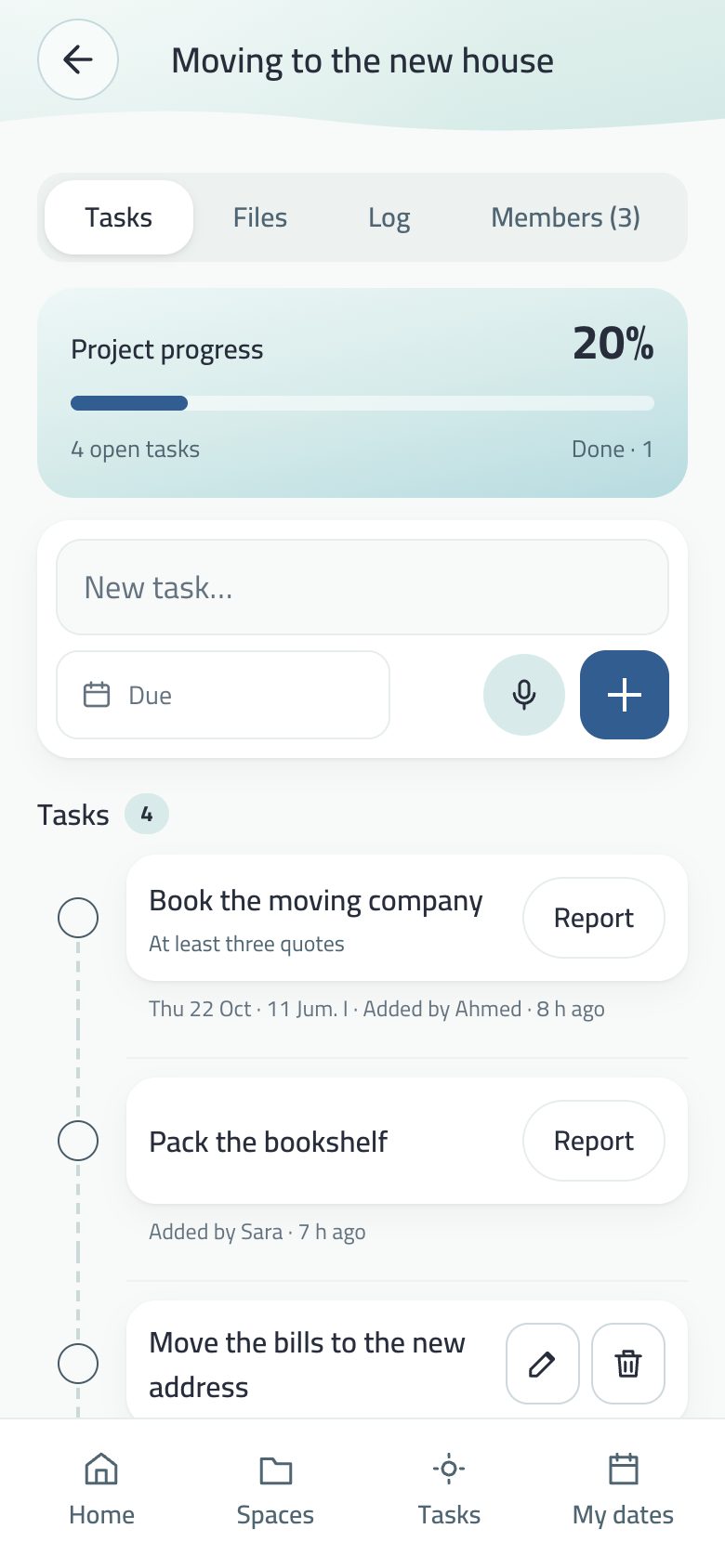
One space that several people work on: everyone sees what is added, and edits what they added.
A project page: tasks, members and files.
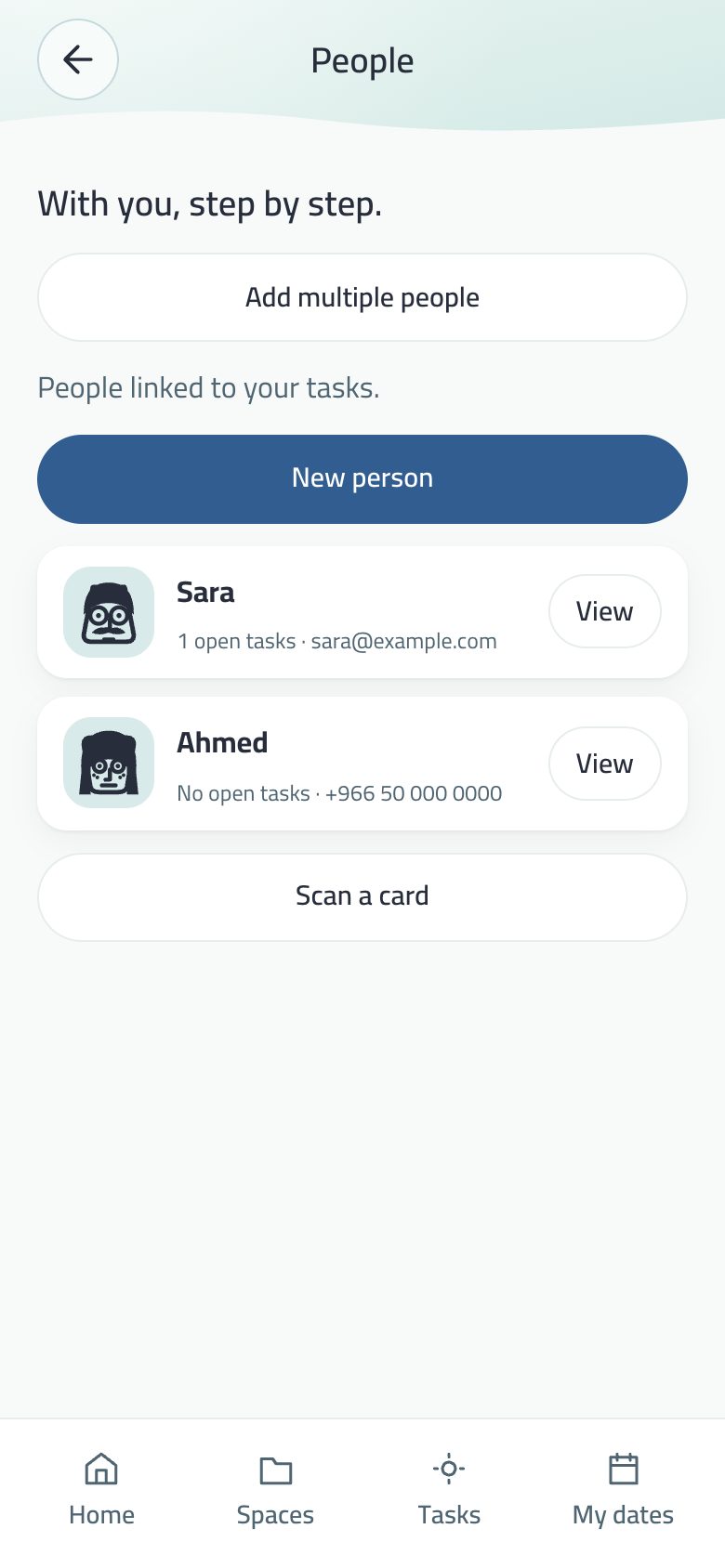
Inviting: an invite link that opens the app directly, or Share with in the Members tab: each of your people is a chip with their initial, and a tap makes an invite in their name and sends it by their saved contact.
Tasks: shaped like the main tasks; the name is the big line, with the date, who added it and when below. Everyone edits what they added, and there is a log by name and time.
Balak’s mic: a mic in the new-task row; speak, and the task is added to the space when you stop, with the date if you picked one.
Completing others’ tasks: the space owner decides in the Members tab. By default any member ticks any task; turned off, each member ticks only their own, and the owner ticks any.
Members: cards with avatars, and Remove beside whoever joined. Leaving is always possible.
Files: in the Google Drive of whoever added them, encrypted. A file is deleted by whoever added it or by the owner, and the original goes to the Drive trash. See Your files in your cloud.
Translation: every member reads the tasks in their language once the owner turns it on.
What others wrote has a Report button, and guardian controls always apply.
In a shared space every member reads the tasks and their notes in their app’s language, and writes in their own.
A translated shared space, with Original one tap away.
The space owner turns it on from Translation for members: “Turn on translation for this space”. If it isn’t available for your space, it says “Not available right now”.
Then every member reads what was written in another language in their own, and you read what they write in yours. For example: the family writes in Arabic, and the person who helps at home reads and writes in English or Indonesian.
Original shows what was written, and Listen reads the line aloud.
Translation happens on the reader’s device, line by line as needed.
What is sent: only the line written in another language (a task title or its note, without its writer’s name) to Anthropic to translate it. Each member is asked before their device sends anything, and can withdraw it in Privacy and security.
A child’s line
A line written by a child under guardianship appears as written to every member of the space, with no “Translate” button, and its text is not sent to any translation service.
Adults’ lines in the same space are still translated as before.
Give someone you trust your appointments, and one space you choose if you want. Nothing else.
The code: eight characters, from People and family → My assistant.
What they see: your appointments, from their own account, and they can add to them.
What they don’t see: your tasks, notes, spaces, anything locked, and your saved numbers.
What they edit: only what they added.
The log: everything they do is written for you by name and time.
Stopping: one tap. The dates they wrote for you stay.
One space on top of the dates
From My assistant → their name → What they reach: hand them one space — Work, not Home.
They see that space’s tasks and add to them, and edit, tick and delete only what they added. Your own tasks stay yours: ticking them is your moment, not theirs.
Nothing locked or hidden is handed over, and locking the space or taking it back closes it to them at once.
Why like this? Delegation in Balak never means “open everything”. Only what needs someone to arrange it for you is handed over; the rest of Balak is yours.
A space for your company inside Balak: team, requests, meetings, notices and document rooms — and the company sees nothing of your private spaces.
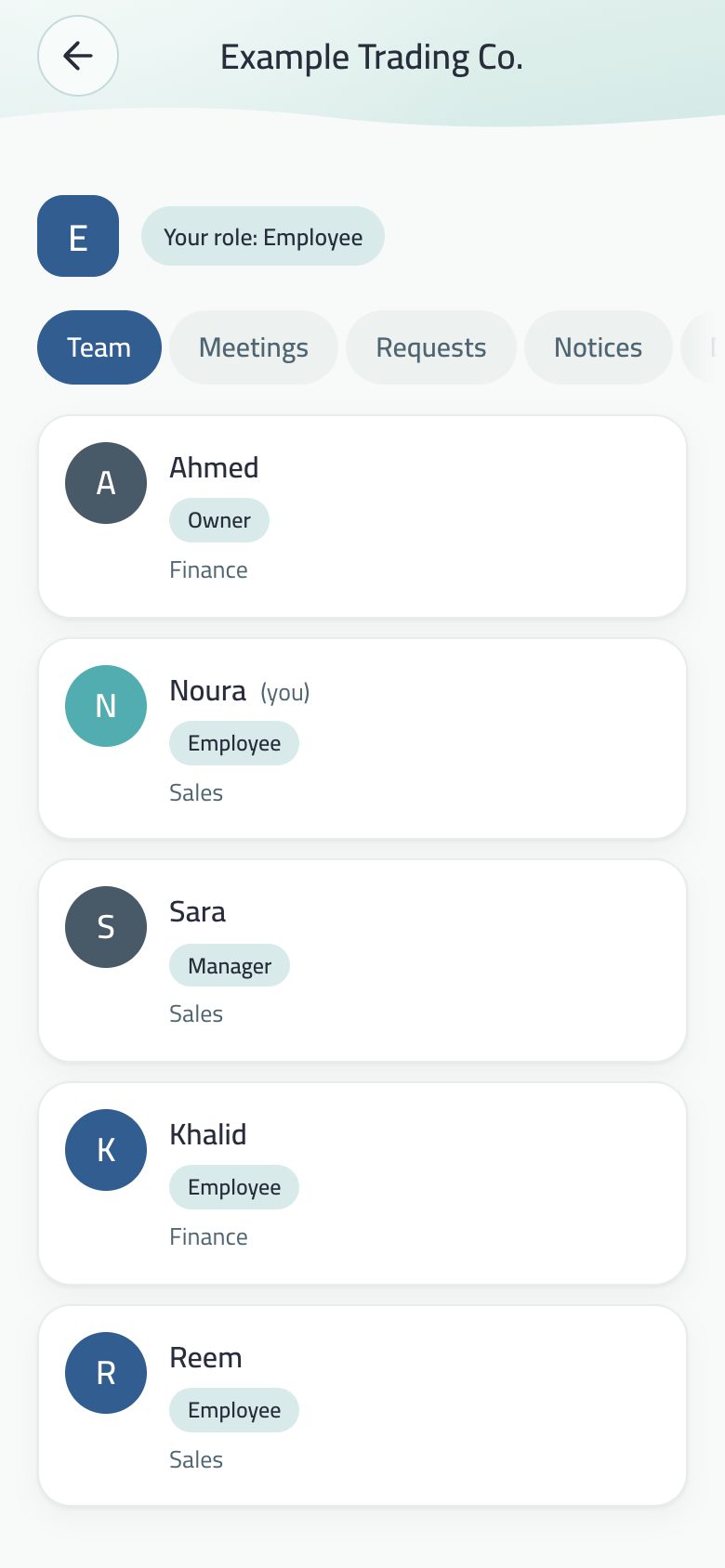
The company page: sections in one row, and the team as cards.
Getting started
A company is set up with a Balak subscription, and its owner is told “Your company was set up in Balak and you are its owner”.
The owner or a manager invites by e-mail from Invite someone. The invitee gets an e-mail from Balak with a button that opens the app at the invitation, confirms the e-mail with a code and accepts. Each pending invitation shows its e-mail status, with Send the email again.
The company’s spaces show on Home under Work spaces, and its tasks arrive in the company space with the name of who assigned them.
The company page
The header shows the company’s initial and your role. Sections sit in one row that scrolls sideways: Team, Requests, Meetings, Notices, Documents and Company work; for the owner also Departments, Settings and Log.
Team: each member a card with initial, role (owner, manager, employee), department and direct manager.
Requests: leave, expense, custody, purchase, letter, general. They pass the direct manager, then HR, then finance when there is an amount; attachments (receipt, invoice, quote) are seen only by those who see the request.
Self-service letters: salary certificate, employment letter or experience certificate, issued by HR.
Meetings: agenda, invitees, minutes and action items. Every meeting you are invited to appears in Appointments.
Company work: a team task without a meeting, with an owner and a deadline, which the owner can remind about.
The log can’t be edited or deleted, not even by the owner.
The document room
Every company has a General room, and the owner makes more rooms and chooses who sees them: the whole company, a department, or people with roles (manage, add, view). Folders up to five levels, and versions per document.
Balak’s viewer: a document (PDF, Word, Excel, PowerPoint) opens as pages carrying the reader’s name and time as a watermark, with pinch to zoom. A fixed line: “Your viewing is recorded, and every page carries your name”.
Screenshots are blocked on Android; on iPhone pages are covered while the screen is recorded and a screenshot is logged. On the web pages are covered when the window loses focus.
Ask about this page: the question becomes a task for whoever answers, and the answer reaches the asker.
Guests from outside in an external room: a confirmed e-mail, a code to their phone and a confidentiality acknowledgement, two devices at most. The room manager sees who read what and when, revokes access any time, and exports the log.
A meeting can be linked to a room, and attendees open it from the meeting.
Privacy: the company sees only what was made inside it. Your own tasks, notes and spaces never reach it, and leaving the company removes its space from your device.
The app works with no account. One is made silently the first time it’s needed (family, project, sync).
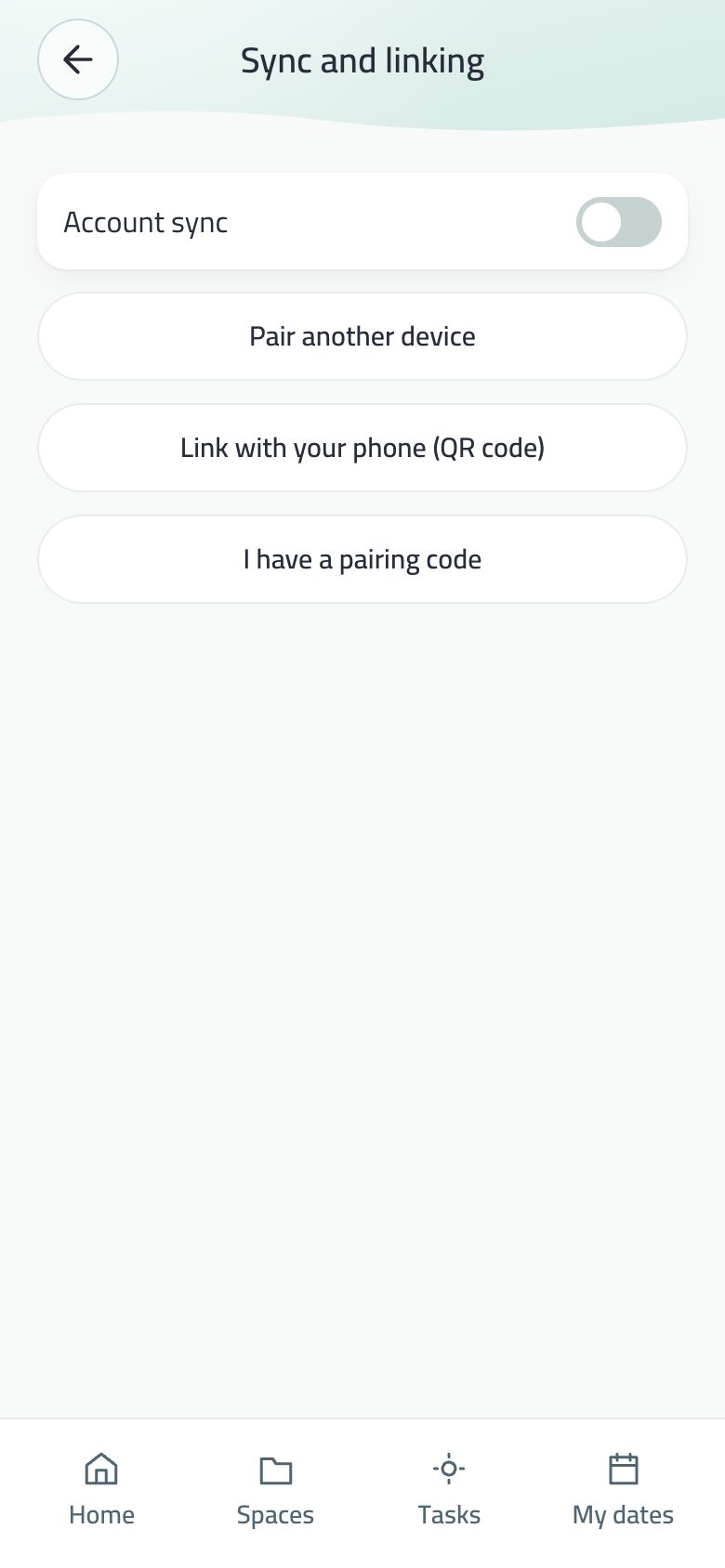
Devices and sync: account sync and linking another device.
Sync
Balak account: the same ideas, tasks and dates on every device with your account, automatically. An edit made offline is never dropped.
Google Drive: a copy in the app folder, and your files encrypted in your own Drive.
Chrome sync: for the extension.
A task or space deleted on another device closes its screen here at the next sync.
The account
An optional recovery e-mail confirmed by code (the code screen has a Paste button) brings the account back on a new device.
Your session lives in the keychain on iPhone and the protected system store on Android, so it never enters the device backup.
Delete my account in My profile: erases the account and its data from the server for good, hands the family and projects to another member, and leaves what is on your device. An account a device still holds is never deleted from the server.
If the account ends on the server after a long time unused: the device first asks whether it was unlinked from another device. If not, your data stays on the device as it is, and it is only signed out, with a line explaining what happened.
All text is free, and files in your own Drive are free too. The phone app shows no paid plan.
Devices
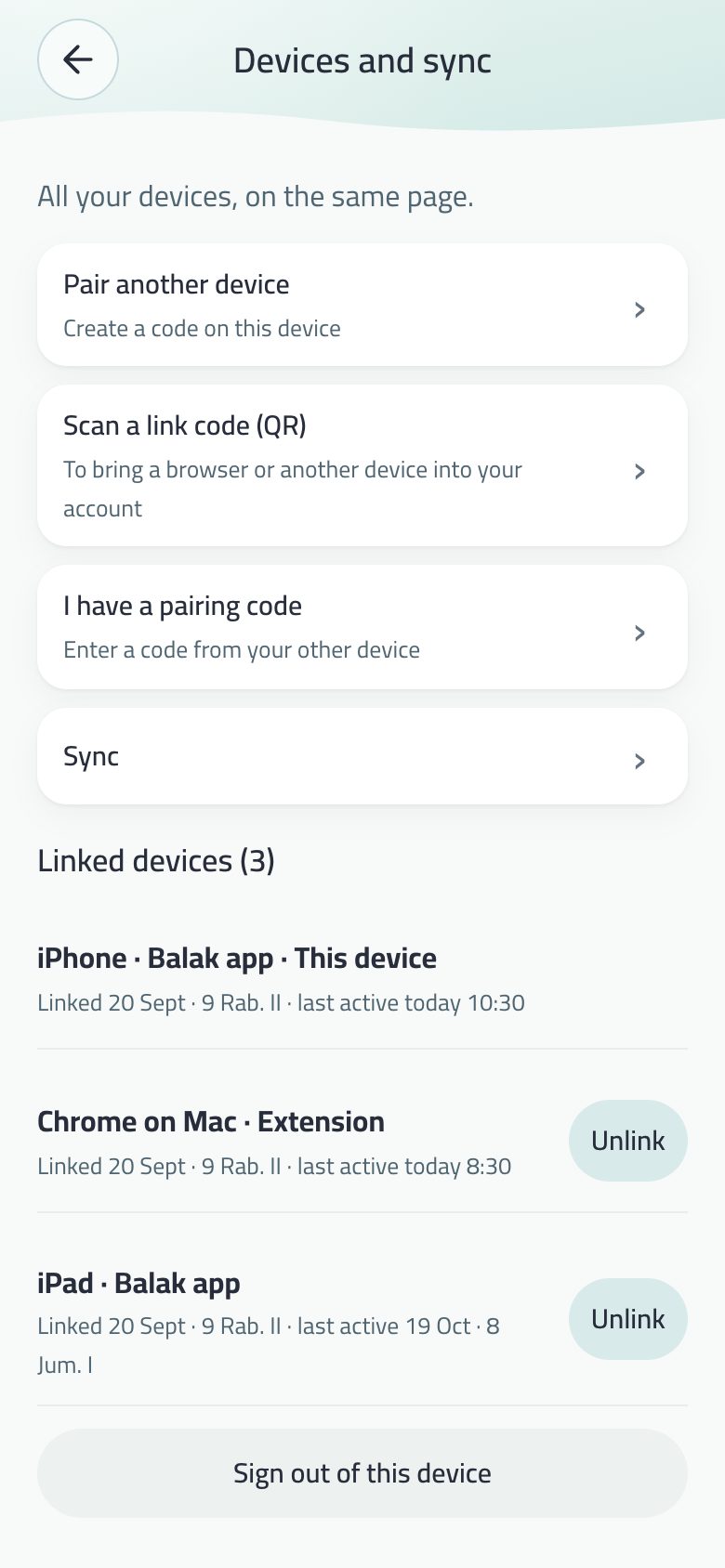
Linking by QR, the device list, unlinking and signing out of a device: in Linked devices.
“Stop e-mails”
Every invitation sent to you by e-mail from a company or school to Balak ends with a “Stop e-mails” link. It opens a page that asks first, then stops Balak e-mails to you, and your mail app (Gmail and others) shows “Unsubscribe” with one tap.
Signed subscription invoices still arrive.
The code e-mail
Account recovery and recovery-e-mail confirmation e-mails open with the code in six boxes, one digit in each, with “Balak code:” above it. iPhone offers the code above the keyboard in one tap.
Recovery e-mail
If your account has a confirmed e-mail, the screen shows it partly hidden, with “Change e-mail” and “Sign out of this device”.
If the account is protected by two-step verification, the screen says so. If the internet is down, it says that too, and no longer gives a vague message.
Your account on more than one device, linked by QR like WhatsApp.
Linked devices and the pairing code.
Linking
On the new device: “Link with your phone (QR)”. On your phone: “Scan a link code”, then “Allow linking”. Allow only if the device is in front of you and you opened the code.
Or from Menu → Devices and sync → I have a link code, or with the recovery e-mail.
A pairing link on balak.app opens the app directly on iPhone.
The list
Each device once, with its type and link date. A new device reaches the bell without sound.
Unlink and Sign out of this device: the device that leaves keeps none of your data.
My card
In My profile: a picture with your name, character and a QR code in the middle. Whoever scans it adds you to their people.
Adding by card
Whoever scans your card in Balak sees your name and taps “Add”, and your request reaches the bell. Nobody is linked before you tap “Accept”, and “Ignore” tells them nothing.
“Change my card’s code” stops every old card. Cards printed before this version still add the name only.
The card needs a confirmed recovery e-mail. Without one, the card stays a name only, and the screen tells you why.
The sticker
On the published card, the button “Write it on an NFC sticker”. Bring your phone to a sticker (NTAG215 or NTAG216) and your card’s link is written on it. Any phone that touches it afterwards opens the card page with no app. Nothing is read from the sticker.
On Android, a Balak card asks you to bring the sticker to the back of the phone. The button does not appear on a phone that cannot write NFC.
After writing, Balak asks whether you will place the sticker in a public place and offers to lock it. The lock is final, applies only to a sticker that carries your card’s link, and stops anyone from writing another link on it.
Google Drive on the web
“Google account and Drive” now works on balak.app/app/ as it does in the extension and on the phone: a copy of your data in the app’s folder on Drive, and your spaces and tasks files in your cloud.
The sign-in lasts about an hour, after which one tap on the same row renews it.
Silent delivery
What another device adds reaches your widgets and watch without opening Balak: a silent push wakes Balak to pull the new data.
Two 4-digit codes: one to lock, one to hide, and they must differ.
A locked note shows as Locked in My notes.
Locking
Works on notes, spaces and any task (from its details).
A locked item stays in place as a “Locked” row with no title on any screen. A tap asks for the code, and the screen behind the code prompt can’t be reached.
The code opens everything locked until you leave the app, then it all locks at once (or after a minute, if you choose).
Hiding
Hidden items leave every list and search and live in the vault.
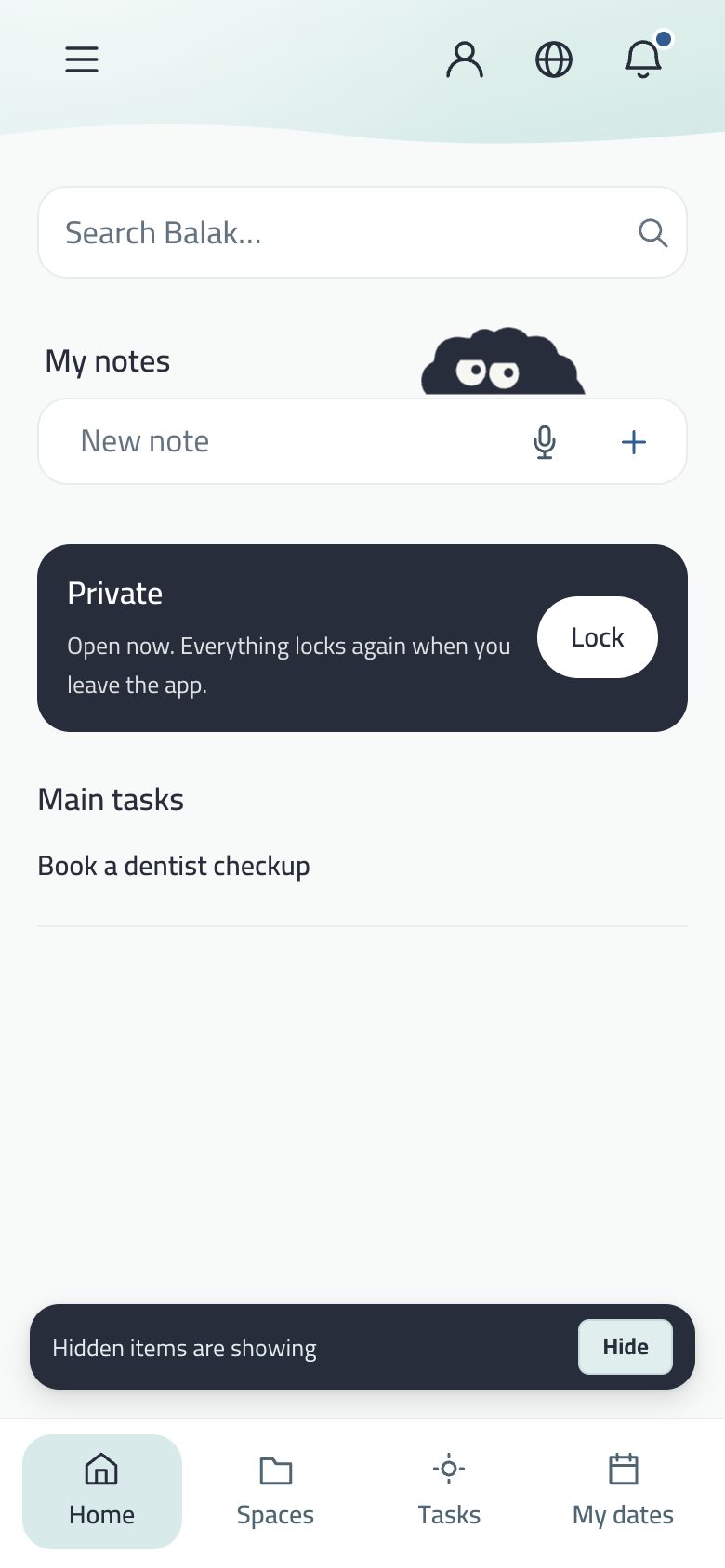
They come back by typing their code in Home search, which opens Private.
A wrong code is an ordinary search, never revealing there is a vault.
What never gets out
Search and the person filter never show a space or task because of something locked or hidden in it.
Private never reaches Google, and locked files in Drive have coded names.
App lock
A password for the whole app with Lock on close. Five tries, then a doubling wait. The password itself isn’t stored, only a fingerprint of it, synced with your account. The lock screen is full-screen.
AI and reporting
Privacy and security holds the two AI consent switches (suggestions, drafts and sorting; translation). Reporting and blocking have their own page.
Your code in Home search opens everything locked or hidden in one list, WhatsApp-style.
Private: what the code opened, with Open now and a Lock button.
Type your lock or hide code in Home search: Private opens with everything that code unlocks.
At the top: “Open now. It all locks when you leave the app.” and a Lock button.
A wrong code is an ordinary search: no message, so whoever holds the device can’t tell there is a vault. Tries are still limited.
Private is kept in the keychain on iPhone (and the protected system store on Android), so it is never copied into the device backup or moved to another device.
A minute after leaving
Menu → Privacy and security → Lock: Keep Private open a minute after leaving (off by default). The screen is covered at once in the app switcher.
In E-ink the search under the header behaves the same way.
Export a backup as JSON: on the phone through the share sheet.
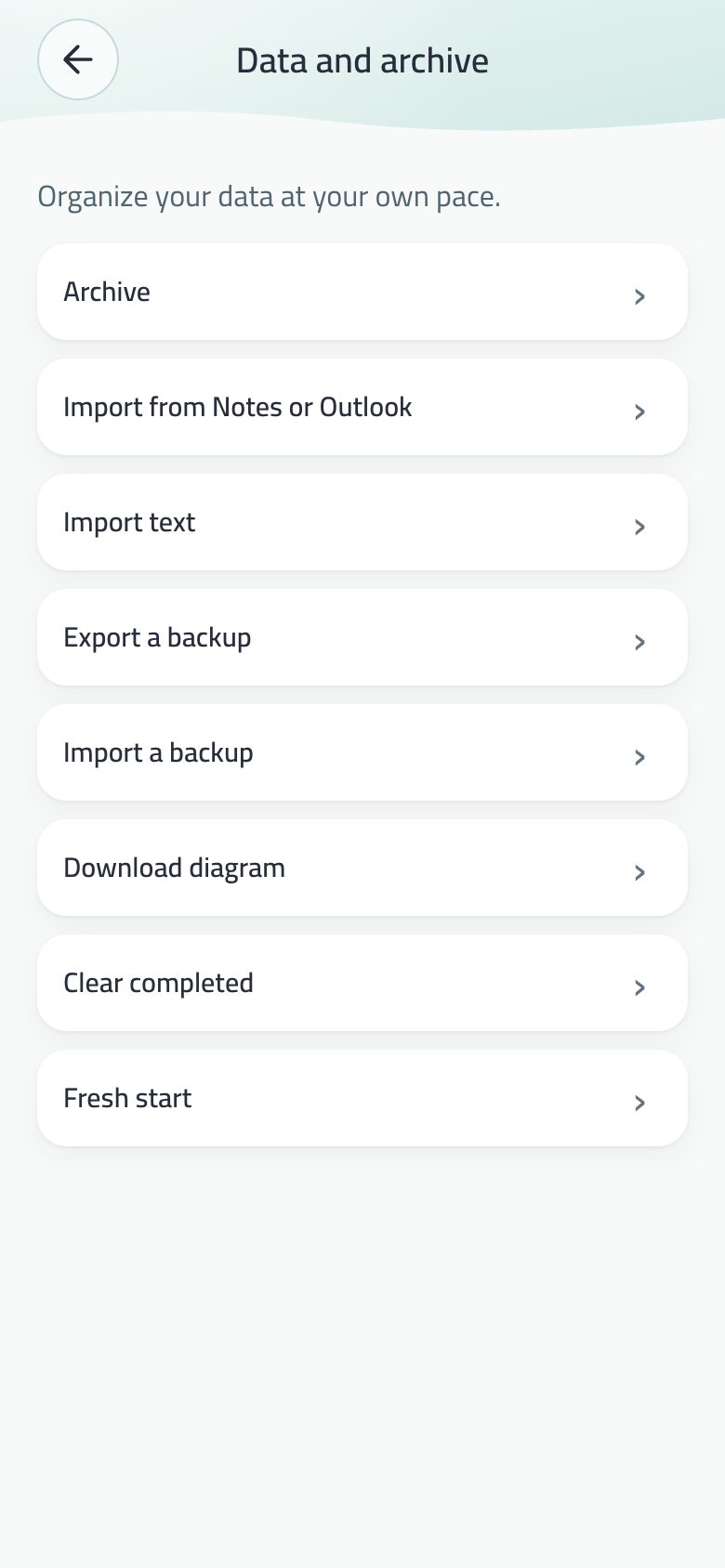
Archive: archived spaces (restore, delete permanently now, and the days left before deletion), archived tasks and notes, and Empty archive.
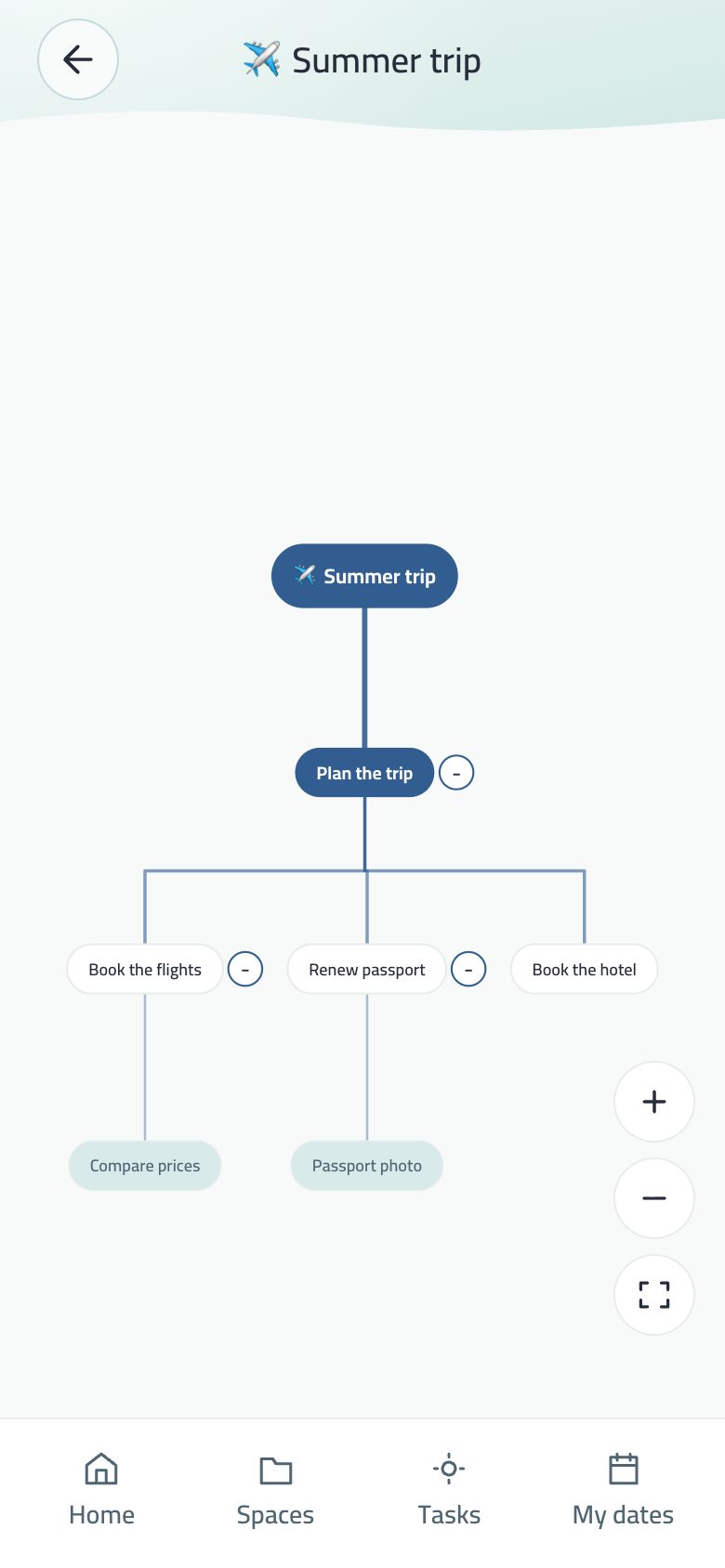
Download chart: the tree of spaces and tasks as an SVG file.
Undo: 40 steps in a session, and Undo after every delete.
Export leaves out settings and lock codes.
When the device’s storage is full, a line says the last change wasn’t saved and suggests exporting a copy; the first save once there is room writes everything that waited.
Import
From a backup, text (Notes, Outlook, tables, a brain dump) or a .ics file.
From Trello and Asana: a Trello export (JSON) or an Asana export (CSV). Sections that are states (to do, doing, done) become one space, other dates become appointments, and importing again duplicates nothing.
Fresh start clears this device only
The screen has its big title, the warning and Balak on two hills; it counts what will be erased and downloads a backup first.
“Erase this device and sign out of it”: what is erased here doesn’t reach the account as a delete, so your other devices are untouched.
One code everywhere: what you write on one device you find on the other.
The Chrome side panel: a calm home and a bottom bar.
iPhone and iPad
On the App Store. A share extension, notifications in Balak’s tone, the Dynamic Island for focus and dates, widgets and Control Center buttons, and Apple Watch. The rating prompt is Apple’s own, with no question before it.
Android
The same app, with the six widgets, Add to my calendar, dictation, a “Reminders · Balak” notification channel, and Wear OS watches. Back closes an open sheet first.
A side panel with a bottom bar for Home, Spaces, Tasks and Appointments, a calm home like the computer’s, and ≡ for the side menu. Split it with Chrome’s on-device model, and the weekly review alert.
On the phone
The app doesn’t slide sideways or pinch-zoom like a web page.
The keyboard covers no field: a floating sheet rises before it appears, and the bottom bar hides while you type.
An open sheet stays as it was when you step out to another app and come back.
Project invite, class code and pairing links on balak.app open the app directly.
Balak explains itself before every system permission, at its moment.
“Hey Siri, note it in Balak”
Say “Hey Siri, note it in Balak”, and Siri asks “What should I note?” and saves the note without opening the app.
It reaches your board when you next open Balak. It works on the phone, with earphones, and with the Siri button in a car, with no CarPlay permission needed.
On the web
You can pinch to zoom the page in the browser. The phone app stays as it was.
A running focus session shows its time in the browser tab title.
Balak outside the app: on the home screen, lock screen, Control Center and the Action button — six widgets on iPhone and Android.
The six widgets
Widget
What it shows
A tap opens
Next date
A ring that fills as your date nears, with the time left in its middle, and the next dates in a strip below. Small and wide, and on the lock screen.
Appointments
My day
Today’s main tasks and a ring of what is done (“2 done of 3”); the next task in the small size, up to four in the medium.
Main tasks
My week
The seven days from today with their dates and due tasks, today highlighted.
Appointments
Focus
The next task with its session length, or the running session with a timer that counts by itself. Starts nothing on its own.
The session or task details
My notes
Your notes — three in medium, eight in large — with Write it and Say it.
My notes
Say it
One button to dictation.
The field with the mic ready
A gradient ground instead of a white box, lines readable in sunlight, following dark mode and the app language. Balak’s face sits on a light disc in dark mode.
An empty day isn’t a blank page: a warm sheet with a word from Balak and one of its characters, changing four times a day.
They stay right after midnight on their own, without opening the app.
System buttons (iPhone, iOS 18 and later)
Write it and Say it in Control Center, at the bottom of the lock screen and in the Action button list. Both open the My notes field.
Say it readies the mic in a ring and listens only after your tap, then adds the note when you stop.
What never shows: what isn’t named in an alert isn’t written into a widget snapshot, and locked items are left out. Your watch shows the same snapshot.
A glance at the wrist is faster than opening the phone: your next date, your day, your notes, and Say it.
Apple Watch
Three pages: Next date with its ring, countdown and what follows; My day with today’s main tasks; and My notes.
A Say it button on each page: speak into the watch and the note reaches Balak on your phone and is saved in My notes.
Complications: Next date (circular with a countdown, rectangular, inline and corner) and Say it (one tap to the mic).
Wear OS
For Samsung Galaxy Watch 4 and later, Pixel Watch and others.
The focus session and its timer, your next date with a countdown, today’s tasks, your notes, and Say it that opens dictation on the phone.
A Balak tile and a Next date complication on the watch face.
Why show and not edit? The watch holds no data of its own, only the same snapshot as the widgets, so what doesn’t show on the lock screen never reaches the wrist. Editing stays in the app, where undo, sync and locks are.
On a computer (from 1024 wide): a calm home, a side menu with every place in Balak, and settings as tiles.
Home on a computer: calm, with the character in the middle of the note field.
The calm home
A white ground, “Balak” and the day in the middle, and below them the note field alone with the character above its centre, with Add note and Search.
Under it My notes, then today’s tasks as light lines; only the task you are on now has a background. Pick one for me and My whole day are words.
My spaces as tiles on the other side at a quarter of their clarity, fully clear when the mouse or keyboard comes near.
The side menu and settings
The sidebar is flat, a word under each icon, with Work, Family and More.
≡ and More open a side menu with every place: Home, Tasks, Appointments, Spaces, Map; then People (Work, Family, People, Classes); then More; and at the end Settings and About Balak. At its top, New for a task, note, date, space or person. Close with X or Esc.
Settings and alerts: tiles in two columns, each listing the pages inside it, and a Me and my progress tile.
Landscape phones and iPad
The bottom bar becomes a sidebar at the reading start, and focus and pause sit on two sides.
Portrait iPad and phones are unchanged.
iPhone Duo
When the system status bar and camera stand on one side, Balak’s bar becomes a side column inside the camera column below the status bar, icons only, so the full width is left for content.
Half folded: Home centres on the fold with its columns on either side, so no button sits in the fold.
Balak’s main look on every device: a calm header, white cards, sheets rising from the bottom, and spring motion.
Theme and appearance: BV2 and E-ink, light and dark.
Two looks only
Menu → Theme and appearance → Look: BV2 or E-ink. The old “Balak” look is gone; anyone on it sees BV2. Each has light and dark.
How it looks
Every field in a white card, choices as visible chips, and buttons as pills: blue for the main action, white with a thin line for the rest. No grey, no sharp corners.
Sheets rise from the bottom with an X: adding a task, space, date or person, task details, the family, languages, Customize tab. Some float in an Apple Pay frame. A sheet doesn’t close by tapping outside or swiping.
Spaces are blue sheets, and the menu ends in a calm wave with the app name and version.
Undo is one button above the bar: a circle counting the seconds on a yellow ring, tapped or dragged to the end.
Motion
Every motion is a calm spring: switches slide, overshoot a little and return; the selection colour slides to the new choice; buttons press under your finger and bounce back.
Copy and Save turn briefly into a tick with “Done”.
The waves move even with Reduce Motion, and buttons still answer to touch with it.
Screens whose parts are fixed show whole with no scrolling.
Press and hold to delete
Holding your finger on a delete button (task, person, space for good, date…) fills it over 1.2 seconds, then deletes with a light tap of haptics, and Undo stays. Lift early and nothing is deleted. Two taps still work for VoiceOver and keyboard users, and the first tap says what will happen.
A look for e-paper screens and for anyone who wants full calm: paper and ink, no colour, no motion, and one still home screen.
The E-ink home: search, the four icons, My notes and today’s tasks.
Turning it on
Menu → Theme and appearance → Look → E-ink. Light and dark both work (dark is an inverted page).
The look
The paper is the grey of the E Ink specification itself, the maker of Kindle and Kobo screens, with ink a little darker, as on its newest screens.
No shadows, gradients or motion; switches read by shape, not colour. A chosen day is filled with ink, and the space dot is absent.
Home: one still screen
The date (with Hijri) in a small line, no clock since the phone’s own is above it.
“Search Balak…”: the real search, and your code opens Private.
Four icons you choose under search, including Notifications with its new-item dot.
My notes: a line for a new idea (with dictation where available; the mic turns to ink while it listens), and the three newest ideas.
Three of today’s tasks with their four seats, and All opens your whole day.
Main menu
The first button in the bottom bar, and the buttons carry their names: every section of Balak on one page in five groups, separated by a dashed line with the group’s name. Pin there chooses the four icons.
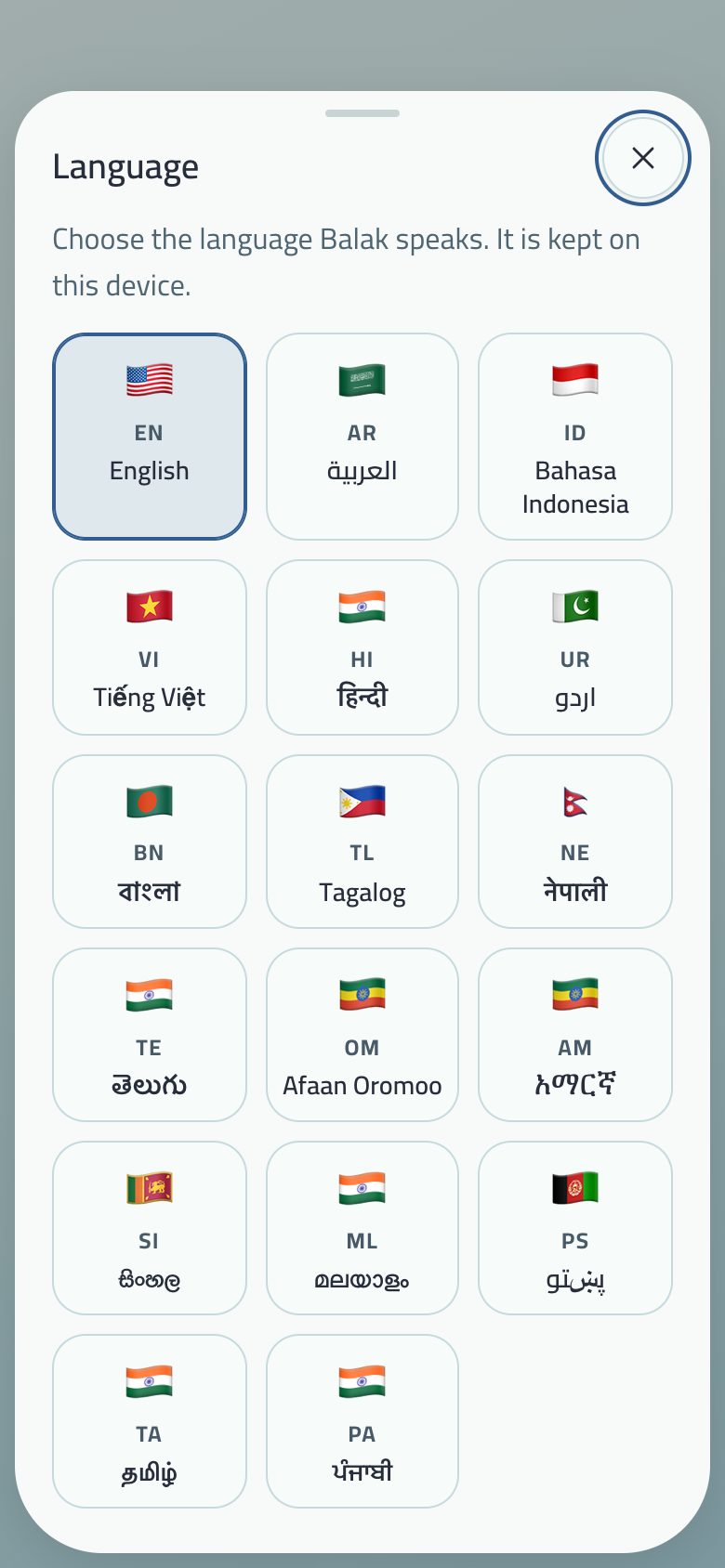
The language sheet rises from the bottom: each language a tile with its flag, code and name in its own script, three per row, the current one shaded. Open it from the globe in the Home header, from Theme and appearance, or from the start screen.
Direction, font, dictation and date shapes come from each language: Urdu and Pashto run right to left.
Only Arabic, English and your language are loaded; the rest when chosen.
What you write yourself (a task, note or space name) shows as you wrote it, never translated on its own.
To read what others write in your language in a shared space: live translation. And Saudiha for the Saudi dialect.
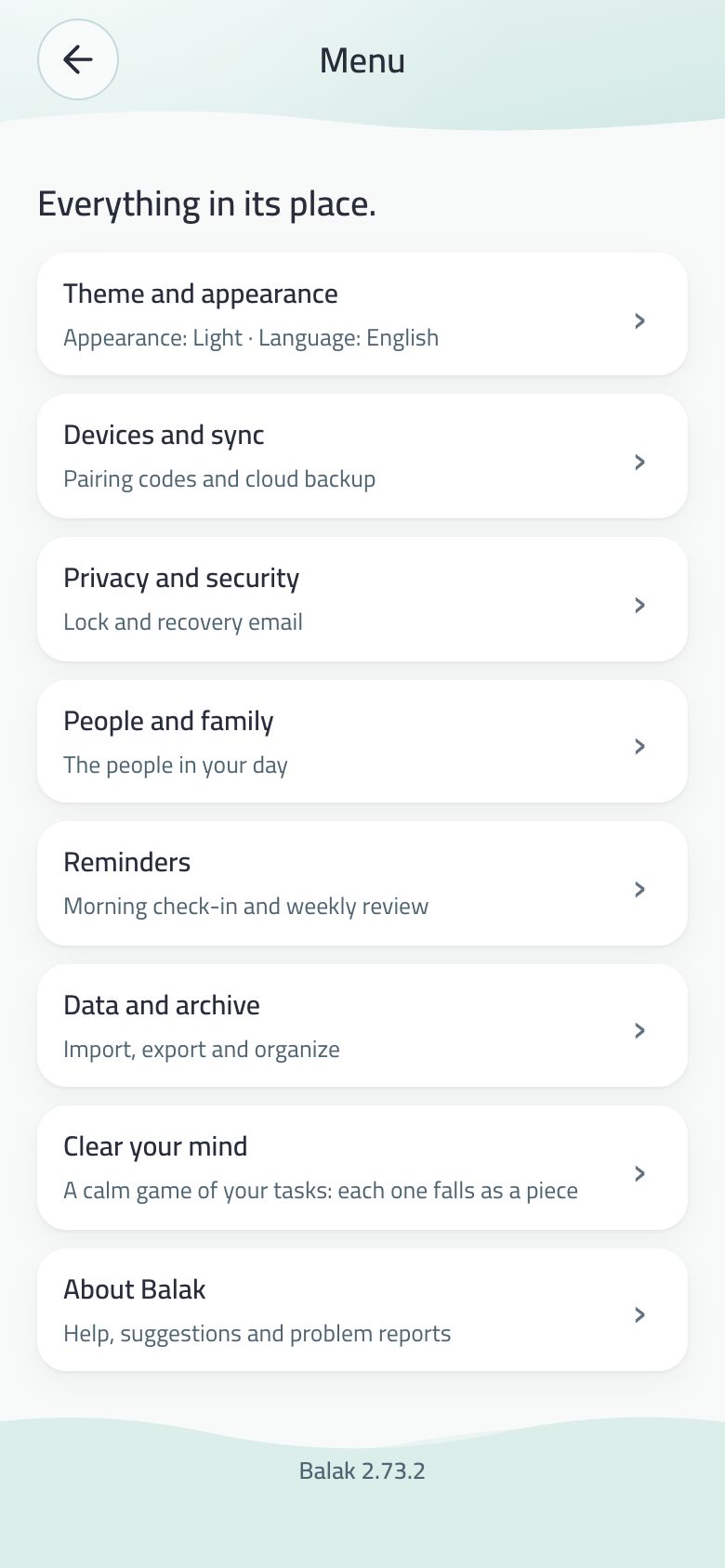
≡ in the Home header opens the menu: white rows with an arrow, and the whole card opens its page. On a computer it is a page of tiles, and in E-ink the Main menu.
Group
What’s in it
Theme and appearance
Light or dark, the look (BV2 or E-ink), language, font size and reading, Eye motion, date and week, and Display (the map).
Devices and sync
Link another device, I have a link code, sync, Google account and Drive.
Privacy and security
Lock (lock and hide codes, app lock, a minute after leaving), recovery e-mail, AI consent, privacy policy.
People and family
People, My family, shared projects, My assistant, My classes (teachers), Join a class, and the company for its members.
Reminders
Morning check (8:30 on work days and 12:00 at the weekend, its text saying what awaits you), weekly review, notification permission (classes, family, projects, devices, company), the two-minute heads-up, read the step aloud; and reminders for teachers and parents.
Suggestion, report a problem, share your view, privacy, terms, support, and the version number.
Customize tab is a bottom sheet choosing the custom tab’s destination (Spaces first). Name, picture, Saudiha, celebration screens and account deletion are in My profile.
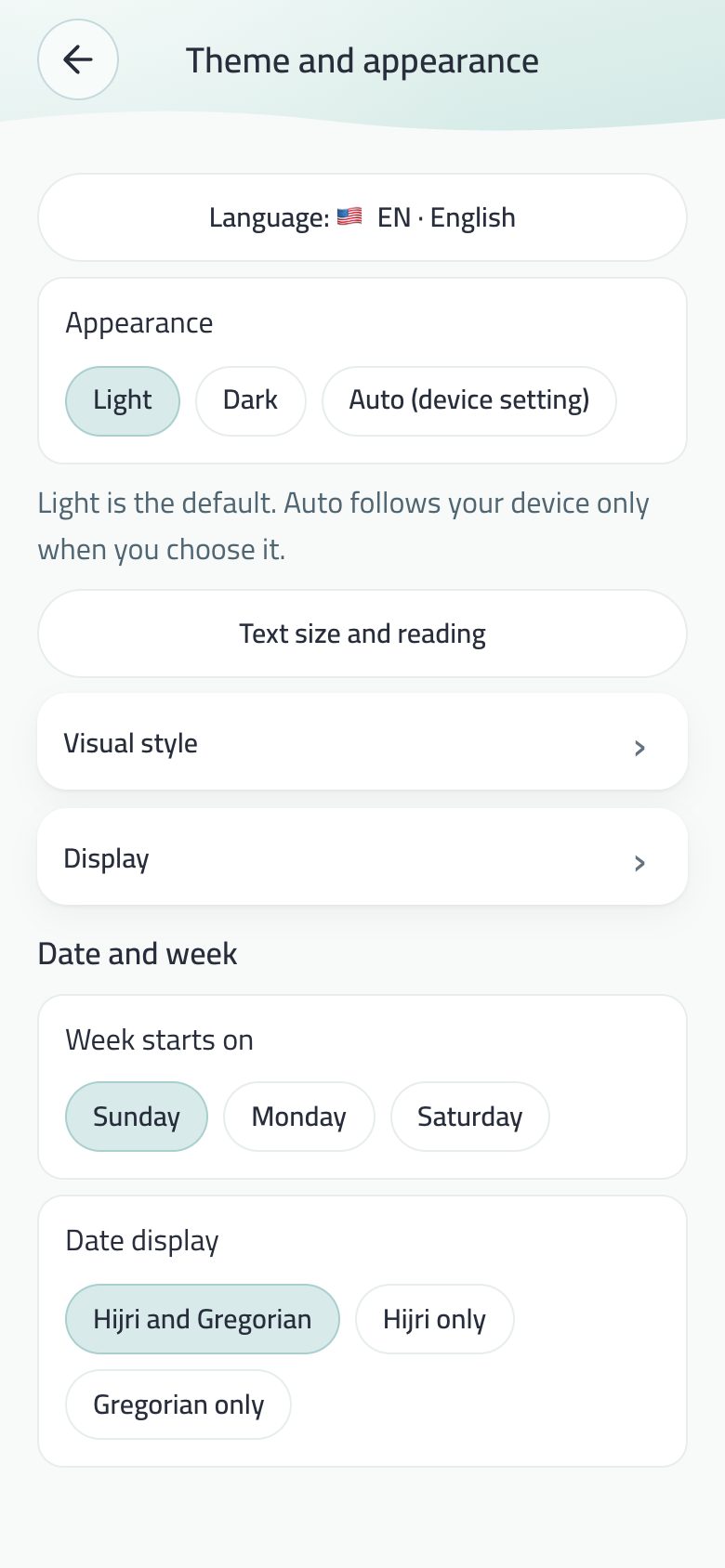
Week start and calendar
The week starts on Sunday, as in Saudi Arabia. Or Monday or Saturday if you prefer.
Dates: Hijri and Gregorian together (default), Hijri alone by Umm al-Qura, or Gregorian alone. A task’s tag reads your first calendar only; the full date is in its details.
Look and text size
The start screen offers three choices in one row: Light, Dark and Auto. Auto follows the phone’s light or dark mode. Light stays the default.
A new first option in “Text and reading” is “Auto, from the phone”, and it is the default for anyone who has not chosen a size. On iPhone Balak reads the text size from the phone’s settings and picks the nearest of its three sizes. Anyone who chose a size before keeps it.